Next-Level Code. Nexuvibe Style ...
Hrs
Min
Sec

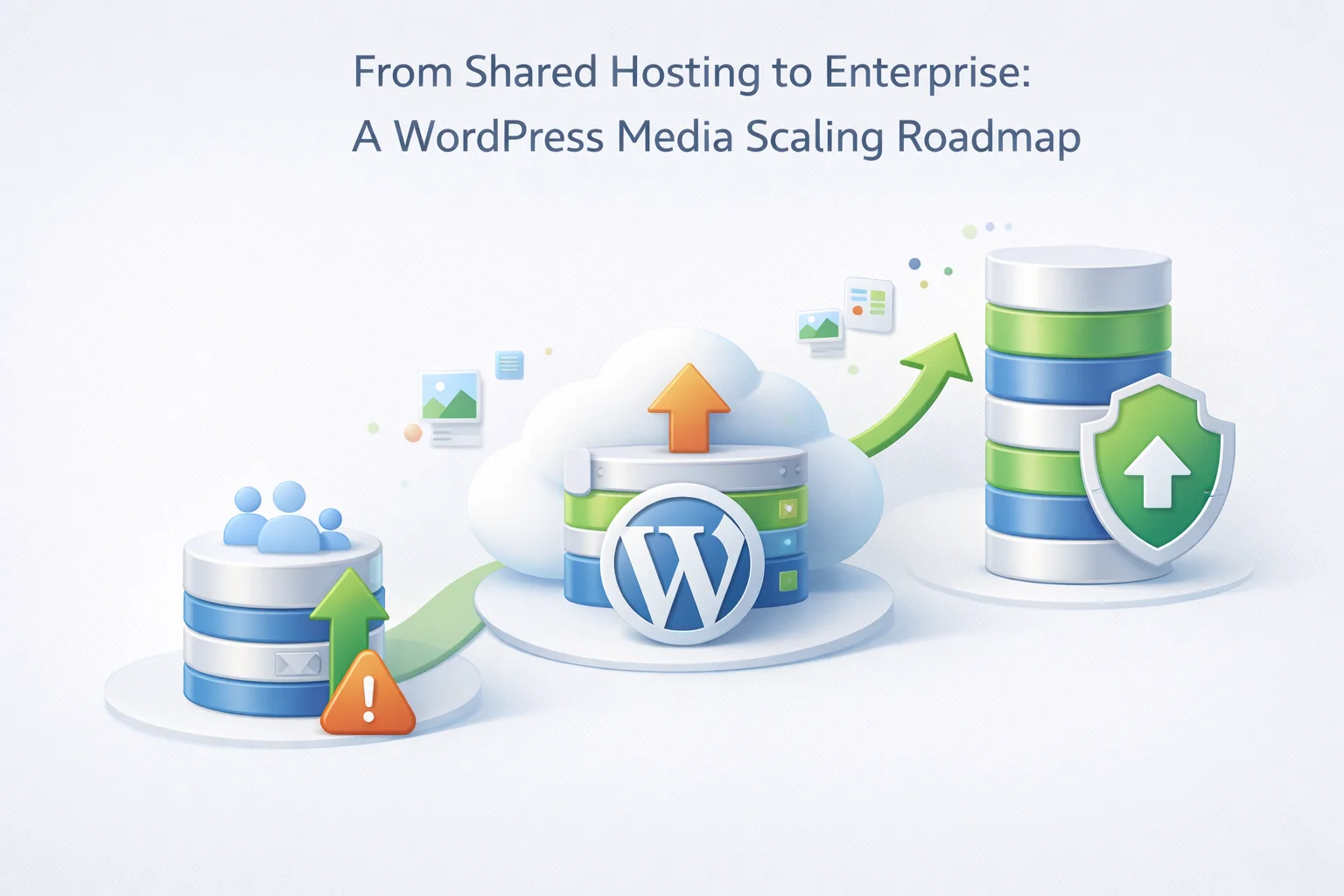
Every WordPress site that has grown to any meaningful scale has passed through the same infrastructure stages. The launch on shared hosting. The first storage warning. The first performance problem under real traffic. The migration to managed hosting or a VPS. The realization that the media library is a separate problem from the compute infrastructure. The gradual or sudden adoption of a media offload strategy. And for larger properties, the move toward enterprise-grade delivery infrastructure.
What differentiates sites that scale successfully from those that accumulate technical debt and crisis events is not luck or resources. It is making the right infrastructure decisions at the right stage rather than waiting until a problem forces the decision. The sites that are hardest to scale are almost always the ones where media infrastructure was never addressed as a deliberate decision and instead accumulated as a legacy of the launch configuration.
This roadmap covers five distinct infrastructure stages that WordPress sites pass through as they grow, the media-specific decisions that belong at each stage, the signals that tell you it is time to move from one stage to the next, and the practical steps for implementing each transition. The focus throughout is media storage and delivery because that is where the most common and most avoidable scaling failures occur.
Shared hosting is where most WordPress sites begin. A single server hosts many websites simultaneously, sharing CPU, memory, and storage. Performance is adequate for low-traffic sites and the price is accessible. Storage is typically 10GB to 50GB depending on the plan tier.
At this stage, media infrastructure is not a concern. Upload images, install WooCommerce, start publishing. The shared hosting environment can accommodate a small media library without strain.
Stage 2 is the pivotal transition for most growing WordPress sites. Managed WordPress hosting provides meaningfully better PHP execution, automatic updates, improved security scanning, and better support than shared hosting. This is the right move for a site with real traffic and real content.
The critical decision at this stage is whether to implement FTP media offloading at the same time as the hosting upgrade. Sites that do both together arrive at Stage 2 with a hosting plan sized for their actual compute needs and a separate, appropriately priced media storage infrastructure. Sites that upgrade hosting without offloading media will find that their new managed hosting plan fills with images just as the old shared hosting did, on a slightly longer timeline.
At Stage 3, the site’s traffic volume demands dedicated compute resources. A VPS or high-performance managed WordPress host provides isolated CPU and memory, better database performance, and the ability to handle concurrent traffic spikes without sharing resources with other sites. This is the environment where WooCommerce checkout reliability becomes genuinely important to measure and protect.
Media infrastructure at this stage becomes mission-critical rather than just cost-optimized. If media is still on the hosting server, a traffic spike sends hundreds of concurrent image requests to the same server handling order processing. The separation of media delivery from application execution is no longer a cost optimization. It is a reliability and performance necessity.
At Stage 3, the CDN choice matters more than at Stage 2. A CDN with broad global edge coverage, low per-GB costs, and strong cache hit rates delivers measurably better LCP scores for an international audience. The FTP storage server remains the same, but the CDN layer in front of it receives more attention to configuration and optimization.
Stage 4 involves dedicated server infrastructure: either a dedicated bare-metal server, a high-specification cloud instance, or a managed enterprise WordPress platform. At this scale, the application and database layers often begin to separate as well, with the WordPress application running on its own server and MySQL running on a dedicated database server.
Media storage at Stage 4 typically involves a tiered strategy. Frequently accessed media and the current content library stays on a primary FTP or object storage server with full CDN delivery. Archived content from previous years or past-season products moves to cold storage with slower retrieval but much lower per-GB costs. The CDN configuration becomes more sophisticated, with cache rules tuned to content freshness requirements and geographic distribution optimized for the site’s actual audience location data.
Enterprise WordPress architecture involves load-balanced application servers, separate database clusters, multi-region failover, formal SLA agreements, and dedicated infrastructure engineering. This is the domain of large media companies, major WooCommerce operations, enterprise content platforms, and large-scale agency infrastructure.
At Stage 5, media storage and delivery are almost always entirely separate from application infrastructure. Object storage with enterprise SLAs, multi-region CDN configurations, and formal data residency policies govern how media is stored and delivered. The WordPress plugin layer may still connect to FTP or S3-compatible storage, but the infrastructure behind that connection is significantly more sophisticated.
Most WordPress sites never reach Stage 5, and that is perfectly normal. The roadmap is not about inevitably reaching enterprise scale. It is about making the right decisions at whatever stage you are currently at, and Stage 2 and Stage 3 represent the vast majority of the WordPress ecosystem where the decisions matter most and where the most common mistakes are made.
Different types of WordPress sites reach critical stage transitions at different speeds and encounter different media-specific challenges at each stage. Understanding which path applies to your site type helps you anticipate the right decisions before they become urgent.
Moves from Stage 1 to Stage 2 slowly based on audience growth. Media accumulates steadily but not explosively. The FTP decision is often made at Stage 2 when the first storage warning arrives. Sites that make it proactively avoid a two-year cycle of reactive upgrades. The jump from Stage 2 to Stage 3 is typically traffic-driven rather than storage-driven if media is offloaded correctly.
Reaches Stage 2 fast due to catalog-driven media growth, often within 12 months of launch for stores with large catalogs. The FTP decision at Stage 2 is genuinely time-sensitive because the transition from Stage 1 to Stage 2 storage crisis can happen faster than anticipated. WooCommerce stores also feel the Stage 2 to Stage 3 performance transition acutely during seasonal traffic peaks before the hosting is upgraded.
Does not follow a single site’s stage path. Instead, manages a portfolio where each client is at a different stage, each with different media needs and growth trajectories. The most efficient agencies standardize on a shared FTP media infrastructure at Stage 2 for most client sites and reserve Stage 3 configurations for the handful of clients with genuine traffic scale. This hybrid approach minimizes per-client infrastructure overhead while ensuring appropriate resources for high-traffic clients.
The structural mistake that most sites make when facing media-related infrastructure problems is treating the hosting decision and the media storage decision as a single problem with a single solution. When a storage warning arrives, the instinct is to get more storage, which means upgrading the hosting plan. When performance degrades, the instinct is to get better hosting, which means moving to a higher tier.
Both of these responses are addressing the wrong layer of the problem. Hosting is a compute resource. Media storage is a static file management problem. They have different scaling characteristics, different cost curves, and different optimal solutions. Treating them as one problem means consistently overpaying for hosting capacity that is primarily being consumed by static files.
According to WordPress’s own published statistics, WordPress powers a substantial share of the web. The infrastructure decisions made by the people running those sites have real economic consequences. Separating the media storage problem from the compute infrastructure problem is one of the highest-leverage decisions available at Stage 2 and Stage 3. It is not complicated. It is not expensive. It requires one plugin, one FTP server, and one configuration session.
Whatever stage you are at in this roadmap, WP FTP Media’s scalable WordPress media storage solution handles the media layer correctly at Stage 1 through Stage 4, so that your hosting decisions can be made based on compute needs rather than file accumulation. The architecture that looks right at Stage 2 is the same architecture that still makes sense at Stage 4, just with a larger FTP server and a more optimized CDN configuration behind it.
WP FTP Media handles the media layer correctly at every stage from shared hosting to enterprise, separating static file storage from compute infrastructure so your hosting decisions can always be made on the right basis.







Hey, finally a scaling guide that cuts to
Waste of time. 20 minutes my foot, took me hours
Okay, I bought this roadmap thinking it would finally give me clear signs when my WooCommerce store was outgrowing shared hosting. But honestly? The "signals" section is so vague it might as well say "you'll just know.
Finally a guide that explains shared hosting limits