Next-Level Code. Nexuvibe Style ...
Hrs
Min
Sec

Hybrid stores rarely announce their split personality on the homepage, yet the checkout screen tells the truth. A guest buying a single consumable does not want to interpret “Company” as mandatory. A procurement coordinator placing a replenishment order does want a clean place for legal name, tax identifiers, and internal reference codes without feeling like they are fighting a consumer toy interface.
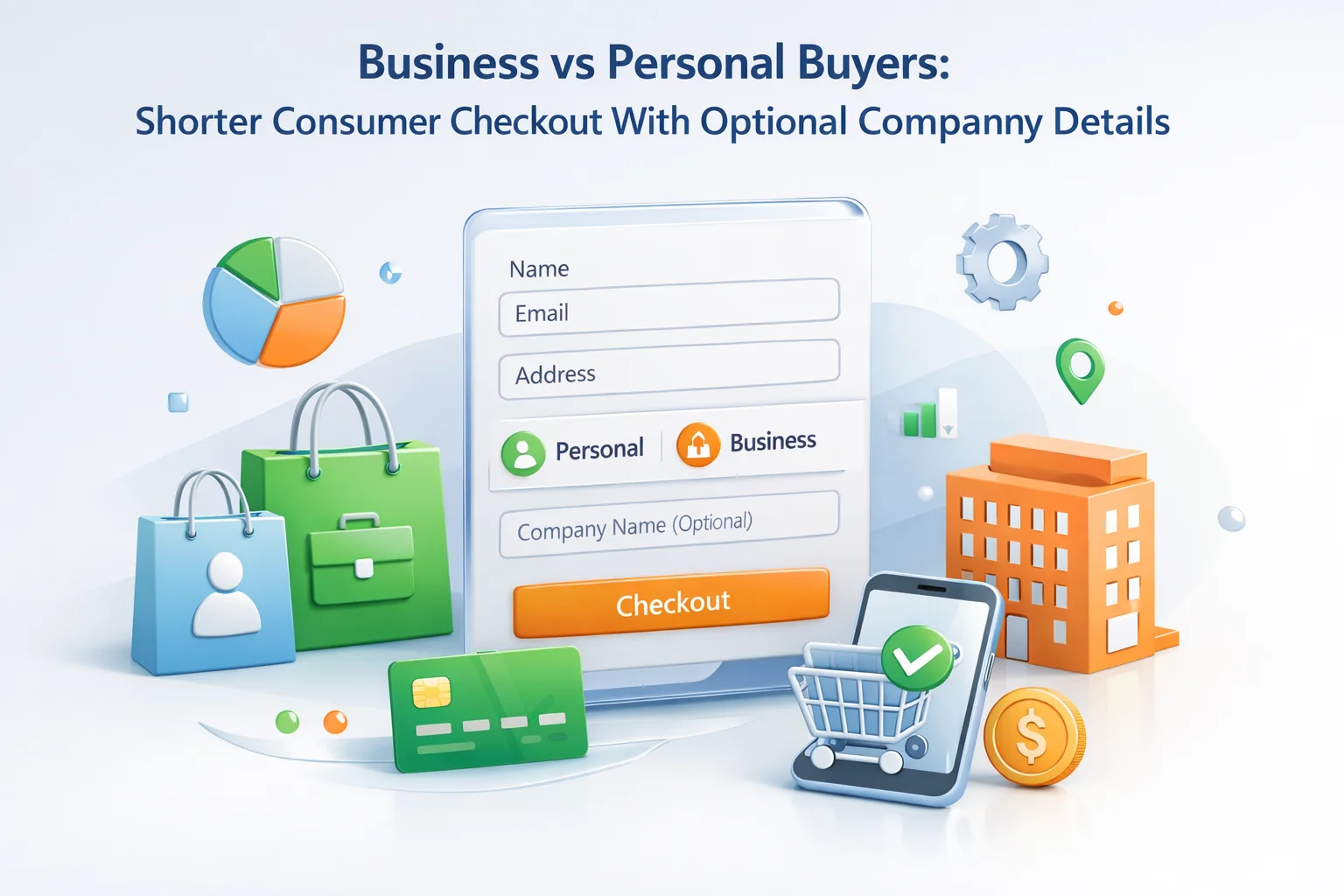
WooCommerce ships a form that assumes a postal narrative: names, addresses, phone, and a generous notes area. That baseline is fine until your operations team realizes half the SKUs ship to residential doors while the other half invoice through accounts payable. The fix is not a second checkout page maintained in parallel. It is a single form that defaults short, explains itself, and reveals business metadata through explicit customer intent.
This guide walks through how to design that intent layer, how to phrase labels so both audiences feel respected, and how to keep mobile friction low while still capturing the fields your ledger requires. Along the way, you will see why teams standardize on a WooCommerce checkout field editor with conditional logic for business versus personal buyers instead of scattering theme snippets that nobody remembers to regression-test.
Stores that fear missing data often compensate by surfacing every business field to every buyer. The short-term feeling is control. The long-term result is measurable: mobile shoppers stall at company name, tax ID, and purchase order lines they do not understand, while support tickets ask whether fields are “actually required.” That ambiguity is worse than a missing PO number, because it erodes trust at the exact moment payment authorization hangs in the balance.
The alternative is not hiding compliance. It is sequencing compliance behind a choice that a human recognizes. “Buying for a business?” is a plain English fork. “Invoice profile” or “Accounts payable reference” speaks to the person who lives in ERP language. Consumers should not have to translate that vocabulary to buy a replacement filter. Business buyers should not have to wedge legal entity names into the first name field because your theme never offered a proper company line.
They scan for shipping totals, delivery estimates, and payment trust badges. Every unexplained corporate field reads like a hurdle. If your average order value is modest, the winning strategy is fewer visible inputs, clearer grouping, and defaults that match residential delivery.
They need the order record to reconcile with an internal requisition. That means stable labels, predictable positions, and room for identifiers your storefront might not normally collect. They will tolerate more inputs if the form acknowledges their context and validates formats early.
The most maintainable implementations share a trait: the customer declares intent once, and the form responds atomically. Three patterns cover most catalogs without turning checkout into a wizard. First, a simple checkbox: “This purchase is for a business / I need an invoice with company details.” Second, an explicit address type selector when billing and shipping diverge, such as residential versus commercial delivery constraints. Third, cart-based rules that open business fields only when SKUs tagged wholesale, contract, or “quote-to-order” enter the cart.
Patterns can combine, but resist stacking invisible prerequisites. If a checkbox reveals VAT fields, the validation messages for those fields should mention the checkbox in plain language. If cart rules reveal a PO number, the help text should explain that the line is for their internal tracking, not a second payment reference. Confusion between “PO number” and “order number” causes more rework than almost any other labeling mistake in hybrid stores.
Disable fields your fulfillment rarely uses, tighten placeholders, and move phone collection until after shipping method selection if that reduces abandonment. Document every removal so finance signs off.
Group legal name, registration numbers, and AP email in one tinted block so it reads as a suite rather than scattered surprises.
If packing staff should not see tax IDs, restrict screens or export columns. If AP must see them, surface the same keys in admin and transactional email templates.
Company name is not interchangeable with attention line, trading name, or brand division. If your accounting package expects a registered legal entity, say so. If you only need an internal cost center for a nonprofit buyer, call it that. Ambiguous labels invite confident wrong answers. The buyer feels done; your ledger is not.
VAT and GST fields deserve localized helper text, not only because formats differ, but because customers confuse tax identifiers with generic “business numbers.” Pair the input with a short example valid in your primary market, and link to authoritative guidance when you serve multiple jurisdictions. WooCommerce’s own documentation ecosystem around configuring WooCommerce tax and general settings is a useful anchor when you explain why certain fields appear only after a country or customer type selection.
Teams often underestimate how strongly returning buyers rely on spatial memory. Moving email above phone can help autofill coherence on mobile, but swapping billing and shipping without announcement generates support pings. When you adopt a drag-and-drop field editor, capture a before-and-after screenshot set for internal training and keep a changelog entry when you promote changes before high-traffic seasons.
The animated builder view also helps stakeholders see grouping visually rather than parsing PHP filters. That shared picture matters when marketing, finance, and fulfillment disagree about whether a field belongs “near payment” or “near shipping.” A single consolidated layout review reduces thrash.
When business fields are optional, place them after the payment section only if your gateway requires minimal distraction beforehand. Many teams anchor the company module just after contact details so tax logic can reference country and state early, while still keeping the first screen visually light. Document the rationale so the next developer does not “tidy” the order and accidentally strand VAT validation behind an irrelevant step.
Store owners migrating to block-based themes often discover that checkout layout rules behave differently than on classic templates. Width constraints, stacked columns, and theme-level CSS can change how an optional business panel feels on phones even when field logic is identical. If your marketing site promises a “fast consumer checkout,” validate that promise on the actual block layout your customers see, not only in an admin preview.
WooCommerce documents the broader cart and checkout block ecosystem in its developer hub, which is a helpful reference when you coordinate with a theme author about wrapper spacing. Treat WooCommerce Cart and Checkout Blocks documentation as the starting point for what is officially supported, then layer your conditional fields on top with explicit QA rather than assumptions carried over from legacy shortcodes.
The order notes textarea is a magnet for unstructured chaos: gate codes, VAT stories, and “please rush” requests compete for attention. Structured add-ons such as AP email, buyer name for invoice, or department code belong in labeled inputs with validation, not buried in prose. Consumers still benefit because they are not asked to read a novel-length hint just to find where to type a gift message.
When you introduce additional inputs, tie each to a measurable outcome. If finance never uses “department,” delete it. If logistics never reads “delivery dock hours,” merge it with an instruction field that carriers actually see. The goal is fewer, higher-signal questions that change fulfillment behavior, not a form that catalogs every hypothetical curiosity.
Hybrid catalogs see assistants, family members, and procurement temps pay with personal cards while still needing an invoice addressed to a legal entity. A consumer-short form keeps them moving, but the optional company module should capture “invoice recipient” or “AP contact” distinct from the card name. Without that separation, finance emails the wrong person and support inherits the argument.
Spell out in helper text whether the email address on the account receives marketing or operational PDFs. Business buyers often funnel documents into shared inboxes; consumers guard personal Gmail fiercely. Misaligned assumptions about inbox purpose create more unsubscribe angst than any promotional banner.
For logged-in wholesale roles, consider whether the company module should pre-fill from customer meta while still allowing per-order overrides. The goal is reducing repetitive typing without trapping buyers when a one-off purchase departs from their default profile.
Teams that close deals on Zoom still send buyers a WooCommerce checkout link to capture payment. If your optional business fields use jargon sales never mentioned, the buyer stalls. Publish an internal cheat sheet mapping pitch language to field labels. When account executives say “we will email finance,” the checkout should ask for that finance email with the same phrase.
Quote-to-order workflows sometimes require human approval before payment. Do not hide mandatory business identifiers behind a checkbox if the quote already established B2B status. Cart metadata can auto-expand the module when a quote token is present, sparing repeat customers from redundant clicks while preserving consumer simplicity for everyone else.
Record training moments when phone support must edit orders post-checkout because fields were unclear. Those transcripts are free UX research. If the same confusion appears twice, fix the label before blaming the customer.
Business fields attract fraudulent invoices when attackers test stolen cards. Pair optional modules with your fraud stack’s expectations: some gateways weigh billing versus shipping distance; others flag sudden surges in VAT submissions. A shorter consumer path should not mean disabled monitoring. Communicate with your risk lead when you add or remove fields that feed scoring models.
Velocity limits on guest checkout may collide with legitimate procurement bursts during contract renewals. Document how verified accounts bypass friction so you are not tuning rules blindly during quarter-end.
When company details are optional, consider soft warnings for unlikely combinations, such as a consumer email domain paired with a VAT number field filled aggressively. False positives annoy power users; silent fraud losses annoy finance worse. Tune messaging to educate rather than accuse.
A US-heavy store that suddenly wins Canadian corporate clients should not paste every international identifier into the default form. Use country-driven conditionals so domestic guests still fly through while cross-border buyers see the few additional prompts your compliance team actually reads. Translate labels through WPML or your chosen stack so optional modules read naturally in each locale.
Currency display quirks sometimes make business buyers doubt totals more than consumers do, because their approvals hinge on exact figures. Keep tax breakdown copy adjacent to company modules so the mental model stays coherent: “these fields affect how we invoice, not how we spam you.”
If you cannot validate every global format perfectly, prioritize transparent error strings over silent failures. A buyer who understands why a field rejected saves a support call spanning time zones.
Hybrid forms fail politically when marketing edits labels without telling finance. Establish a lightweight change advisory: any tweak to business modules requires a sign-off from revenue operations. Consumer-side tightening might only need ecommerce lead approval. Publishing that matrix prevents Friday surprises in invoice PDFs.
Version your JSON exports in git or a secure drive with ticket numbers. Diffing configurations beats arguing from memory about whether VAT validation flipped last sprint.
Onboard new hires with a recorded walkthrough of both personas completing checkout. Ten minutes of video prevents weeks of Slack questions about “why PO is hidden.”
Run scripted walkthroughs rather than ad-hoc clicks. Start with a guest consumer in a domestic zone, one item, residential shipping. Confirm no business block appears unless toggled. Repeat with the business checkbox engaged: required identifiers should enforce cleanly, and abandoning mid-form should not leave phantom validation on hidden inputs. Add a logged-in consumer with a saved address to ensure autofill still maps to your condensed layout.
Cross the border cases your accounting team worries about: EU VAT with and without valid number entry, US commercial addresses with different billing contacts, and carts that mix consumer goods with contract-priced SKUs. Capture screenshots of failures. If a scenario breaks, fix the rule graph before touching copy, or you will chase symptoms. When changes stabilize, export the configuration JSON so staging and production stay aligned; the import-export workflow is also the fastest rollback if a well-meaning edit overshoots.
Expect minimal visible fields, fast progress to payment, no unexplained company labels. Mobile thumb reach should cover primary inputs without horizontal scroll.
Expect module expansion, required PO validation, and email receipts that echo the same identifiers operations sees in wp-admin.
Many hybrid stores eventually add a wholesale or member role that signals business intent automatically. That is powerful when the role truly maps to negotiated terms, but dangerous when casual shoppers inherit a role by accident through a registration form that was too generous. If business fields appear solely because of a capability flag, document how a customer earns that flag and how they lose it. Unexpected VAT prompts on a Saturday morning personal purchase are memorable in the wrong way.
A safer compromise is to keep the consumer layout as the default even for logged-in accounts, then reveal the company module when either the customer toggles intent or the cart contains SKUs that require business metadata. Role-based auto-expansion can still exist for true B2B-only accounts, but pair it with obvious copy: “We recognize your account as business purchasing; confirm or edit these invoice details.” That sentence prevents the uncanny feeling that the store is guessing secrets about the buyer.
When consumer and wholesale share a catalog, separate price display from checkout interrogation. Showing tiered pricing early is a merchandising decision; demanding a PO at checkout is a data decision. Splitting those concerns avoids training retail buyers to think every discounted line item implies procurement paperwork. If your commercial team insists on PO collection for all wholesale lines, enforce it through cart rules tied to those SKUs rather than a global field that punishes retail add-ons in mixed baskets.
Use explicit account vetting, clear onboarding emails, and support playbooks so roles reflect reality.
If plugins auto-tag users, audit quarterly; mistaken business flags erode trust faster than missing POs.
A shorter consumer checkout fails if the data vanishes after payment. Align early with how WooCommerce surfaces custom metadata on orders and in emails. Packing benches need delivery clarity; finance needs immutable tax identifiers; customer service needs a concise narrative if something goes wrong. If only one team gets its fields, the others will route around your form with spreadsheets.
When the optional company module captures something sensitive, mark internal SOPs for who may export it. Hybrid stores sometimes forget that a “quick tweak” exposed tax IDs to fulfillment contractors. Privacy posture is part of UX: consumers should not see business-only prompts, and contractors should not see data they cannot protect.
Shorter consumer checkout and trustworthy business metadata are not opposing forces. They are sequential layers: default speed, optional depth, cart-aware precision. When the layers are explicit, both audiences feel the store understands why they arrived.
Implementing that sequence in a maintainable way means choosing tooling your team will actually revisit after the first launch. Advanced WooCommerce Checkout Field Editor by Nexu WP combines visual reordering, conditional logic, per-product rules, Blocks compatibility, and import-export safety nets so you can ship a fast default path today and expand business fields tomorrow without rewriting theme code.
Advanced WooCommerce Checkout Field Editor lets you reorder defaults, add structured business fields, and gate them with logic so hybrid catalogs stop paying the tax of one-size-fits-all forms.








The B2B toggle seemed like a good idea, but it just made checkout clunky for regular customers. my cart abandonment rate shot up after turning it on had to switch it off and keep things simple
Got the job done but setup was slow
Hey, I'm setting this up for our team store and the VAT field tripping me up. how do you phrase the placeholder text for the company VAT number so regular shoppers don't think it's required? Also, does the validation copy kick in before submit or only after? Trying to cut down on support emails from confused parents buying jerseys.