
Why Online Learning Feels Like Magic
Close your eyes for a second (okay, maybe keep them open to read this!). Imagine you’re cozied up with a warm cup of coffee, dreaming of teaching the world something you love—maybe it’s yoga, coding, or even how to bake the perfect cupcake. Online learning has turned that dream into something real for millions of people. Everyone’s jumping on board—students learning from their couches, pros sharpening skills on their lunch breaks. The world’s gone wild for online courses, and guess what? You don’t need to be a tech genius to join the fun. Enter LearnDash, the WordPress LMS plugin that’s like your personal cheerleader, helping you build an online academy that’ll wow your students.
My First Adventure with LearnDash
Let me share a little story. A couple of years ago, I was a total WordPress rookie, clicking around like a kid lost in a toy store, trying to figure out how to share my love for photography with the world. I wanted a course that looked pro but didn’t need me to code like a Silicon Valley hotshot. Then I found LearnDash, and—poof!—it was like discovering a magic wand. I could drag and drop lessons like stacking Lego blocks, create fun quizzes to test my students, and even hand out shiny certificates that made them grin ear to ear. When my first student signed up and sent me a “This course is awesome!” email, I did a little happy dance in my living room. That’s the vibe I want you to feel!
What’s So Cool About LearnDash?
So, what’s LearnDash all about? Think of it as your all-in-one toolkit for building an e-learning platform on your WordPress site. Whether you’re teaching one course or creating a full-blown academy, LearnDash makes it as easy as pie. Here’s a taste of what it can do:
- Build courses like a breeze: Stack lessons, videos, and quizzes like you’re crafting a playlist.
- Keep students hooked: Track their progress and sprinkle in rewards to keep them excited.
- Play nice with other tools: Connect with WooCommerce, PayPal, or even Zoom for live classes.
Unlike other LMS plugins like Sensei or LifterLMS, LearnDash is like that friend who’s both super easy to hang with and crazy talented. It’s why everyone from solo teachers to big universities loves it.
Ready to Start Your Journey?
Here’s my promise: by the end of this ultimate LearnDash guide, you’ll be bursting with ideas to launch your own online course platform. We’ll walk through every step—building epic courses, keeping students engaged, and even turning your passion into cash. So, what would you teach the world? Let’s grab that magic wand called LearnDash and make it happen!
Want to start today? Pop over to the official LearnDash website to check out pricing, or keep reading to learn how to create your first course!
So, What’s This LearnDash Thing All About?
Imagine you’re planning a big party. You need a venue, decorations, a playlist, and maybe some fun games to keep everyone entertained. Now, think of creating an online course as throwing that party, and LearnDash as your all-in-one party planner. In simple terms, LearnDash is a WordPress LMS plugin—a fancy way of saying it’s a tool that turns your WordPress website into a full-blown e-learning platform. Whether you’re teaching guitar riffs, business strategies, or even how to knit cozy scarves, LearnDash is like a magic toolbox that helps you build, manage, and sell courses without pulling your hair out. It’s like having a super-organized friend who makes everything easy and fun!
A Quick Trip Down LearnDash Lane
Ever wonder how LearnDash became the rockstar of LMS plugins? It all started back in 2012 when a team of education enthusiasts saw a gap in the world of WordPress. They wanted a tool that was powerful enough for universities but simple enough for solo teachers like you and me. So, they rolled up their sleeves and created LearnDash, blending flexibility with user-friendly features. Fast forward to today, and it’s trusted by big names like the University of Florida, Yoast, and thousands of creators worldwide. I remember reading about how a small yoga instructor used LearnDash to go from teaching in her garage to running a global online studio—talk about a glow-up!
Why LearnDash Stands Out from the Crowd
You might be thinking, “Okay, but aren’t there other LMS plugins out there?” Yup, there are—think Sensei, LifterLMS, or Tutor LMS—but LearnDash is like the cool kid who’s both approachable and wildly talented. Here’s why it steals the show:
- Easy as Pie for Beginners: Its drag-and-drop builder feels like playing with building blocks—no coding degree required!
- Packed with Pro Features: From quizzes in 8 different styles to slick certificates, it’s got everything to make your courses look top-notch.
- Plays Nice with Others: Want to sell courses? Hook it up with WooCommerce. Need a community? BuddyPress has your back. Live classes? Zoom’s got you covered.
- Flexible for Any Dream: Whether you’re a solo creator or building a multi-instructor academy, LearnDash bends to fit your vision.
I once helped a friend set up her cooking course with LearnDash, and she was over the moon when her students started raving about how fun and organized it felt. That’s the LearnDash magic—making you look like a pro while keeping things simple behind the scenes.
A Real-Life Story to Spark Your Inspiration
Let me tell you about Sarah, a language teacher I met online. She was nervous about going digital, thinking it’d be too complicated. But with LearnDash, she built a Spanish course in a weekend, complete with video lessons, quizzes, and even a leaderboard to keep her students motivated. By month three, she had students from 10 countries and was beaming with pride. “It’s like I opened my own little school!” she told me. That’s what LearnDash does—it turns your passion into a platform that changes lives.
So, ready to grab your own magic toolkit and start building? Stick with me, and I’ll show you how LearnDash can make your teaching dreams come true!
Curious about LearnDash’s features? Visit the official LearnDash website or keep reading to learn how to set it up!
Why Choose LearnDash? The Go-To Choice for Online Educators
Who’s Invited to the LearnDash Party?
Picture this: you’re flipping through a cookbook, looking for the perfect recipe—one that’s easy, versatile, and makes everyone at the table happy. That’s what LearnDash is in the world of online learning—a recipe that works for just about everyone. Whether you’re a solo teacher sharing your love for gardening, a small business training employees, a university building a virtual campus, or even a freelancer teaching digital marketing, LearnDash is your go-to WordPress LMS plugin. It’s like a Swiss Army knife for e-learning, built to fit any dream, big or small. When I first started my photography course, I was just a one-person show, but LearnDash made me feel like I had a whole team behind me!
Easy Enough for Newbies, Powerful Enough for Pros
What makes LearnDash so special? It’s like that friend who’s super easy to hang out with but also impresses everyone with their skills. If you’re new to WordPress, don’t worry—LearnDash’s drag-and-drop builder is as simple as arranging your favorite playlist. No coding? No problem! But if you’re a tech-savvy pro, you’ll love the advanced features like custom certificates, detailed progress tracking, and integrations with tools like Zoom or WooCommerce. I once met a coder who geeked out over LearnDash’s API, building a custom dashboard for his students. Meanwhile, my non-techy friend used it to launch her baking course without touching a single line of code. That’s the beauty of LearnDash—it grows with you.
Perfectly Tailored for Any Market
Whether you’re teaching locally or globally, LearnDash fits like a glove. It supports multiple languages, so you can create online courses for students anywhere in the world. Plus, it plays nicely with payment gateways like PayPal, Stripe, and even local options, making it easy to sell your courses wherever your audience is. I remember helping a teacher in my community set up her art course with LearnDash, and she was thrilled to see students from across continents join in. It’s like opening a classroom with no borders!
LearnDash vs. the Competition: Why It Wins
Sure, there are other LMS plugins like Sensei, LifterLMS, and Tutor LMS, but LearnDash is like the star player who always delivers. Here’s a quick comparison:
| Feature | LearnDash | Sensei | LifterLMS | Tutor LMS |
|---|---|---|---|---|
| Drag-and-Drop Builder | ✅ Super intuitive | 🟡 Basic | ✅ Good | ✅ Decent |
| Quiz Types | ✅ 8 types | 🟡 Limited | ✅ Fair | 🟡 Basic |
| Mobile-Friendly | ✅ Fully responsive | ✅ Decent | ✅ Good | ✅ Good |
| Integrations | ✅ Tons (WooCommerce, Zoom, etc.) | 🟡 Fewer | ✅ Some | 🟡 Limited |
| Ease for Beginners | ✅ Top-notch | 🟡 Moderate | 🟡 Moderate | ✅ Good |
Why do top universities and creators pick LearnDash? Because it’s reliable, flexible, and makes your e-learning platform shine. When I switched from another LMS to LearnDash, it was like upgrading from a bicycle to a sports car—everything just felt smoother and faster.
So, what’s stopping you? With LearnDash, you’re one step away from building an online learning empire that students will rave about. Keep reading to learn how to set it up and start creating!
Getting Started with LearnDash: From Zero to Your Own Virtual Academy
Your First Step into the LearnDash Adventure
Okay, you’re pumped to start your online learning empire with LearnDash, but maybe you’re thinking, “Where do I even begin?” Don’t worry—it’s like setting up a new board game: a few simple steps, and you’re ready to play! In this section, I’ll guide you through installing and setting up LearnDash, the ultimate WordPress LMS plugin, so you can go from zero to your very own virtual academy faster than you can say “online course.” When I set up my first photography course, I was nervous about the techy stuff, but LearnDash made it so easy I felt like a pro by the end of the day. Ready to dive in? Let’s do this!
What You’ll Need Before You Start
Before we get to the fun part, let’s make sure your toolbox is ready. Think of this as gathering ingredients before baking a cake:
- A WordPress Website: You’ll need a WordPress site up and running. Don’t have one? No sweat! Grab a domain (like yourname.com) and hosting from providers like Bluehost or SiteGround. It’s like renting a cozy space for your e-learning platform.
- A LearnDash License: Head to the official LearnDash website to pick a plan that fits your budget. They’ve got options for single sites or bigger academies.
- A Few Minutes: Seriously, setting up LearnDash is quicker than making your morning coffee!
I remember my first time setting up WordPress—I was convinced I’d break something. But with a good hosting provider and LearnDash’s clear instructions, it was smoother than I expected.
Installing LearnDash: As Easy as Clicking a Button
Here’s where the magic starts. Installing LearnDash is like adding a new app to your phone:
- Log into WordPress: Go to your site’s dashboard (yourwebsite.com/wp-admin).
- Add the Plugin: Navigate to Plugins > Add New, then upload the LearnDash .zip file you downloaded after purchasing. Click “Install” and then “Activate.”
- Enter Your License: Once activated, LearnDash will ask for your license key (you’ll find it in your purchase email). Pop it in, and you’re good to go!
When I did this, I was amazed at how fast it was—like flipping a switch and suddenly having a whole LMS at my fingertips.
First Setup: Making LearnDash Your Own
Now that LearnDash is installed, let’s sprinkle some of your personality into it. Head to the LearnDash settings in your WordPress dashboard (look for the LearnDash LMS tab). Here’s what you can do:
- Choose a Course Structure: Decide if you want open access or drip-fed lessons (where content unlocks over time to keep students engaged).
- Set Up Payments: Connect to WooCommerce or PayPal to start selling your online courses. Local payment gateways? LearnDash supports those too!
- Customize the Look: Pick a theme that’s LearnDash-friendly (like Astra or OceanWP) to make your e-learning platform look sleek and professional.
My first setup felt like decorating a new apartment—I played with colors, fonts, and layouts until it screamed “me.” By the end, I had a course page that looked so good I couldn’t stop smiling.
Your Virtual Academy Awaits!
You’re now officially on your way to building a virtual academy with LearnDash. It’s like planting a seed that’ll grow into something amazing. In the next section, we’ll dive into creating courses that’ll have your students raving. Ready to keep going?

Crafting Courses That Students Will Love with LearnDash
Building Courses That Feel Like a Fun Adventure
Imagine you’re planning the ultimate road trip for your students—a journey packed with exciting stops, surprises, and moments that make them go, “Wow, I love this!” That’s what creating online courses with LearnDash is all about. As the top WordPress LMS plugin, LearnDash lets you craft courses that aren’t just educational but downright irresistible. Whether you’re teaching photography, yoga, or coding, this section will show you how to build lessons that keep students coming back for more. When I created my first course, I was nervous about boring my students, but LearnDash made it so easy to create something they couldn’t stop raving about. Ready to make your e-learning platform shine? Let’s get started!
Drag-and-Drop Magic: Building Courses with Ease
LearnDash’s course builder is like playing with your favorite puzzle game—no stress, just fun! Here’s how it works:
- Create a Course: In your WordPress dashboard, go to LearnDash LMS > Courses > Add New. Give your course a catchy name like “Mastering Watercolor Painting.”
- Add Lessons and Topics: Break your course into bite-sized lessons (like chapters in a book) and smaller topics within them. It’s like organizing a playlist—put the best bits in the right order!
- Mix in Multimedia: Add videos, images, or even audio files to make lessons pop. I once added a quick video demo to my photography course, and students said it felt like I was right there teaching them.
When I built my first course, I felt like an artist arranging a canvas—everything just clicked into place with LearnDash’s drag-and-drop builder.
Drip-Feed Content: Keep Students Hooked
Want to keep your students eager for more? LearnDash’s drip-feed feature is your secret weapon. It lets you release lessons on a schedule—like dropping episodes of a binge-worthy Netflix show. For example, you can unlock a new lesson every week to build anticipation. In my course, I set up drip-feed so students got a new photography tip every Monday, and they’d email me like, “I can’t wait for the next one!” You can set this up in the course settings by choosing “Closed” access and scheduling lesson release dates. It’s like giving your students a treasure hunt where each clue keeps them excited.
Tips for Courses That Wow
Here are some golden nuggets to make your online courses unforgettable:
- Make It Interactive: Add quizzes or discussion prompts to keep students engaged. LearnDash lets you sprinkle these in easily.
- Keep It Visual: Use images or short videos to break up text. A student once told me my slideshows made learning feel like flipping through a magazine.
- Tell Stories: Share personal anecdotes in your lessons to connect with students. I added a story about my worst photo shoot to my course, and it became a student favorite!
- Test and Tweak: Preview your course as a student to ensure it flows smoothly. LearnDash’s preview mode is a lifesaver for this.
Your Course, Your Masterpiece
With LearnDash, you’re not just building a course—you’re creating an experience that students will love. It’s like crafting a gift that keeps on giving. Ready to add quizzes and certificates to take your virtual academy to the next level? Let’s keep going!
Advanced Quiz Builder: Challenge Your Students with Fun Using LearnDash
Quizzes That Feel Like a Game Show
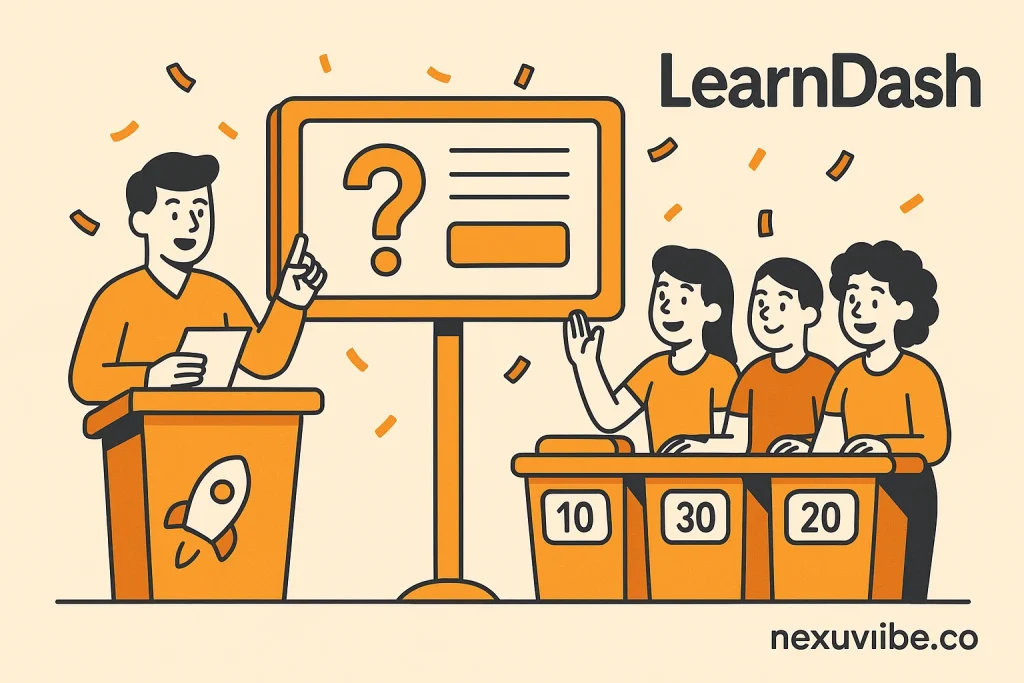
Picture this: you’re hosting a game show, and your students are buzzing with excitement, ready to test their skills and win big. That’s the vibe you can create with LearnDash’s advanced quiz builder! As the leading WordPress LMS plugin, LearnDash lets you craft quizzes that aren’t just tests but fun, engaging challenges that make learning stick. Whether you’re teaching math, fitness, or creative writing, quizzes are like the cherry on top of your online courses, keeping students hooked and eager to learn more. When I added quizzes to my photography course, my students went from “I’m nervous” to “This is so much fun!” in no time. Ready to create quizzes that’ll have your students cheering? Let’s dive in!
Exploring LearnDash’s Quiz Superpowers
LearnDash’s quiz builder is like a toy box full of possibilities. It offers 8 different question types—from multiple-choice to fill-in-the-blank, essay questions, and even sorting tasks. It’s like having a whole toolbox to play with! Here’s how you get started:
- Create a Quiz: In your WordPress dashboard, go to LearnDash LMS > Quizzes > Add New. Give it a fun name like “Photo Editing Challenge.”
- Pick Your Questions: Mix and match question types to keep things fresh. For example, I used multiple-choice for quick camera setting questions and essays for creative assignments in my course.
- Set the Rules: Decide if you want a time limit, random question order, or even a leaderboard to spark some friendly competition.
When I first tried the quiz builder, I felt like a kid designing my own board game—every question type added a new layer of excitement!
Making Quizzes Both Fun and Fair
The magic of LearnDash quizzes is how they balance fun with learning. You can set up automatic grading for multiple-choice or matching questions, saving you time, or use manual grading for essays to give personalized feedback. Want to make it extra engaging? Add hints, custom messages for correct/incorrect answers, or even multimedia like images or videos. I once added a photo to a quiz question about lighting, and a student emailed me saying, “It felt like solving a puzzle!” You can also track results in real-time, so you know exactly how your students are doing. Just head to the quiz settings and tweak options like pass scores or retries.
Golden Tips for Quiz Success
Here’s how to make your quizzes unforgettable:
- Keep It Varied: Mix question types to avoid monotony. A blend of true/false and open-ended questions keeps students on their toes.
- Add Some Flair: Use fun language or themed questions (e.g., “Which lens is the superhero of portraits?”). My students loved the playful vibe!
- Reward Effort: Pair quizzes with certificates or badges (more on that later!) to celebrate success.
- Test It Out: Use LearnDash’s preview mode to take the quiz as a student. I caught a tricky typo this way and saved myself some confusion.
Your Students’ New Favorite Game
With LearnDash’s quiz builder, you’re not just testing knowledge—you’re creating moments that make students smile and learn. It’s like turning study time into playtime. Ready to reward your students with shiny certificates next? Let’s keep the fun going!
Certificates and Badges: Rewarding Success with Style Using LearnDash
Giving Your Students a Reason to Celebrate
Imagine the moment your students finish a tough quiz or complete your course, their faces lighting up with pride. Now, picture handing them a shiny, personalized certificate or a cool digital badge that screams, “You nailed it!” With LearnDash, the leading WordPress LMS plugin, you can create rewards that make your students feel like superstars. Certificates and badges aren’t just pieces of paper or pixels—they’re like trophies that motivate learners and make your online courses unforgettable. When I gave my first photography student a custom certificate, she posted it on social media with a caption that made my heart skip: “Officially a pro!” Ready to add that wow factor to your e-learning platform? Let’s make some magic!
Creating Certificates That Shine
LearnDash’s certificate builder is like a blank canvas for your creativity. Here’s how to whip up something special:
- Start with a Template: In your WordPress dashboard, go to LearnDash LMS > Certificates > Add New. You can use a simple editor like Gutenberg or Elementor to design your certificate.
- Make It Personal: Add the student’s name, course title, and completion date automatically with LearnDash’s dynamic fields. It’s like writing a personalized thank-you note!
- Get Fancy: Use CSS or a page builder to add logos, borders, or even a gold seal. I once designed a certificate with a vintage camera border for my photography course, and students said it felt like a diploma.
When I saw my first certificate come to life, I felt like an artist framing my masterpiece—it was so rewarding to see students cherish it!
Badges: Little Rewards, Big Impact
Badges are like digital high-fives, perfect for celebrating small wins along the way. With LearnDash, you can create badges for things like completing a lesson, passing a quiz, or even engaging in forums. You can integrate with add-ons like BadgeOS or LearnDash Achievements to make it even easier. Here’s how:
- Design Your Badge: Create a cool image (think stars or medals) using tools like Canva.
- Set Triggers: Decide what earns the badge—like finishing a module or scoring 80% on a quiz.
- Show It Off: Let students display badges on their profiles or share them online.
I added a “Lighting Wizard” badge to my course, and students started competing to collect them like Pokémon cards. It turned learning into a game!
Tips for Certificates and Badges That Wow
Here’s how to make your rewards unforgettable:
- Keep It On-Brand: Match your certificates to your course’s vibe—sleek for business, playful for crafts.
- Make It Shareable: Encourage students to post their certificates on social media. I added a “Share Your Win!” button, and it boosted my course’s visibility.
- Mix It Up: Offer different badges for various achievements to keep students motivated.
- Preview First: Test how certificates look in LearnDash’s preview mode to avoid any oops moments.
Your Students, Your Champions
With LearnDash’s certificates and badges, you’re not just teaching—you’re creating moments of pride that students will remember. It’s like giving them a standing ovation for their hard work. Ready to organize your students like a pro? Let’s move on to managing groups next!






Just wanted to leave a quick review. as a student trying to build a side hustle teaching basic coding, I was seriously impressed by how easy it was to stack lessons and quizzes like building a playlist, but for learning. No extra coding headaches (and trust me, I get plenty of those in class).
As a school principal, I've seen firsthand how tough it is to keep teachers engaged in professional development. we used LearnDash this year for our district's internal training, and honestly, it's been a really helpful. Even our busiest teachers the ones juggling parent meetings and grading could knock out modules from home or during prep periods
Hey everyone, retired engineer here who's built his fair share of things over the years just never a course before. i honestly thought I'd need some fancy computer science degree just to get off the ground, but boy, was I wrong. this LearnDash setup guided me through it like I was putting together one of my old model train sets clear, step by step, no advanced degree needed. Seriously, even my grandkids could've figured it out (and trust me, they still call me to help with the TV remote)
Okay, so I'm a single mom trying to turn my baking side hustle into something bigger. Found this plugin and holy cow it's like having a course building fairy godmother!