Next-Level Code. Nexuvibe Style ...
Hrs
Min
Sec

There is a number in your WooCommerce analytics that quietly determines how profitable your store is: average order value. It is the single figure that separates stores that are merely busy from stores that are actually growing. You can have all the traffic in the world, but if the average customer spends $34 when they could have spent $52, you are leaving a significant portion of your revenue on the table with every single transaction.
The interesting thing about average order value is that most tactics for increasing it are either intrusive, expensive, or both. Upsell popups interrupt the shopping experience. Discount codes train customers to wait for deals before buying. Bundle recommendations require constant merchandising work. But there is one approach that does not fit any of these patterns — one that works by simply making visible something the customer already wants to know, and that naturally motivates them to spend a little more without being pushed.
A free shipping progress bar. Specifically, one that tells your customer: “You are $14 away from free shipping.” That single piece of information changes how they think about their cart, and it does it without any pressure, any discount, or any disruption to the shopping experience they were already having.
This guide covers why this works so reliably, what a well-built implementation looks like, and how Nexu Free Shipping Bar by NEXU WP handles the complexity that most simpler solutions get wrong.
Ask most WooCommerce store owners what would make their customers spend more, and you will get answers like “better products,” “lower prices,” or “more trust signals.” All of those matter. But study after study of actual shopping behavior points to something simpler: people have a deep, almost irrational aversion to paying for shipping. It is not that shipping costs are expensive in absolute terms — it is that they feel like a penalty for buying.
This creates an interesting asymmetry. A customer who puts $38 worth of products in their cart and sees a $6 shipping charge often feels worse about the purchase than a customer who puts $50 worth of products in their cart and gets free shipping — even though the second customer spent more money. The shipping fee feels arbitrary and punitive. The free shipping feels like a reward.
The key word in all of this is “visible.” If your free shipping threshold exists but is buried on a policy page, it does almost nothing for your average order value. The threshold only motivates additional spending when the customer can see their progress toward it in real time, while they are actively making decisions about what to add to their cart.
That is the entire job of a WooCommerce free shipping progress bar: to make the goal visible at exactly the moment when visibility changes behavior.
The basic concept is simple enough that there are many WooCommerce plugins that implement some version of it. But simple implementations have real limitations that become obvious once you start thinking about how actual stores operate.
One fixed limit · Applies to everyone · No geographic logic
Most basic free shipping bar plugins let you set a single cart value threshold — say, $50 — and show the same progress bar to every customer. This works for stores that have a single, flat free shipping policy for every customer in every location. But the moment you have different shipping costs for different regions, or different minimum order values for local versus international customers, a single threshold is either too low (costing you money on long-distance orders) or too high (frustrating local customers who could qualify for less).
Cart-only · Single position · Low visibility
Some plugins only show the progress bar on the cart page. But the purchase decision — the moment when a customer is choosing what to add — happens on the product page, not the cart page. If the bar is only visible after the customer has already finished browsing and navigated to checkout, it motivates too late. The highest-value placement for a free shipping progress bar is where customers are still making product selections.
Multi-zone thresholds · AJAX real-time · Product + cart + checkout + header
Nexu Free Shipping Bar was built specifically around the limitations that make basic plugins impractical for real stores. It supports different thresholds per shipping zone, displays in multiple locations simultaneously, updates in real time via AJAX as customers add or remove items, and includes a full visual customization system so the bar looks like part of your theme rather than a plugin overlay.
Before getting into the feature details, it is worth spending a moment on what this actually looks like from the customer’s perspective, because the experience design is what drives the behavior change.
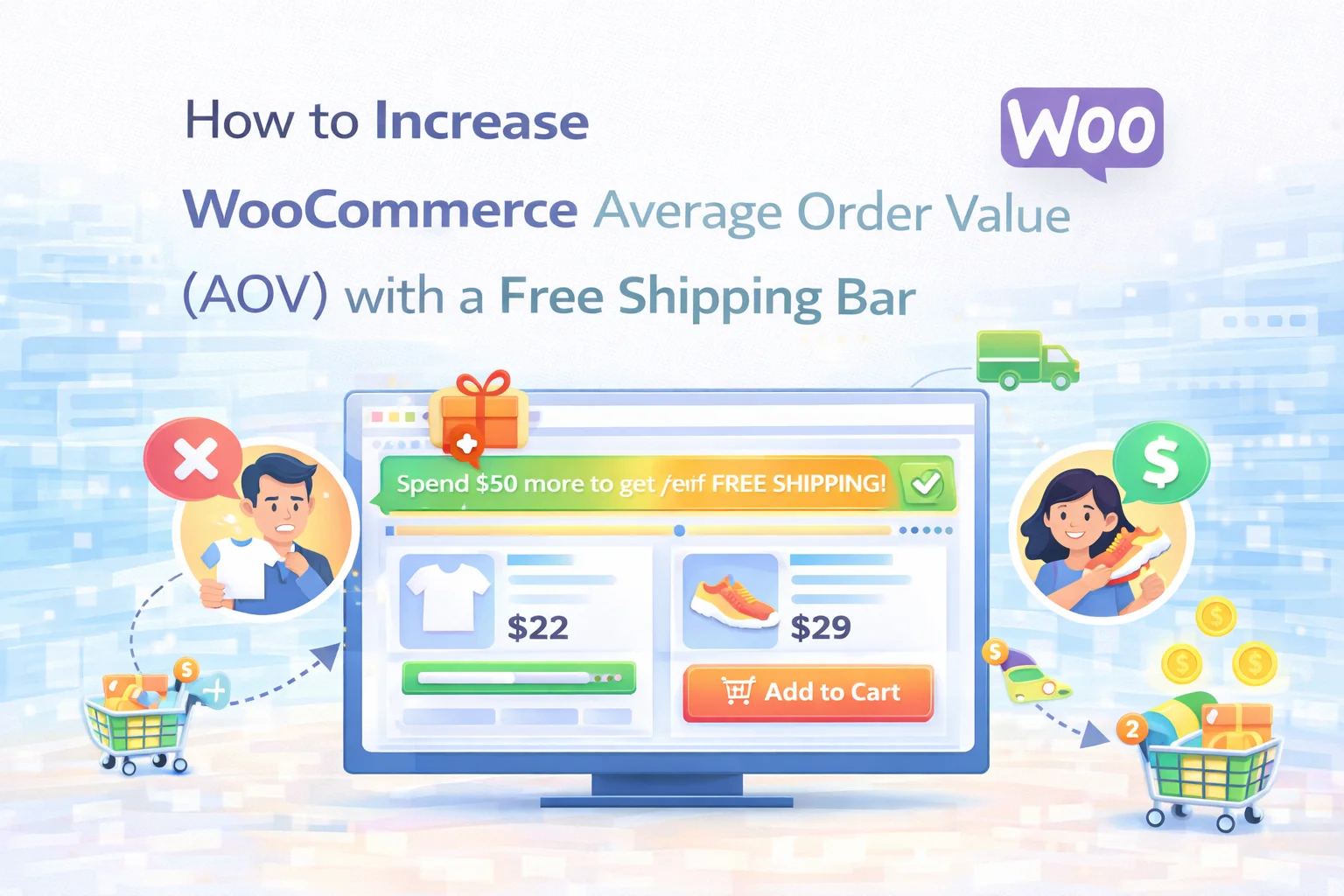
A customer arrives on a product page. At the top of the page — or at the bottom, or on the product summary, depending on your placement choice — they see a clean progress bar with a message: “Add $22 more to get free shipping.” They are browsing, not buying yet. They add the product they came for. The bar updates instantly: “Add $9 more to get free shipping.” Now the gap feels tiny. They browse one more product. They find something for $11. They add it. The bar fills, changes color, and shows a congratulations message. They feel good. They check out.
Notice what happened in that sequence. The customer was not shown a popup. They were not offered a discount. They were not redirected to an upsell page. They received one piece of useful information — how far they were from a reward they already wanted — and that information changed their behavior naturally. That is the cleanest form of conversion optimization: reducing friction rather than adding pressure.
The same experience carries through to checkout. When a customer sees the bar during their final review, confirming they have reached the threshold, it reinforces the decision to complete the purchase. The reward is visible and tangible right at the moment when second-guessing is most common.
Here is what is included when you install Nexu Free Shipping Bar: Multi-Zone Progress & Cart Booster on your WooCommerce store.
Define separate free shipping goals for different countries, states, or shipping zones. A customer in the same city as your warehouse sees a lower threshold than an international customer — and the bar shows each person the target that actually applies to their location. Your margins stay protected across all regions while the incentive remains compelling for every customer.
When a customer adds or removes a product, the progress bar updates instantly without a page reload. This immediate visual feedback is what creates the psychological momentum that drives additional purchases. Watching the bar fill is satisfying. Watching it fill because of something you just did is motivating.
Toggle the bar on or off for each location independently. Show it on the product page to motivate initial additions, on the cart and mini-cart to keep the goal visible during browsing, and at checkout to confirm the reward. You are not limited to one placement — the bar can appear wherever it is useful in your specific customer journey.
Build sophisticated threshold rules using the condition builder: different limits for specific product categories, special thresholds for wholesale customers or loyalty members, weight-based rules for stores where shipping cost is volume-dependent, and time-limited offers for promotional periods. You can use AND/OR logic between conditions to create precisely the strategy your business needs.
Define separate messages for an empty cart, a cart in progress, and the completion state. Use dynamic placeholders to automatically insert the remaining amount into the message text — “Add {amount} more to unlock free shipping” — so every message feels personal and precise rather than generic. The completion message, which appears when the goal is reached, is one of the most underrated touches in conversion design: it gives customers a moment of genuine satisfaction right before checkout.
The appearance panel covers every visual dimension: bar colors for both progress state and completed state, corner radius, height, typography, and animation style. The completed state color change — from a neutral progress color to a celebratory green or your brand color — is a small detail that carries outsized psychological weight. It signals achievement, not just completion.
When a customer reaches the threshold, the plugin can automatically apply a free shipping rate in WooCommerce and optionally hide other paid shipping methods so the checkout stays clean. The customer does not need to find and select a “Free Shipping” option — the reward applies automatically. This eliminates the last potential friction point between the earned reward and the completed purchase.
The threshold you choose matters almost as much as having the bar in the first place. Set it too low and you give away shipping revenue without changing behavior — customers who would have hit the threshold anyway now get a reward they did not need to earn. Set it too high and the goal feels unattainable, and customers disengage from the bar entirely.
The practical rule of thumb used by most experienced ecommerce operators is to set your free shipping threshold at roughly 20–30% above your current average order value. If your AOV is currently $42, a threshold of $50–$55 creates a gap that feels small enough to be achievable while being large enough to meaningfully improve your per-order economics.
With a tool like Nexu Free Shipping Bar, you can also set different thresholds for different shipping zones — which means you are not forced to compromise. Your domestic threshold can be precisely calibrated for your domestic shipping costs, while your international threshold reflects the actual economics of shipping overseas. Each customer sees the number that is relevant to them.
Average order value is one of the few metrics you can move upward without spending more on traffic, without running discounts, and without building new products. A free shipping progress bar achieves this by doing something elegantly simple: making visible a goal the customer already wants to reach, at exactly the moment when they are making decisions about what to add to their cart.
Nexu Free Shipping Bar: Multi-Zone Progress & Cart Booster takes that concept and makes it work properly for real stores — with zone-based logic, real-time updates, multi-position display, and the full visual flexibility to look like it belongs on your site rather than on top of it.
Multi-zone thresholds. Real-time AJAX updates. Product page, cart, mini-cart, checkout, and header placements. Advanced condition rules. Full design customization. Auto-apply shipping at threshold. Starting at $29/year.







Tried that free shipping bar thing and honestly, it totally backfired. Customers just bailed on their carts more when they saw they were "only $14 away" from free shipping felt like fake pressure
Works perfectly for zones
Finally, no more cart shock!