Next-Level Code. Nexuvibe Style ...
Hrs
Min
Sec

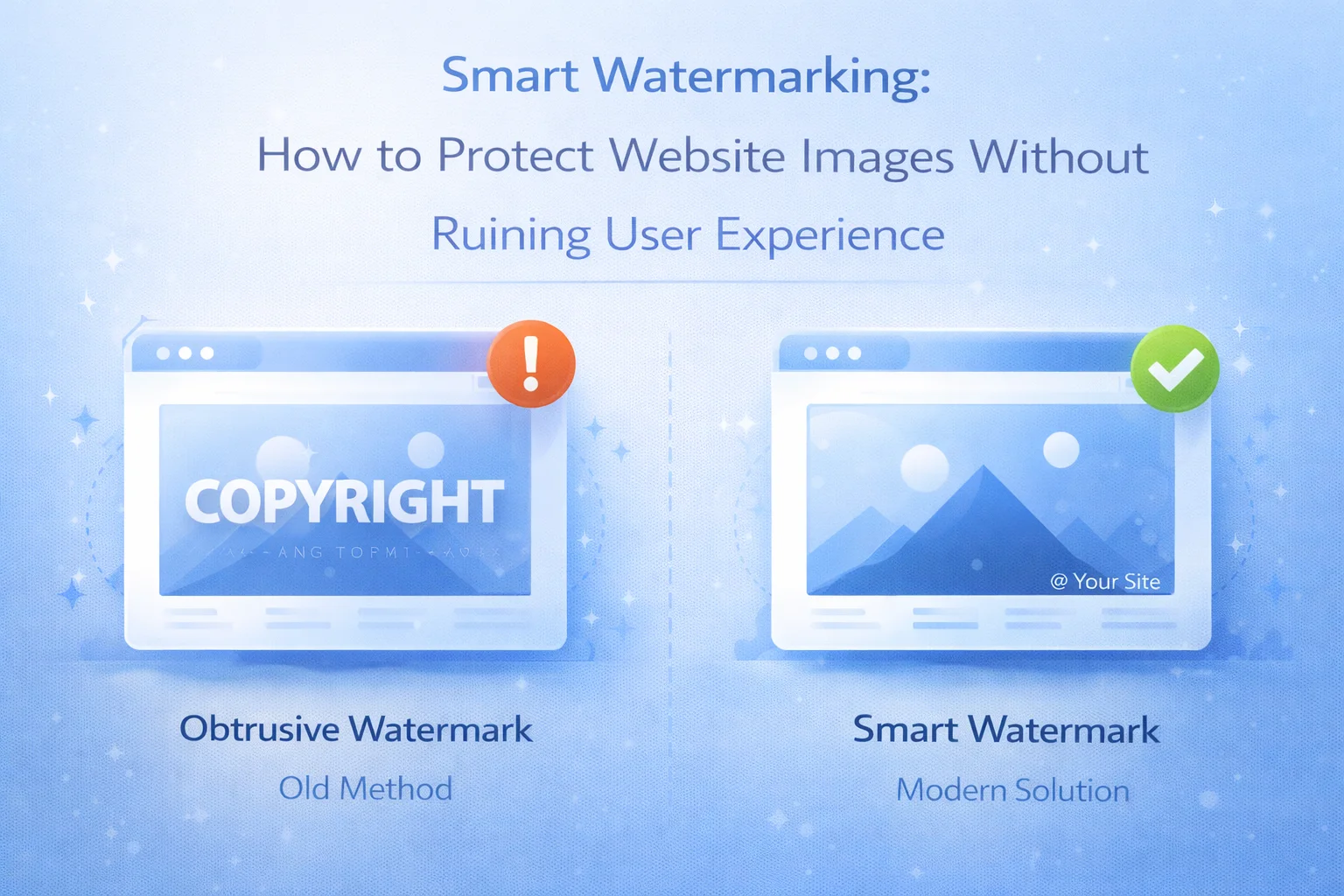
Ask any photographer, illustrator, or digital artist about watermarking and you will hear the same tension every time. Yes, they know their images need protection. Yes, they have seen their work turn up on other sites with no credit and no compensation. But they have also seen the heavy-handed watermarks that slash diagonally across the entire image, the logo stamps that cover the subject’s face, the copyright notices so prominent they become the first thing you notice rather than the photograph itself. The protection works. And it ruins the image.
This tension has historically forced a binary choice: protect your images and compromise how they look, or show them at full quality and accept the theft that follows. That binary is now obsolete. Real-time watermarking technology breaks it by separating what your visitors see from what someone who tries to steal your images gets.
This guide covers everything you need to know about smart watermarking: why traditional approaches fail, how real-time watermarking works technically, how to configure it for maximum protection without visual compromise, and what role it plays as part of a broader image protection strategy. We cover this through the lens of Nexu Shield’s real-time image watermarking and WordPress content protection system, though the principles here apply to any approach you take.
One point upfront: watermarking is one layer of image protection, not the complete solution. This guide also covers how it works alongside right-click blocking, drag-and-drop prevention, and mobile protection to give your images comprehensive coverage.
The classic watermarking workflow goes like this: you take a photograph or create an illustration, you open it in Photoshop or Lightroom, you place your logo or copyright text somewhere on the image, you export a new version with the watermark baked in, and you upload that watermarked version to your site. From that point on, every visitor who lands on your portfolio or blog sees the watermarked image. So does Google when it crawls your pages for image search.
The protection is real. A watermarked image that ends up on another site still carries your branding. But the cost is equally real. Your images look different on your own site than they do in your original files. The visual impact you worked to achieve gets diluted by the ownership overlay. Potential clients viewing your portfolio are looking at watermarked work rather than your images at their best.
There is also a workflow problem. Traditional watermarking requires maintaining two versions of every image: the original clean file and the watermarked version for web use. When you update your branding — a new logo, a different copyright year, a repositioned mark — you need to re-watermark your entire library. For a photographer with thousands of published images, that is a significant undertaking every time anything about your branding changes.
The traditional workflow was the best option available for a long time. It is no longer the best option. But understanding why it fell short is important context for understanding why real-time watermarking is such a genuine improvement.
Real-time watermarking inverts the traditional workflow entirely. Instead of baking the watermark into the image file that lives on your server, the watermark is generated dynamically at the moment it is needed — and it is only needed when a save or download attempt is detected.
Here is what that looks like in practice. A visitor loads your page. The images that appear in their browser are your original, clean, unwatermarked files. Google crawls your page and indexes those same clean images for image search. A legitimate visitor scrolling through your portfolio sees your work exactly as you intended it to be seen.
Now a different visitor right-clicks an image and selects “Save Image As.” At that precise moment, the protection layer intercepts the save request, applies your watermark to a copy of the image on-the-fly using server-side image processing, and delivers that watermarked version as the downloaded file. The original file on your server is never touched. The image the visitor sees on the page is unchanged. Only the file they attempted to steal carries your mark.
The performance implications are also worth understanding. A common concern with any dynamic image processing is the impact on page load speed. Real-time watermarking handles this correctly by caching the watermarked outputs. The first time a download is intercepted and a watermarked version is generated, that result is cached. Subsequent attempts to download the same image serve the cached watermarked version instantly, adding no meaningful overhead to the server.
Your original files are never modified. Your server serves clean images for page display. Watermarks appear only on files that were actively being taken. This is what smart watermarking looks like in practice.
Real-time watermarking protects images at the point of download. But many site owners also want a static watermark applied to their published images as a persistent, visible ownership mark — particularly for stock photography sites, online courses with visual content, or portfolios where the watermark itself is part of the brand presentation.
Bulk watermarking handles this at scale. Rather than processing images one at a time, a bulk watermarking engine works through your entire media library systematically, applying your mark to every image according to your configured settings. For a site with hundreds or thousands of images, this is the only practical approach.
The critical requirement for any bulk watermarking system is data safety. When you apply a watermark to hundreds of images, you are modifying your media library at scale. If something goes wrong with the positioning, the opacity, the size of the mark, or any other configuration parameter, you need to be able to undo all of it without restoring from a backup.
Background processing is the other essential feature for bulk operations. Processing hundreds of images in a single server request will time out on almost any shared hosting plan and will spike server load significantly on dedicated infrastructure. A queue-based background processor works through your library in small, manageable batches, pausing between them to avoid overloading the server. The watermarking happens gradually in the background while your site continues operating normally.
The difference between a watermark that looks professional and one that looks tacked on comes down to four variables: positioning, opacity, size, and the design of the mark itself. Getting these right is what separates a protection layer that enhances your brand from one that fights against it.
Positioning determines how disruptive the watermark is to the image’s visual composition. A mark placed in the bottom-right corner on a landscape photograph might fall in an area of plain sky or ground, barely noticeable but clearly present. The same mark centered on a portrait photograph obscures the subject. The right positioning depends on the type of images you publish and where their visual focus typically sits. A live preview tool that shows you exactly how your configuration looks on a real image from your library before you commit to it is the only sensible way to get this right.
Opacity is the most impactful variable for the perceived trade-off between protection and quality. A high-opacity watermark is unmissable and very difficult to remove with basic editing tools, but it dominates the image visually. A low-opacity watermark blends into the image and looks elegant but is easier for a determined thief to clone out. The right opacity sits at the point where the mark is clearly visible to a viewer looking for it, but does not dominate the composition. For most use cases, 30% to 50% opacity hits this balance.
A watermark sized in absolute pixels looks proportionate on a large, high-resolution image and enormous on a small thumbnail. Proportional sizing — expressed as a percentage of the image width — ensures your mark looks consistent and intentional across your entire image library regardless of the individual dimensions of each image. A watermark set at 20% of image width reads the same way on a 2000-pixel-wide photograph as it does on a 600-pixel-wide preview.
A logo watermark reinforces your brand and looks professional, but it requires the logo to be legible at the size and opacity you have chosen, which not all logos are. A text-based copyright notice with your name and website URL is immediately understandable to anyone who sees it and turns a stolen image into a source of brand awareness. For many creators, a combination works best: a small logo mark with a URL below it, positioned subtly but clearly in a consistent location.
For any site that relies on image search traffic — photography portfolios, recipe blogs, design showcases, travel sites — the way your images appear to Google matters as much as how they appear to visitors. Traditional server-side watermarking creates a real SEO problem that most watermarking guides simply do not address.
According to Google’s image search documentation, image quality and relevance are key ranking factors. When your images are watermarked in ways that alter their visual composition, Google’s image analysis treats them differently than clean images of the same subject. For competitive image search queries, serving Google your cleanest images while still protecting them from download is the optimal position, and it is only achievable with real-time processing.
There is also the question of what happens when a stolen watermarked image generates a backlink or search attribution back to you. A watermarked image found on another site is evidence of theft that strengthens any DMCA or copyright claim. A clean image found on another site is harder to prove originated from your library. The watermark is simultaneously a deterrent, a branding tool, and a legal instrument.
Watermarking handles one attack vector: the downloaded file. It does not prevent someone from viewing and screenshotting your image, from hotlinking it directly from your server, or from using browser developer tools to locate and copy the direct image URL. A complete image protection strategy layers multiple measures, each addressing a different vector.
Disabling the browser context menu on image elements prevents the most common download method. Combined with drag-and-drop prevention, which stops users from dragging images directly to their desktop or another application, this closes the two lowest-effort theft methods. Real-time watermarking handles the cases where these measures are circumvented by delivering a watermarked file instead of the clean original.
On iOS and Android, the long-press gesture on an image opens the native save dialog. This is the mobile equivalent of right-click and requires specific handling because it operates at the touch event level rather than the mouse event level. Without explicit mobile protection, a right-click block on desktop provides no coverage to the majority of your visitors who are on smartphones. Real-time watermarking still applies when mobile saves are intercepted, but the long-press block itself is what creates the opportunity to intercept them.
Hotlinking is when another site embeds your image using your server’s direct URL rather than hosting a copy. Every time a visitor on their site views that embedded image, the bandwidth comes from your server. Hotlink protection at the server level, typically configured via your .htaccess file, blocks external domains from loading your images directly. This is a server-side measure rather than a plugin measure, but it addresses a theft vector that operates entirely outside the browser context where JavaScript-based protection functions.
Browser developer tools allow anyone to locate the direct URL of any image on your page, regardless of right-click blocking. Once they have the URL, they can paste it into a new tab and download the image directly, bypassing all front-end protection. Blocking developer tools access and the keyboard shortcuts that open them raises the technical barrier above what most opportunistic thieves will invest. Combined with watermarking, even this path delivers a branded file rather than a clean one.
The right watermarking configuration varies significantly depending on what you publish and why someone might want to steal it. Here is how to think about it by creator type.
Your images are your primary commercial asset. Real-time watermarking on download is essential: it keeps your portfolio presentation clean for potential clients while ensuring that any image extracted from your site carries your mark. Positioning in the lower third, 35% to 45% opacity, proportional sizing around 18% to 22% of image width. Use your URL rather than just your logo — it turns stolen images into backlinks and makes licensing requests easier for anyone who genuinely wants to use your work legitimately.
Design work often gets screenshot rather than downloaded, so combining watermarking with right-click and drag prevention is important. For portfolio pieces, consider a centered semi-transparent mark at relatively low opacity — visible on examination but not compositionally dominant. For work-in-progress or client preview images, a more prominent centered mark makes sense because the primary purpose of the image at that stage is review, not presentation.
For blogs where images support written content rather than being the primary asset, a subtle corner mark with your domain name is generally sufficient. The goal here is attribution if an image gets picked up and republished, not the aggressive protection appropriate for a photographer’s commercial work. Real-time watermarking keeps your blog’s visual presentation clean while ensuring that republished images point back to your site.
Educational content — diagrams, charts, visual explanations, slide exports — has high value and is frequently repurposed without permission. A visible but non-obtrusive watermark deters casual repurposing while not distracting from the educational value for your paying students. Consider using a text mark with your course platform name or URL rather than a logo, because it is self-explanatory to anyone who encounters it out of context.
Image protection requires multiple layers working together. This checklist summarizes the complete setup that photographers, designers, and content publishers should have in place.
The old compromise — protect your images or show them beautifully, but not both — is a problem that technology has solved. The question now is whether you have implemented the solution. Nexu Shield’s smart watermark and full-layer WordPress image protection brings all of these measures together: real-time on-download watermarking, bulk processing with rollback, right-click and drag prevention, mobile long-press blocking, and developer tools protection, all configurable from a single panel without requiring server-level changes or developer involvement.
Your images represent hours of work, creative skill, and in many cases your primary commercial asset. The tools to protect them properly now exist. The only question is whether you have turned them on.
Nexu Shield delivers real-time on-download watermarking that keeps your originals clean for visitors and SEO, bulk processing with single-click rollback, and a complete multi-layer image protection stack built for photographers, designers, and creators.








Quick question about how the workflow handles large libraries. I'm testing this on a media heavy site with a few thousand images, and the real time watermarking itself works really well but I've hit some slowdowns when bulk uploading via FTP. is there a way to pre process existing images in batches instead of having them only generate when someone first downloads them? Has anyone else run into this or found a workaround? love how solid the protection is once it's live just hoping to speed up the initial setup phase a bit!
I've gotta say this real time watermarking feature is pure genius. as a trucker who takes photos of my rig for my blog, I was always stuck between slapping ugly watermarks on everything or just letting people steal my shots. But now? Visitors see my clean photos just how I want them, but the second someone tries to swipe one boom my logo pops up right where it should be. No more choosing between protecting my work and keeping it looking sharp. finally, someone nailed the perfect balance!
Hey! finally a watermark tool that doesn't ruin my portfolio pics
Finally a solution that doesn't make me choose between protecting my work and showing it properly. I've spent years adding and removing watermarks every time my logo changed, and it was always a nightmare. this real time approach means I can update my branding once in the settings, and every image downloaded from now on gets the new version automatically. No more batch editing thousands of files. that binary is now obsolete, and honestly, it's about time. for anyone tired of the old watermark grind, this is worth every penny