Next-Level Code. Nexuvibe Style ...
Hrs
Min
Sec

Chatbase is usually the first name WordPress site owners encounter when they search for an AI chatbot they can train on their own content. It has a polished interface, a quick setup flow, and a free tier that makes it easy to try. What it does not have — and what becomes obvious only once you try to use it seriously — is a native WordPress integration, any awareness of your WordPress content without manual uploads, and pricing that makes sense for small businesses running on a budget.
The Hobby plan starts at $40 a month. Standard is $150. Pro is $500. If you want to remove the “Powered by Chatbase” badge from your own website, that is another $39 per month on top. Over three years on the Standard plan with branding removal, you are looking at over $6,800 — for a tool that still does not have a real WordPress plugin.
This guide is for WordPress and WooCommerce site owners who looked at Chatbase, liked the concept, and then looked at the recurring cost and thought there must be something better built specifically for WordPress. There is.
We will cover exactly why Chatbase is the wrong fit for WordPress, and why a WordPress AI chatbot plugin that auto-indexes your content and charges a one-time flat fee is the answer most site owners are looking for.
Chatbase is a cloud-based SaaS platform. You upload documents or paste URLs, it processes your content on its own servers, and gives you an embed snippet you paste into any website. For a quick demo or a non-WordPress site with static content, it works. The problem starts when you bring it to a WordPress site that publishes content regularly.
“Compatible with WordPress” for Chatbase means you can paste a JavaScript snippet into your theme. That is it. There is no plugin in the WordPress repository. It cannot read your posts, pages, or WooCommerce products natively. It does not know when you publish something new. Every content update you make on your site is invisible to Chatbase until you manually re-upload your files or re-submit your sitemap. Until that happens, visitors asking your chatbot questions get answers based on whatever you fed it last time — which may be weeks or months out of date.
For a ten-page brochure site that never changes, this is tolerable. For a WordPress site with a blog, a WooCommerce catalogue, documentation pages, and policies that get updated — which describes almost every serious WordPress business — it is a structural problem that no amount of configuration can fix.
The free tier is designed to get you invested before the pricing becomes real. The free plan limits you to 100 messages per month — gone in the first week of any site with actual traffic. Once you upgrade, here is what you are committing to.
| Plan | Monthly | Year 1 | 3-year total | Message cap |
|---|---|---|---|---|
| Hobby | $40 | $480 | $1,440 | 2,000 / mo |
| Standard | $150 | $1,800 | $5,400 | 12,000 / mo |
| Pro | $500 | $6,000 | $18,000 | 40,000 / mo |
| + Branding removal | +$39 | +$468 | +$1,404 | Paid add-on |
| Nexu SmartChat (WordPress plugin) | $0 / mo | $89 one-time | Still $89 | No caps (BYOK) |
The Nexu SmartChat row reflects the 1-site licence price. Your only ongoing cost is direct OpenAI API usage — typically $1–5/month for a mid-traffic site using GPT-4o mini. No platform markup, no message caps, no branding removal fee.
There is no Chatbase plugin in the WordPress repository that reads your database or hooks into your admin. You paste a script tag. The chatbot runs from Chatbase’s servers with zero awareness of your WordPress installation.
When you publish a new post or update a WooCommerce product, Chatbase does not know. Someone must manually re-upload files or re-submit the sitemap. In practice this never happens consistently, and the chatbot slowly drifts out of sync with the live site.
Every piece of content you feed to Chatbase, and every conversation your visitors have, sits on infrastructure you do not control. If their terms change, you have no recourse. A WordPress-native plugin stores everything in your own database.
The Hobby plan caps you at 2,000 messages per month — roughly 67 conversations per day. Exceed it and conversations stop or you pay overage. A bring-your-own-key model with OpenAI means your cost scales linearly with actual usage, with no cliffs or punitive jumps.
“Powered by Chatbase” on a chatbot sitting on your own professional website costs $39 extra per month to remove. A WordPress plugin with no third-party branding comes with white-label appearance as a default, not a paid upgrade.
The right Chatbase alternative for WordPress is not another cloud platform with slightly cheaper tiers. It is something architecturally different — a plugin that lives inside your WordPress admin, reads your content from your own database, indexes it automatically every time something changes, and runs entirely on your server without any third-party cloud dependency.
Native RAG · Auto-Indexing · Stores data on your server · BYOK · Multi-model · $89 one-time
SmartChat installs as a real WordPress plugin — not an embed script. It reads your posts, pages, WooCommerce products, and custom post types directly from your database. When you publish or edit anything, it re-indexes that content automatically. The vector knowledge base lives in your WordPress database. Your conversation history sits in your WordPress database. Nothing leaves your server except the API call to whichever AI provider you connect — OpenAI, Claude, Gemini, or Mistral.
| Feature | Chatbase | Nexu SmartChat |
|---|---|---|
| Native WordPress plugin | ✗ Embed script only | ✓ |
| Auto-indexes WordPress content | ✗ Manual uploads | ✓ On every publish |
| WooCommerce product awareness | ✗ | ✓ Native |
| Data stored on your own server | ✗ Chatbase cloud | ✓ Your database |
| Monthly subscription | $40–$500/month | ✗ One-time $89 |
| Message caps | 2k–40k/month | ✗ None (BYOK) |
| Branding removal fee | +$39/month | ✗ Included |
| Multi-model support (OpenAI, Claude, Gemini, Mistral) | Limited | ✓ |
| Multiple bot personas per site | Paid plans only | ✓ Included |
| Conversation history in your dashboard | On Chatbase servers | ✓ In your WP admin |
Every Chatbase disadvantage in this table is a structural consequence of being built as a cloud SaaS rather than a WordPress plugin. These are not fixable with updates — they are the fundamental architecture of the product.
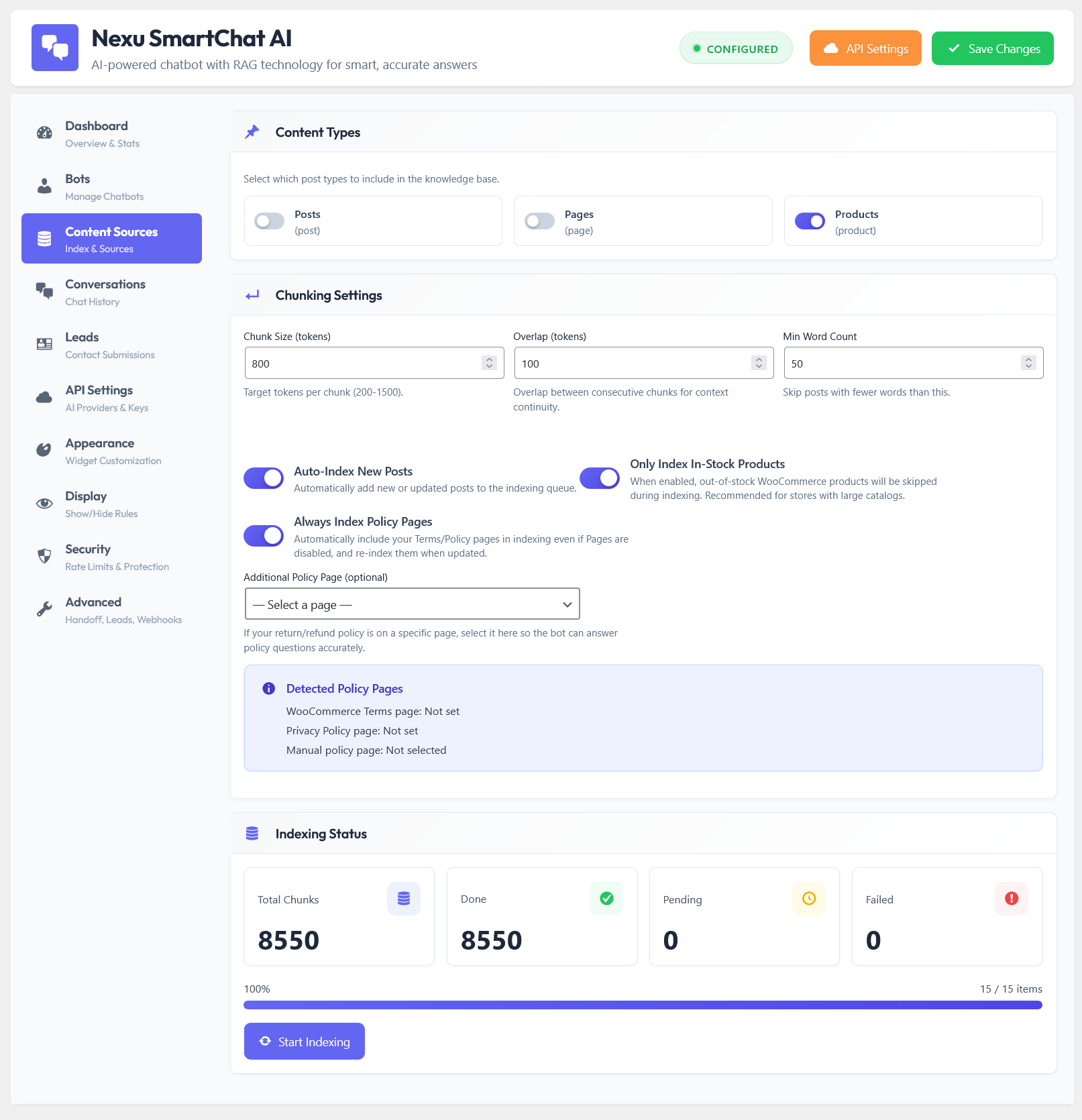
No file uploads. No URL lists. No sitemaps. The plugin accesses your WordPress content the same way WordPress itself does — natively, from the database. Posts, pages, WooCommerce products, custom post types: all indexed automatically the first time, then kept in sync on every publish or edit.
When a visitor asks “what running shoes do you have under $100?”, SmartChat does not return a paragraph with a link. It renders interactive product cards directly inside the chat interface — real images, live prices, and direct add-to-cart buttons. Chatbase cannot do this because it has no access to your WooCommerce data.
SmartChat connects to OpenAI, Anthropic Claude, Google Gemini, Mistral, and Azure from the same API settings panel. If OpenAI raises prices or a better model drops, switching takes one click. You are never locked into a single provider the way you are with a SaaS platform.
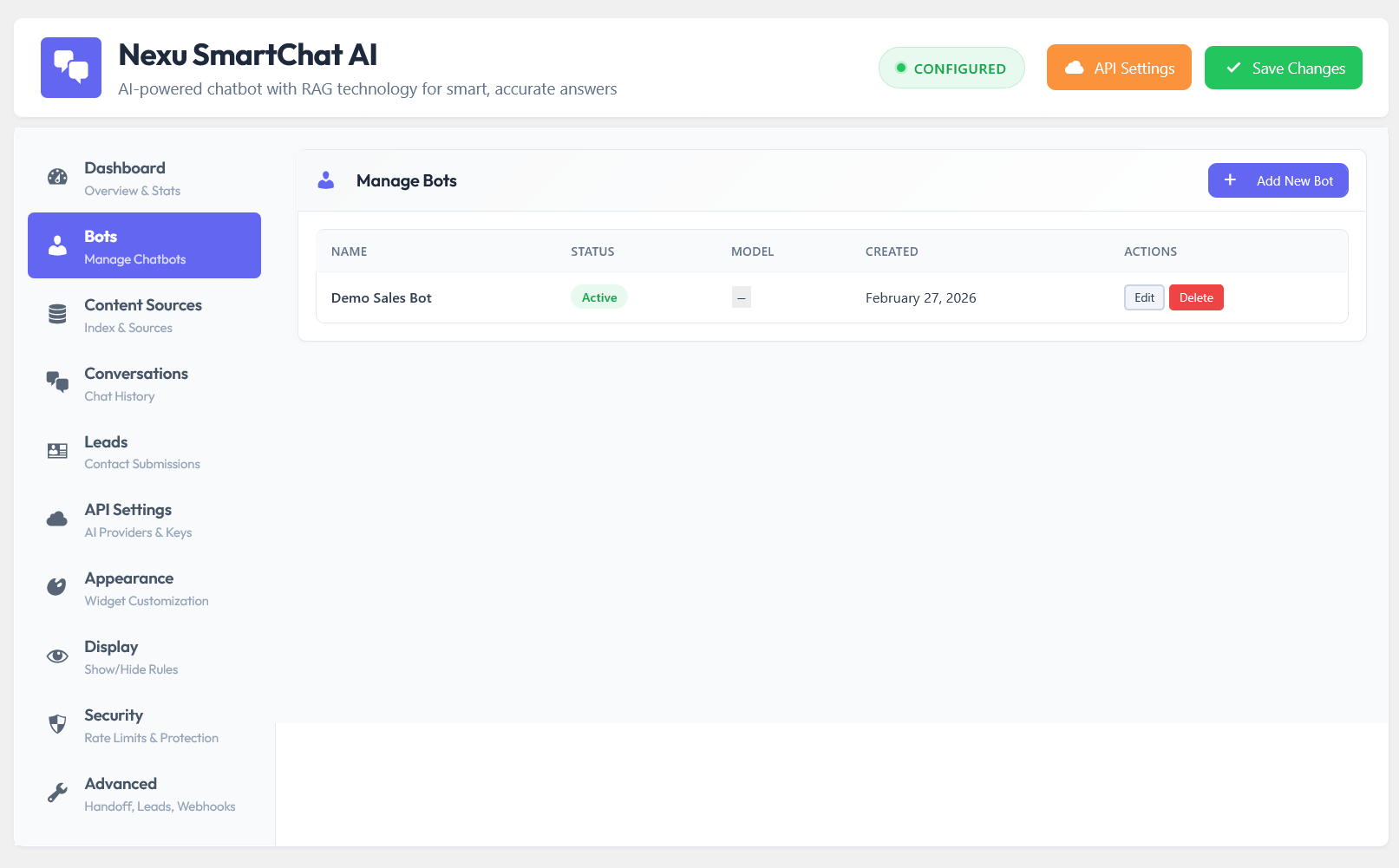
Create separate bots for separate jobs — a sales assistant for your product pages, a support bot for documentation, a lead generation agent for landing pages. Each persona has its own system prompt, its own tone, and its own instructions. Switch the active bot globally with one click from your dashboard.
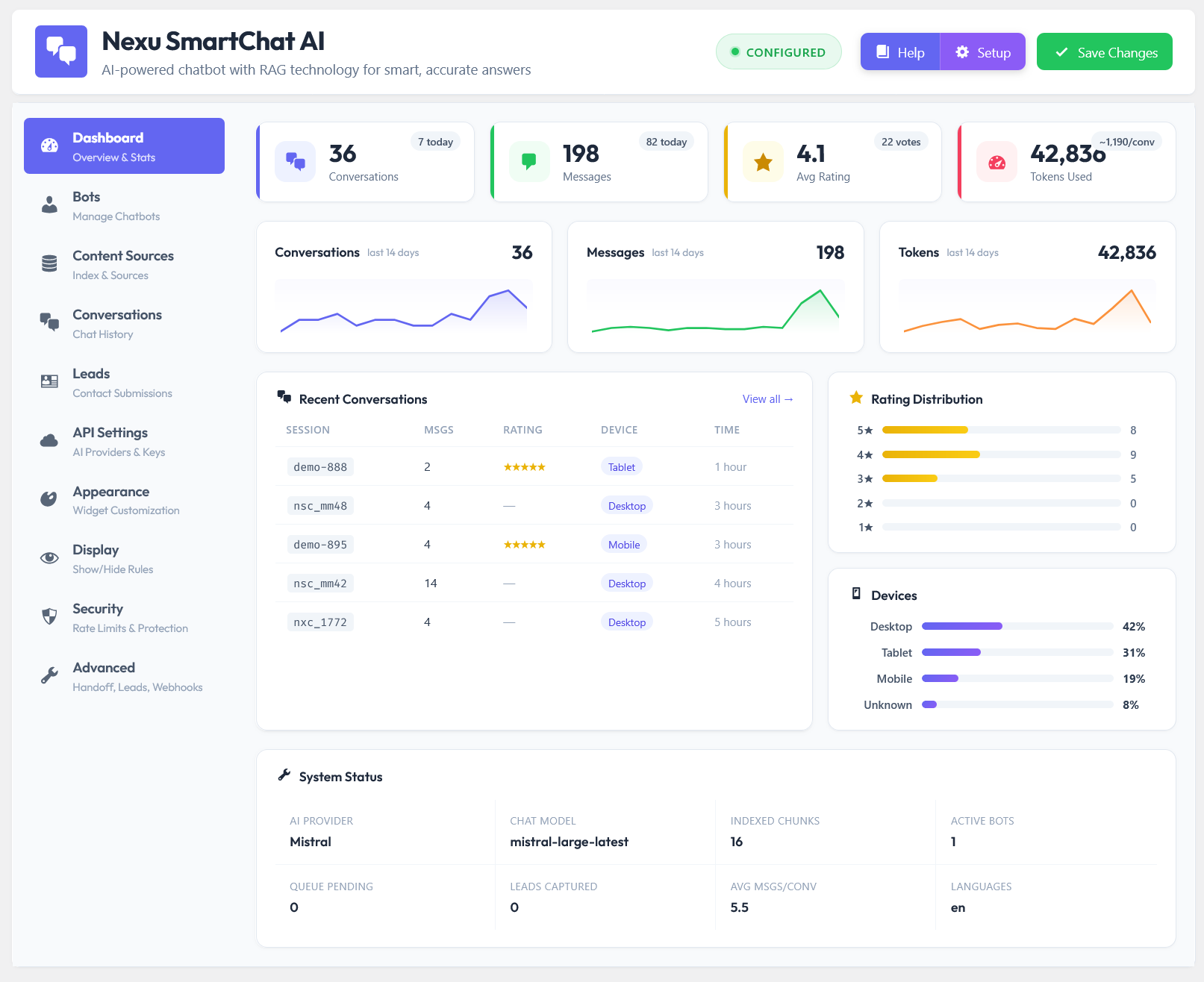
Every chat transcript is stored in your own database and accessible from the Conversations tab in your WordPress admin. Filter, search, read full dialogues, see user ratings, and monitor token usage per session — without logging into a third-party dashboard.
Define per-user and per-session message limits, block IP addresses, set token usage caps per conversation, and control which WordPress user roles can access the chatbot. Your API budget is protected from spam and abuse without needing a separate security plugin.
Chatbase built a solid product for the general market. The problem is that “general market” and “WordPress sites specifically” are very different things. A cloud platform that requires manual content uploads, stores your data on its own servers, and charges $150–500 per month is not the right tool for a business that already has a WordPress site full of content it paid to create.
The better option is a plugin that treats WordPress as its native environment — reading your content directly, updating automatically, storing data on your server, and letting you own the full experience without a monthly subscription. Nexu AI Chatbot for WordPress – SmartChat Assistant Plugin with Auto-Indexing & RAG is exactly that.
Native WordPress plugin. RAG that reads your content directly from your database. Auto-indexing on every publish. WooCommerce product cards in chat. Multi-model AI. Conversation history in your own admin. One flat fee — from $89. No subscription. No message caps. No branding fees.





Hey everyone! my buddy told me to check this out after I complained about Chatbase's crazy monthly fees. been using it for a few weeks now, and honestly, the one time fee is a game saver. My only real cost is the OpenAI API, which runs me like $3 a month way better than dropping $500 on Chatbase Pro
The Pro version is a one time $500
Just wanted to share my experience with this Chatbase alternative. as a junior dev still figuring out WordPress, I was nervous about adding another plugin, but this one actually lives right in your admin panel. no messing with JavaScript snippets in your theme like Chatbase forces you to do it just pulls from your existing content. the best part?