Next-Level Code. Nexuvibe Style ...
Hrs
Min
Sec

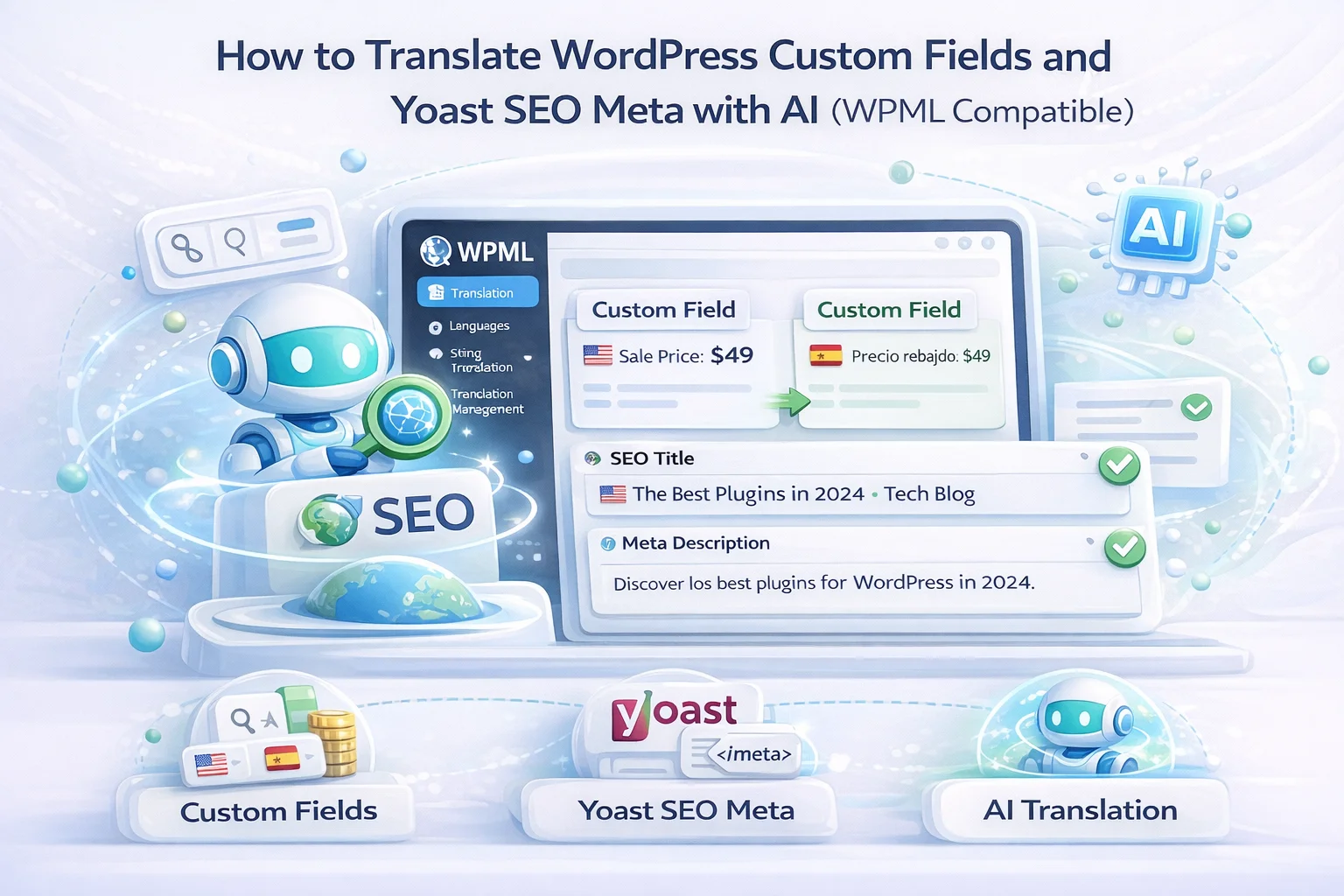
WordPress stores an enormous amount of content outside the standard title and body fields. Your Yoast SEO meta title and description, your ACF (Advanced Custom Fields) data, your WooCommerce product short descriptions and purchase notes, your custom post type fields from plugins like Pods or Meta Box — all of this content lives in custom fields stored in the wp_postmeta table. And all of it needs translation if you want your multilingual site to actually work.
The frustrating reality is that many translation tools treat custom fields as an afterthought. They translate your post title and body content, mark the job as complete, and leave dozens of custom field values sitting in the original language. You end up with a French product page that has a French title and description but English SEO metadata showing in Google France, English values in your ACF-powered feature list, and English text in your custom excerpt field that displays on archive pages.
This guide explains how custom field translation works in WPML, which fields you need to configure manually, and how to make sure your AI translation process catches everything in a single pass.
Every WordPress post has a title and a body content field. These are the core content fields that every plugin and theme understands. But WordPress also has a flexible metadata system that lets plugins and themes attach additional data to posts. These additional data points are called custom fields, or post meta.
When Yoast SEO saves your meta title and description, it writes them to custom fields named _yoast_wpseo_title and _yoast_wpseo_metadesc. When WooCommerce saves your product short description, it uses a different field. When ACF saves your custom “product highlights” repeater, each value goes into its own set of meta fields. Every custom field has a key (the name) and a value (the content).
WPML knows about custom fields. It lets you configure how each field should be handled during translation. The configuration happens in WPML Settings under Custom Fields Translation, and there are three options for each field:
The field appears in translation jobs and needs to be translated into the target language. This is the correct setting for any field that contains human-readable text that will be displayed to site visitors: SEO meta titles, descriptions, custom excerpts, feature lists, testimonial quotes, FAQ answers, and so on.
The field value is copied as-is to the translated post without modification. This is correct for fields that contain data that should be the same across languages: prices, SKU numbers, date values, numeric settings, color hex codes, and configuration values that are not human-readable text.
The field is ignored entirely during translation. The translated post will not have this field at all unless it is added manually. This is correct for fields that are only relevant to the original language or that are managed separately through other processes.
The problem is that WPML cannot always guess which setting is correct for every custom field. Some fields it recognizes automatically (like Yoast fields, which it usually sets to “Translate” by default). Others, especially fields from less common plugins or custom-developed solutions, default to “Do not translate” and need manual configuration. If you do not check and configure these settings, your translation jobs will silently skip those fields.
Here is a reference list of the most common WordPress custom fields that contain translatable text. If your site uses any of these, go to WPML Settings, then Custom Fields Translation, and verify each one is set to “Translate.”
The general rule is: if a field contains text that a human visitor will read on your site or in search results, it should be set to “Translate.” If it contains a number, an ID, a URL, a configuration value, or any non-text data, it should be set to “Copy.” If you are not sure, check what the field displays on the frontend. If it shows text to users, translate it.
Of all the custom fields on a typical WordPress site, the Yoast SEO meta title and description have the most direct impact on whether your translated content actually gets traffic from search engines. These two fields control what appears in Google search results for every page on your site.
Picture this scenario: you have a WooCommerce product page for “Wireless Bluetooth Headphones” that you have translated into German. The product title on the page says “Kabellose Bluetooth-Kopfhörer.” The description is in perfect German. But the Yoast SEO meta title was not translated, so when a German user searches on Google.de, your result shows “Wireless Bluetooth Headphones” as the clickable title with an English meta description beneath it. The German user sees a competitor’s result with a proper German title and description, clicks that instead, and you lose the sale despite having a fully translated product page.
This is not a hypothetical problem. It is one of the most common multilingual SEO failures we see on WordPress sites. The fix is simple: make sure the Yoast fields are set to “Translate” in WPML and use a translation tool that actually processes custom fields alongside the main content.
ACF is one of the most popular WordPress plugins for creating custom data structures. If your site uses ACF for things like product specifications, team member bios, FAQ sections, or custom content blocks, those ACF field values need translation just like your main post content.
WPML has dedicated ACF integration through the WPML ACFML module. When this module is active, ACF fields are handled natively in WPML’s translation system. Text fields, textarea fields, and WYSIWYG fields from ACF appear as translatable fields in WPML translation jobs. Repeater fields (like a list of product features or FAQ items) are also supported, with each repeater row appearing as a separate translatable item.
The key is activating the WPML ACFML module. Go to WPML, then Plugins, and verify ACFML is active. Without it, ACF fields are treated as generic custom fields and may not be parsed correctly for translation, especially repeater and flexible content fields.
Once ACFML is active, ACF fields appear in WPML translation jobs alongside the standard post content. When you assign a translation job to an AI translator, the ACF fields are included and translated in the same pass as everything else. The translated values are saved back to the correct ACF field structure in the translated post.
Here is the critical point that ties everything together. WPML’s custom field configuration determines which fields appear in a translation job. The AI translation addon translates whatever fields WPML includes in that job. If WPML does not include a field because it is set to “Copy” or “Do not translate,” the AI addon never sees it and cannot translate it.
This means the configuration step in WPML Settings is not optional. It is the foundation that everything else depends on. An AI translation addon can only translate what WPML tells it to translate.
That said, not all AI translation addons handle custom fields equally even when WPML includes them in the job. Some addons skip custom fields entirely and only process the title and body content fields. Others process custom fields but mishandle field values that contain HTML or special characters. NEXU AI Auto Translator for WPML translates all fields that WPML includes in the translation job, including Yoast meta, ACF fields, WooCommerce fields, and any other custom fields you have configured as translatable. This was a specific design decision: if WPML says a field should be translated, the plugin translates it.
Go to WPML Settings, then Custom Fields Translation. Scroll through the list and identify every field that contains text your visitors see. Set each one to “Translate.” Set fields that contain numeric, ID, or configuration data to “Copy.” If you are unsure about a field, open a post that uses it and check what the field’s value looks like. Text means translate. Numbers, IDs, and code mean copy.
Go to WPML, then Plugins. Activate WPML SEO (for Yoast/Rank Math integration), WPML ACFML (if you use ACF), and WPML WooCommerce Multilingual (if you run WooCommerce). These modules ensure that each plugin’s custom fields are properly parsed and included in translation jobs.
Pick a post that uses multiple custom fields (ideally one with Yoast meta, and ACF or WooCommerce fields). Send it for AI translation through WPML. Once the translation completes, open the translated post in the WordPress editor and check each custom field. Also view the translated page’s source code to verify the meta title and description are in the target language.
If any fields came through untranslated, go back to WPML Custom Fields Translation settings and change that field from “Copy” or “Do not translate” to “Translate.” Then re-send the post for translation. The addon will re-process the job and include the newly configured fields. This iterative process usually only takes one or two rounds to get every field configured correctly.
If you accidentally set a numeric field like a price or a post ID reference to “Translate,” the AI model may change the number or produce a text interpretation of it. A price of “49.99” might become “quarante-neuf virgule quatre-vingt-dix-neuf” in French. Always set numeric and ID fields to “Copy.”
WPML SEO and WPML ACFML are not active by default. If you skip activating them, Yoast and ACF fields may appear as raw meta keys in your custom fields list rather than being properly parsed. Activate these modules before configuring custom field translation settings.
If you change a field from “Copy” to “Translate” after you have already translated some content, the existing translations will still have the old (untranslated) value for that field. You need to re-translate those posts for the change to take effect. The bulk re-translation tools in the NEXU plugin make this manageable for large volumes of existing content.
A multilingual WordPress site where only the title and body are translated is a half-finished project. Your visitors encounter untranslated SEO snippets in search results, untranslated custom content blocks on pages, and untranslated product metadata that makes your translated pages feel incomplete. These gaps erode trust and directly hurt conversion rates.
The configuration work described in this guide takes about 15 to 20 minutes for a typical site. You do it once. After that, every translation job automatically includes all your custom fields, SEO metadata, and plugin-specific content alongside the main post content. The AI processes it all in a single pass. The result is a translated page where everything is in the target language, from the search result snippet to the last ACF field on the page.
That 15 minutes of configuration is the difference between a multilingual site that genuinely works and one that looks multilingual on the surface but leaks untranslated content everywhere visitors look closely. Take the time. Configure the fields. Then let NEXU AI Auto Translator for WPML handle the rest.
Yoast SEO metadata, ACF fields, WooCommerce data, and every WPML-translatable custom field — all processed in a single AI translation pass. Four providers. From $39/year.






Oh man, finally a plugin that gets custom fields right!
Nice! got my SEO meta translated.
As a professor running a multilingual academic site, I was seriously relieved when this tool actually detected and translated custom fields like ACF and Yoast metadata without me having to set anything up manually.