
Exit intent is the moment of departure. The cursor moves toward the browser controls, or on mobile the user swipes back toward the previous page, or the tab becomes inactive after a long browsing session without any purchase action. At this moment, the visitor has made a decision — not necessarily a final one, but a directional one. They have not found what they needed, or they found what they needed but something stopped them from acting on it, or they simply ran out of time.
The conventional response to exit intent is a popup: a discount code, an email capture form, a “wait, before you go!” overlay. These work, but they are also widely resented and increasingly ignored. Visitors who encounter them repeatedly on ecommerce sites have developed a reflex for immediately closing them. The exit intent chatbot trigger is a different intervention: instead of interrupting the visitor with a demand, it opens a conversation that offers to help with whatever stopped them.
Done correctly, an exit intent chatbot trigger has a fundamentally different tone from a popup. It is not a bribe. It is an offer to resolve the friction that was about to cause an abandoned session. The visitor who was about to leave because they could not find the right size, or because the shipping cost surprised them, or because they needed to compare two products but could not easily do it, has a reason to stay if someone offers to help with exactly that.
This guide covers the strategy, the trigger mechanics, the message design, and the page-specific configurations. We reference Nexu SmartChat’s WordPress AI chatbot proactive trigger system in the implementation sections. The principles apply broadly, but the specific trigger configuration options depend on your plugin’s capabilities.
Why visitors leave: the five friction types your trigger needs to address
An exit intent trigger is only as useful as the conversation it opens. A trigger that fires a generic “Can I help you?” message at every departing visitor adds noise without value. The most effective triggers are designed around the specific friction types that cause visitors to leave the particular page type they are on. Understanding those friction types is the foundation of the entire strategy.
The visitor has a specific question the page did not answer. They have scrolled through the content, perhaps read the reviews, and they still have a doubt that is preventing them from clicking “Add to Cart.” This is the most common reason for product page abandonment and the most directly addressable with an exit intent chatbot. The trigger message for this friction type should offer to answer the specific question, not offer a discount. The visitor is not leaving because the price is too high. They are leaving because they lack a piece of information.
The visitor cannot decide between two or more options. They have been comparing products or plans, have not found a clear reason to choose one over the other, and are leaving to think about it or look elsewhere. This friction type is most common on category pages with multiple products, pricing pages with multiple tiers, and product pages that link heavily to related items. The exit trigger should offer to help them figure out which option fits their situation, acting as a decision advisor rather than a discount provider.
The total cost exceeded the visitor’s expectation, typically due to shipping, taxes, or fees that were not visible on the product page. This is one of the leading causes of cart abandonment globally. The exit trigger at the cart and checkout stage should acknowledge the cost concern, offer to explain the shipping calculation, and if applicable, present any genuine options for reducing the total (free shipping threshold, alternative shipping method, or a discount code that legitimately exists). It should not make up offers that do not exist.
The visitor is not confident enough in the store or the product to commit. This is especially common for first-time visitors making a significant purchase, visitors who cannot easily verify the company is legitimate, or visitors who have had bad experiences with online purchases and are cautious. The exit trigger for trust friction should offer something that reduces the perceived risk: clarity on the return policy, evidence of the company’s track record, or a simple human-sounding message that makes the store feel less like an anonymous entity.
The visitor is genuinely interested but is not in a position to purchase right now — they need to check with a partner, wait for payday, finish researching alternatives, or simply come back when they have more time. Timing friction is the only exit scenario where a lead capture offer makes genuine sense: if the visitor will come back, giving them a way to stay connected (a “save this cart” email, a product reminder, or simply the option to receive a link to the page they were on) provides real value. The offer should feel like a convenience, not a pressure tactic.
How exit intent detection works: desktop vs mobile
Exit intent detection uses different signals on desktop and mobile, and the difference matters for how and when your trigger fires.
On desktop, exit intent is detected by tracking cursor position. When the cursor moves above a threshold — typically the top 5 to 10 percent of the viewport, toward the browser’s tab bar, address bar, or close button — the trigger fires. This is a reliable signal because cursor movement toward the browser controls is a genuine departing behavior. The false positive rate is low: few visitors move their cursor to the top of the browser for reasons other than navigating away.
Mobile devices have no cursor, so exit intent on mobile uses behavioral proxies: the user pressing the back button, becoming inactive for a defined period (typically 30 to 60 seconds), scrolling rapidly upward from the page (associated with swiping back), or switching to another tab. These signals are less precise than desktop cursor tracking, which is why mobile exit triggers need more conservative configurations and more carefully considered messages to avoid misfiring on legitimate browsing behavior.
Additional trigger types that are not strictly exit intent but serve a similar purpose: scroll depth triggers (fires when a visitor has scrolled through most of the page without acting), time-on-page triggers (fires after a specified amount of time, suggesting the visitor is not finding what they need quickly), and return visit triggers (fires when a visitor who viewed a specific product before returns to it without having purchased). These triggers do not require an active departure signal, but they identify the same underlying problem: a visitor who is engaged enough to look but not yet ready to act.
Message design: what to say at the exit moment
The exit intent message is the most important creative decision in the entire trigger setup. It has about two seconds to land before the visitor either engages or ignores it. The messages that work share four characteristics: they are specific to the page context, they offer genuine help rather than a transaction, they are short enough to read in one glance, and they do not feel like a guilt trip or a pressure tactic.
Generic messages like “Wait! Don’t leave yet!” or “Before you go…” perform poorly because they are identical to what every other site shows. Visitors have pattern-matched them to “popup I should close.” Discount-first messages (“Get 10% off before you go!”) attract discount hunters and do not address the actual reason most visitors are leaving. Emotionally manipulative messages (“Are you sure? Others are looking at this right now!”) are recognized as fake urgency and damage trust. None of these open a conversation. They all feel like interruptions.
The messages that work are specific and helpful. They acknowledge the context of the page the visitor is on and offer something genuinely relevant to a visitor in that context who is leaving. Here are worked examples for each of the main page types and friction scenarios.
The rules that prevent your trigger from becoming annoying
An exit intent trigger that fires too often, on the wrong pages, or without any memory of previous interactions is worse than no trigger at all. It trains visitors to ignore the chatbot entirely, which defeats the purpose of having one. The following rules are the baseline configuration that keeps the trigger useful rather than friction-generating.
What the chatbot should say after the trigger opens the conversation
The trigger message opens the conversation. What happens next determines whether it generates value. The most common failure mode in exit intent chatbot deployments is a trigger that opens a chat session but then behaves like a generic support bot: waiting for the visitor to drive the conversation rather than continuing with the advisory stance the trigger message established.
The chatbot’s system prompt for an exit-triggered conversation should continue the direction the trigger message started. If the trigger said “Still deciding? Happy to answer anything specific about this product,” the chatbot’s follow-up behavior should mirror that: it should be ready to answer specific product questions, draw on the product’s knowledge base, and actively probe for the question the visitor actually had. A generic “How can I help you today?” as the first response after an exit trigger message is a jarring reset that wastes the momentum the trigger created.
For product-page exit triggers, the most effective follow-up behavior after the trigger message is an open-ended question about the specific product the visitor was viewing. “Is there something about

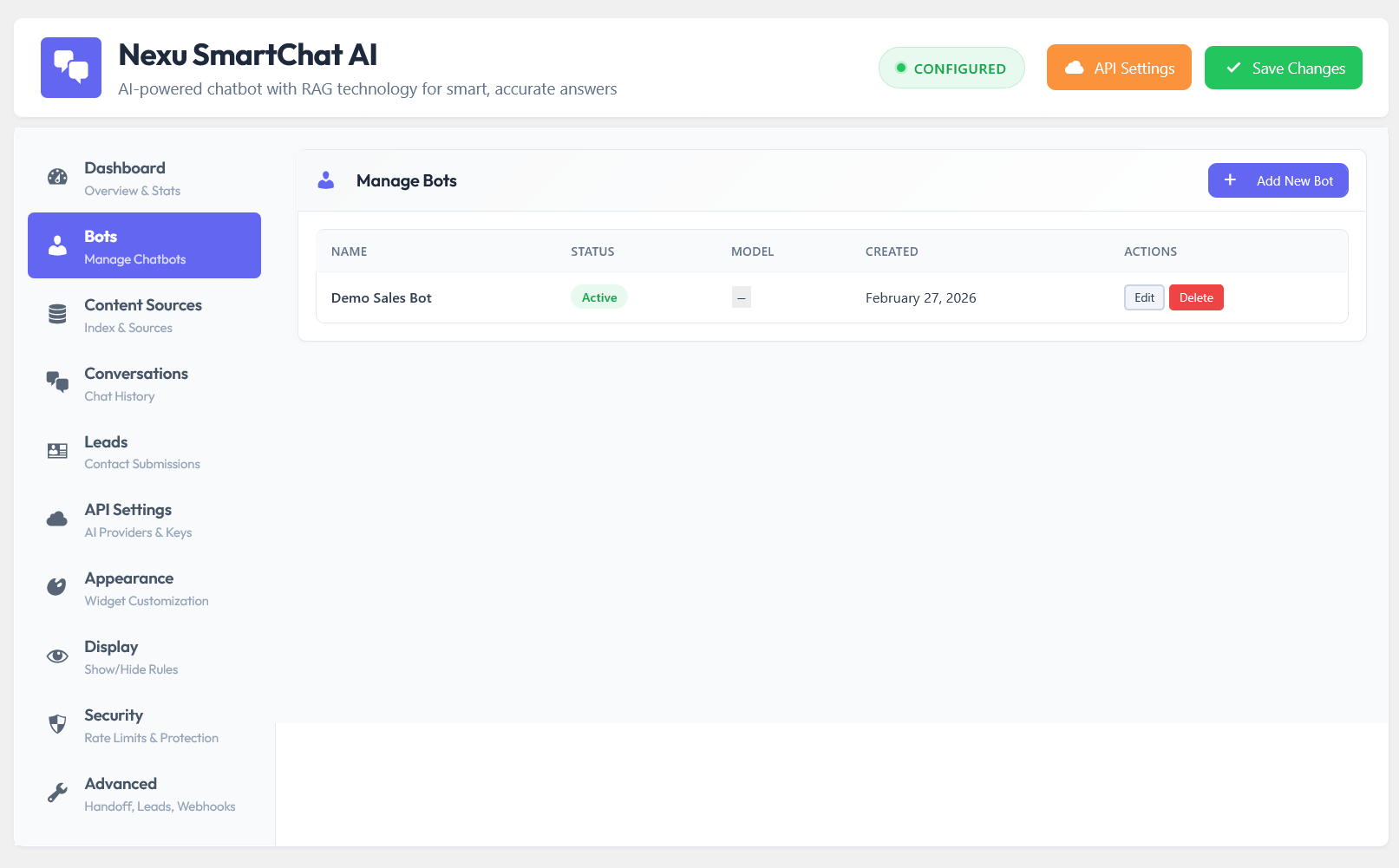
Exit intent triggers are one of the highest-leverage configurations available in a WordPress chatbot deployment because they activate at the moment of maximum vulnerability — just before a potential customer leaves permanently. The stores that implement them thoughtfully, with friction-specific messages, proper suppression rules, and a chatbot that continues the advisory conversation the trigger opened, recover a meaningful percentage of visitors who would otherwise leave without engaging. The page-level bot configuration in Nexu SmartChat for WordPress is where this setup comes together — each page gets its own trigger message, its own chatbot persona, and its own knowledge base, so exit-triggered conversations are contextually relevant from the first word.
The right message, at the right moment, on the right page — automatically
Nexu SmartChat lets you deploy different chatbot bots on different pages, each with its own welcome message, system prompt, and knowledge base — so your exit intent conversations are always specific to where the visitor was and what they were looking at.






Got this guide after dealing with popups that were just pushing people away. The section explaining why visitors actually leave like missing info, hesitation, or just running out of time was a total lightbulb moment for me. switched to testing a chatbot trigger instead of a popup, and so far, I'm seeing fewer people bouncing right away
I got this guide after a friend said it'd help with my site's bounce rate. It actually makes sense to ask why people leave instead of just hitting them with a popup
Hey everyone! Just wanted to share how impressed I am with how smart the timing is on this exit chatbot. I was totally expecting it to pop up every time someone so much as breathed near the tab (we've all been there with those annoying ones), but this one's actually thoughtful. it only shows once per session and backs off if someone's already interacting. no spam, no pushiness just a helpful little reminder when it makes sense. such a relief when you're trying not to annoy your visitors!