Next-Level Code. Nexuvibe Style ...
Hrs
Min
Sec

A visitor lands on your WooCommerce store. They have a specific need — a gift for someone, a product that works with something they already own, an item under a certain budget. They browse for a few minutes, find nothing obvious, and leave. That scenario plays out thousands of times a day on stores that have everything the visitor needed, but no way to surface it fast enough.
An AI shopping assistant changes that dynamic. Not a generic chatbot that says “how can I help you today?” and then returns a paragraph of vague text — a real product-aware assistant that understands your catalogue, reads your descriptions, knows your prices and stock, and responds to “what running shoes do you have under $80?” with actual product cards, images, and a direct path to checkout.
This guide explains how to add exactly that kind of assistant to your WooCommerce store. We will cover what separates a real AI shopping assistant from a chatbot that merely answers questions, the technology that makes product-aware responses possible, and a step-by-step walkthrough using a plugin built natively for WordPress and WooCommerce.
The plugin we cover throughout this guide is Nexu AI Chatbot for WordPress – SmartChat Assistant Plugin with Auto-Indexing & RAG, which was built specifically to turn WooCommerce product data into a conversational sales layer.
The chatbot market is full of tools that connect a chat widget to a language model and call the result a shopping assistant. The problem is that a language model with no access to your actual product data cannot recommend your actual products. It guesses. It hallucinates. It suggests things you do not sell, describes features your products do not have, and quotes prices it invented. Visitors quickly learn not to trust it, and the widget sits in the corner of the page contributing nothing.
A genuine WooCommerce AI shopping assistant needs three things that most chatbots do not have. First, direct access to your WooCommerce product database — titles, descriptions, categories, prices, variants, and stock status. Second, a retrieval system that finds the most relevant products for any given query without relying on exact keyword matches. Third, the ability to render those products visually inside the chat interface, not just mention their names in a text block.
The second response does not just answer the question. It removes the next step entirely. The visitor does not need to navigate anywhere — they see the products, they make a decision, they add to cart. That is what it means for a shopping assistant to actually sell something.
The technology that makes a WooCommerce chatbot genuinely product-aware is called RAG — Retrieval-Augmented Generation. Here is what that means in practice for a store owner, without the technical jargon.
The plugin reads every WooCommerce product in your database — titles, descriptions, categories, tags, prices, variants. It converts each product into a numerical representation (an embedding) that captures its meaning. These embeddings are stored in a vector database inside your WordPress installation. No external service, no manual uploads.
“What’s a good gift for a cyclist under $60?” or “Do you have anything waterproof for hiking?” The question is converted into the same kind of embedding and matched against your product index using semantic similarity — not keyword matching. Products about cycling or waterproofing come up even if the exact words do not appear in the query.
The retrieved products are passed to the language model as context. The model generates a natural, helpful response — but every recommendation it makes is drawn from your real catalogue with your real prices. No hallucinated products, no invented features, no wrong prices.
Instead of a text list, the assistant renders interactive product cards — actual product images, live prices, stock status, and a direct Add to Cart or View Product button. The visitor sees exactly what they would see on a product page, without leaving the conversation.
Most plugins that claim WooCommerce integration are cloud services that read your products from an RSS feed or a manually uploaded CSV. They work once and go stale the moment you update a price or add a new variant. Nexu SmartChat Assistant Plugin with Auto-Indexing & RAG is different because it lives inside WordPress and reads WooCommerce data directly from your database — the same way WooCommerce itself does.
Native WooCommerce integration · Product cards in chat · Auto-Indexing · Multi-model AI · From $89 one-time
When a visitor asks a product question, SmartChat retrieves the most relevant items from your WooCommerce catalogue using semantic search, then renders them as interactive product cards inside the chat window — complete with product images, current prices, stock status, and add-to-cart functionality. The visitor never needs to navigate to a product page to make a purchase decision.
Here is exactly how to set up a WooCommerce AI chatbot that reads your product catalogue and shows product cards inside the conversation.
Install Nexu SmartChat from the WordPress dashboard or upload the zip file. Once active, a guided setup wizard opens automatically. Navigate to the API Settings tab and paste in your API key — OpenAI, Anthropic Claude, Google Gemini, Mistral, or Azure are all supported. Select the model you want to use. GPT-4o mini is the recommended starting point for WooCommerce: accurate, fast, and inexpensive per conversation.
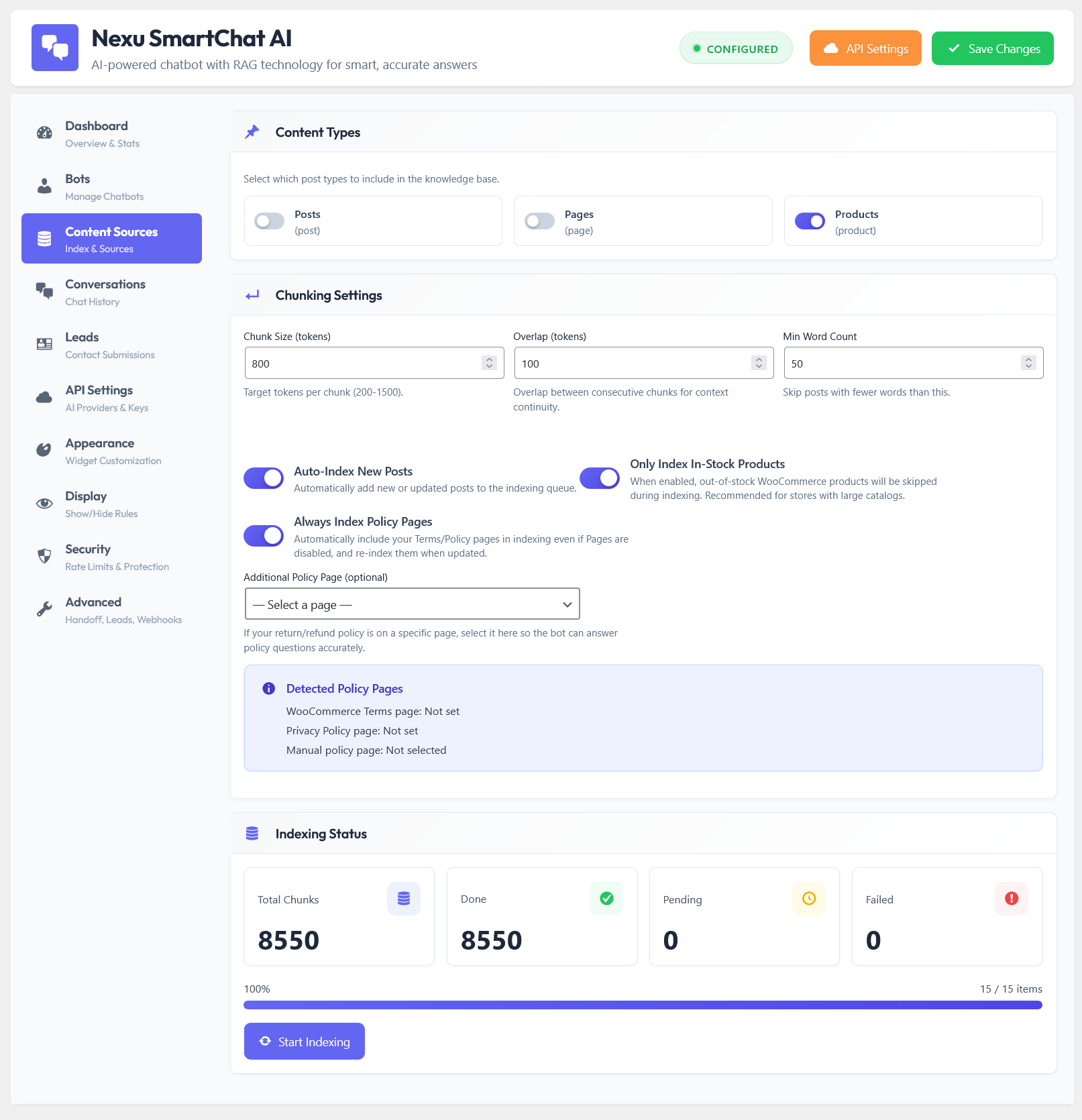
Go to the Page Indexing tab. You will see a list of content types available on your site — posts, pages, and WooCommerce products. Enable WooCommerce Products. You can also include product categories and tags to give the assistant broader context for recommendation queries. If your store has pages explaining your returns policy, warranty terms, or shipping costs, enable those too — the assistant will reference them when visitors ask support questions.
Click the index button. The plugin reads every selected WooCommerce product, chunks the content, converts each chunk into a vector embedding via the OpenAI Embeddings API, and stores everything in your WordPress database. For a store with 200 products this takes about 30–60 seconds and costs a few cents in API credits. You can watch progress in real time. Once complete, the assistant knows your entire product catalogue.
Go to the Bot Creation tab and create your shopping assistant persona. The system prompt is where you define its personality and sales approach. A good starting point: “You are a helpful shopping assistant for [store name]. When a visitor asks about products, always recommend specific items from the catalogue with their prices. Ask clarifying questions if needed — budget, intended use, size preference — before recommending. Always encourage adding to cart.” The more specific the instructions, the more consistent and effective the assistant’s behaviour.
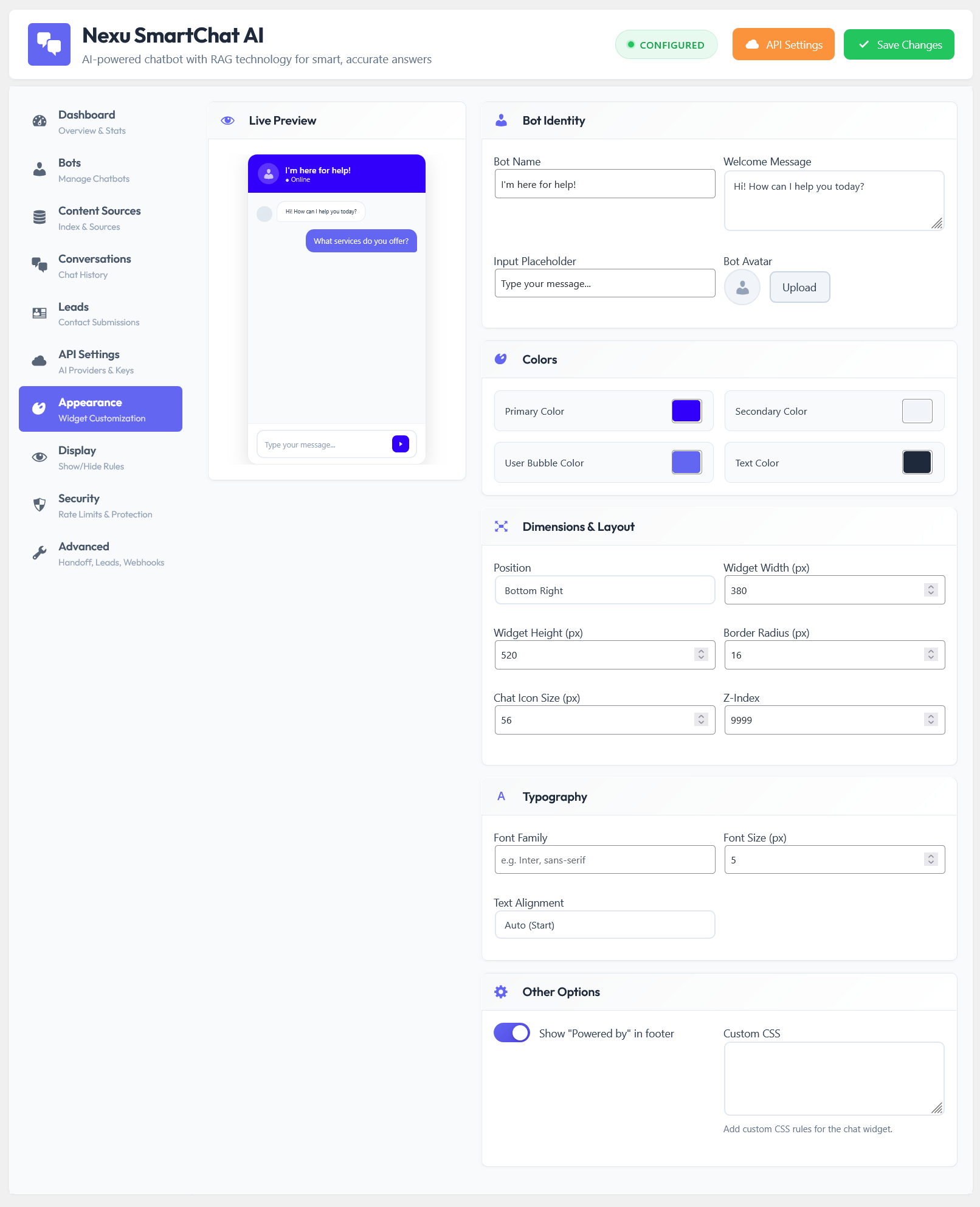
Use the Appearance tab to match the chat widget to your store’s brand — colours, fonts, avatar image, and the toggle button icon. Then use the Display tab to configure when and where the widget appears: show it on product and category pages, hide it on checkout and cart (to avoid distracting buyers who are already converting), and optionally set an exit-intent trigger so the assistant appears when a visitor shows signs of leaving.
Turn on auto-indexing in the settings. From this point, any product you add, edit, or re-price will be automatically re-indexed — the shopping assistant’s knowledge updates the moment your catalogue changes. Activate the widget. Your WooCommerce store now has a product-aware AI sales assistant available to every visitor, around the clock, with no ongoing manual work required.
Installing the plugin and indexing products is the technical setup. The reason it converts is what happens during a conversation — and that comes down to three things that most WooCommerce chatbots do not have.
When the assistant recommends a product it renders a card with the actual product image, price, and an Add to Cart button. The visitor does not leave the conversation to evaluate a product — the product comes to them. This alone removes the biggest friction point between discovery and purchase.
A well-written system prompt instructs the assistant to ask questions before recommending — budget, intended use, preferences. This mirrors what a good sales assistant does in a physical store. Instead of showing everything, it narrows the selection and recommends with confidence, which increases the likelihood of a committed purchase.
The underlying language models handle dozens of languages natively. A visitor asking in German, French, or Spanish gets a response in their language, with the same product recommendations drawn from your English-language catalogue. No separate setup, no translated knowledge bases needed.
The security settings let you define exactly how many messages a guest or logged-in user can send per session, block specific IPs, and set per-conversation token limits. Your API cost scales with real shoppers, not bots or abuse attempts that burn credits without generating revenue.
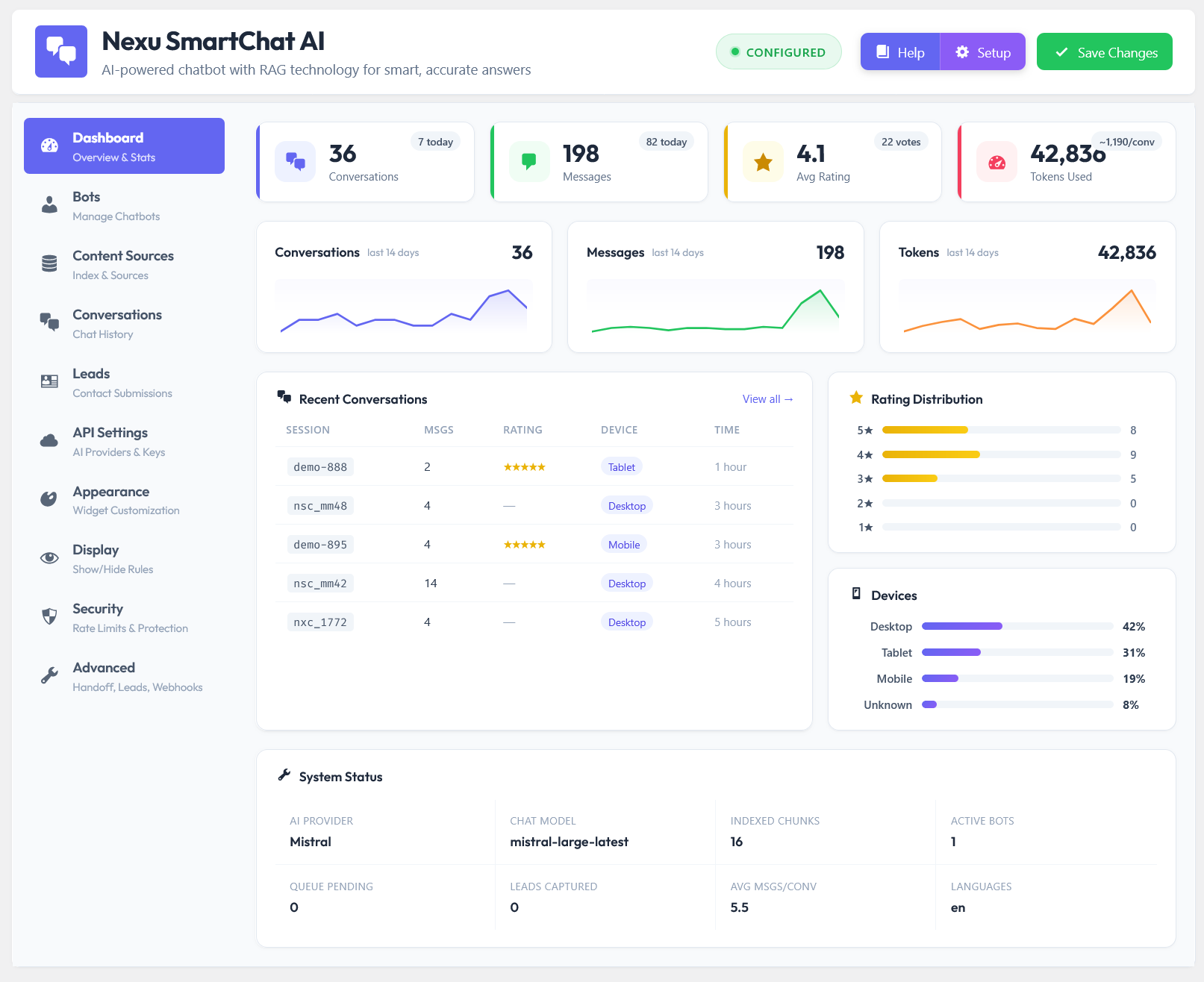
Every conversation is stored in your WordPress database and reviewable from the Conversations tab. You can read transcripts, see what products got recommended, check user ratings, and identify recurring questions your product pages are not answering — giving you direct intelligence on what content to add or improve.
Every time you add a product or update a price, the auto-indexing system re-indexes that item immediately. The assistant never recommends a product you discontinued or quotes a price you changed last week. It sells from your live catalogue, not a cached snapshot.
Every WooCommerce store with more than a handful of products benefits from a product-aware AI assistant — but some store types see particularly strong results.
When a store has hundreds of products across multiple categories, visitors often struggle to find what they need through navigation alone. An AI assistant that can take a natural language description — “something for a 5-year-old who loves dinosaurs, around $30” — and surface the right products instantly removes the friction that causes browsing sessions to end without a purchase.
Electronics, tools, supplements, industrial parts — categories where compatibility and specification questions determine whether a purchase happens. An assistant trained on your product specifications and compatibility information handles pre-sale technical questions that would otherwise require emailing or calling your team.
Visitors shopping for gifts have specific constraints — budget, recipient, occasion — but no specific product in mind. A conversational assistant that takes those constraints and returns curated product cards is significantly more effective than a category filter for this type of shopper.
Shipping timelines, return policies, product compatibility, size guidance — the questions that fill support inboxes before and after purchase. An assistant trained on your policy pages and product documentation handles these automatically, freeing your team for the genuine edge cases that require human judgment.
The gap between a WooCommerce store that converts visitors and one that loses them at the browsing stage often comes down to a single question: can the visitor find what they need quickly enough to make a purchase decision? Navigation, filters, and search solve part of that problem. A product-aware AI shopping assistant solves the rest — the natural language queries, the gift ideas, the compatibility questions, the “I know what I want but not what it’s called” moments that filters and search cannot handle.
Nexu AI Chatbot for WordPress – SmartChat Assistant Plugin with Auto-Indexing & RAG is the plugin that brings that layer to WooCommerce — natively, automatically, and without a monthly platform subscription eating into your margin.
Reads your WooCommerce products natively. Shows product cards with images and prices inside the chat. Answers product questions, recommends items, handles support. Auto-indexed on every publish. Connects to OpenAI, Claude, Gemini, or Mistral. One flat fee from $89 — no subscription, no message caps.





I run a little nonprofit's online shop, and we set up this AI helper just before our big holiday sale what a really helpful. used to be, folks would ask stuff like "Do you have eco friendly water bottles under $20?" and we'd just cross our fingers they'd hunt through the site themselves. now? the assistant pops up the exact items pictures, prices, even how many we've got left right there in the chat. No more wild guesses, no more lost sales because someone gave up searching
Hey! This AI assistant sounds perfect for my side gig selling plumbing tools. Quick question how well does it handle super specific requests?
Finally, a chatbot that shows products instead of