
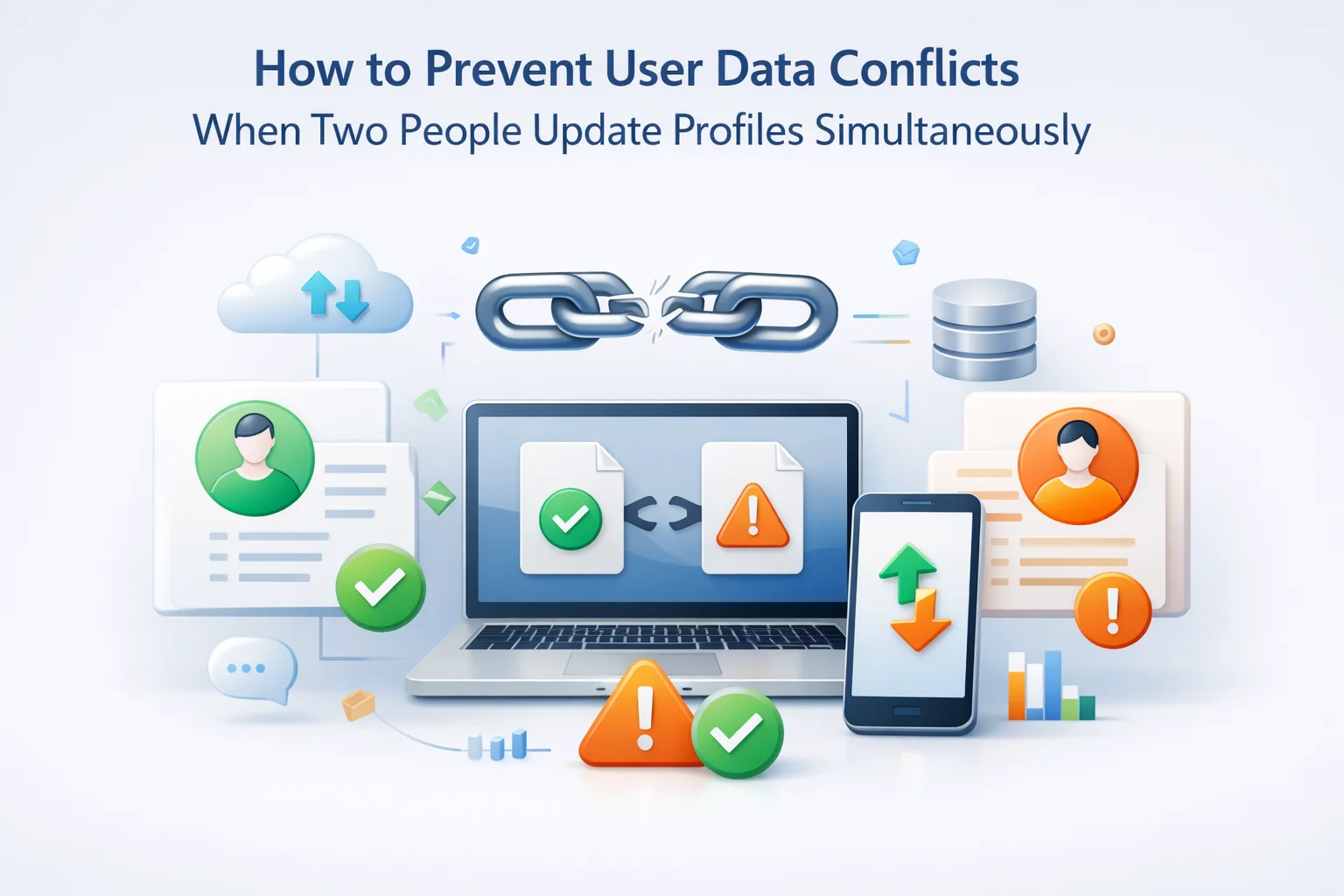
Here is a scenario that happens more often than most WordPress multi-site operators realize. A customer is logged into your main WooCommerce store on their laptop and updates their billing address. At almost the same moment, they are also logged into your connected regional site on their phone and update their email address. Both updates are valid. Both are initiated by the same person within seconds of each other. Your sync system receives both events and has to decide what to do.
If your sync system is not designed to handle this, you have a conflict. One update may overwrite the other. The customer’s billing address update may arrive at the regional site and replace the entire user record, rolling back the email change they made there. Or the email update may propagate to the main store and overwrite a billing address that was just saved. In either case, the customer ends up with incomplete or incorrect data that neither they nor your support team noticed was corrupted.
This is the user data conflict problem in cross-site WordPress sync, and it deserves a more rigorous treatment than it typically receives. Most documentation on WordPress multi-site user sync glosses over concurrency entirely. This guide does not. We cover what conflicts actually are at a technical level, the different strategies for resolving them, and what a well-designed WordPress multi-site user sync plugin with conflict resolution does to protect your data under real-world conditions.
This guide is written for WordPress site owners and administrators who want to understand this problem at a level deep enough to make informed decisions about their sync architecture. It is not a theoretical computer science discussion — it is grounded in the specific constraints of the WordPress environment and the practical consequences for real user data.
What a user data conflict actually is: a precise definition
In distributed systems, a conflict occurs when two operations that modify the same piece of data are initiated concurrently — before either one has propagated to all nodes in the system. The system has to decide which version of the data is authoritative. This is not a bug or an edge case. It is an inherent property of any system where the same data exists in more than one place and can be written to independently.
In a WordPress multi-site sync context, the “nodes” are your separate WordPress installations and the “data” is user records. A conflict arises when a user record is updated on two different sites before the sync system has had a chance to propagate either update to the other. The window of vulnerability is the gap between when an update is made and when it has been processed by the sync queue.
In a system with real-time sync, the conflict window might be milliseconds to a few seconds — the time between an update being made and being propagated. In a system with batch or scheduled sync, the conflict window could be hours or days. The shorter the conflict window, the less likely simultaneous conflicts become. But even with near-real-time sync, the window exists and any production system must account for it.
It is important to distinguish between two types of apparent conflicts that are actually different problems. A true concurrency conflict is when two writes happen to the same record within the conflict window, and both writes are valid. A stale data conflict is when a sync operation tries to update a record based on outdated information — for example, when a sync queue processes an old event after a newer update has already been applied. Both need to be handled, but they require different approaches.
The three conflict scenarios you will actually encounter
Theoretical conflict scenarios are unlimited. Practical ones cluster around a small number of patterns that reflect how real users actually interact with multi-site WordPress networks. Understanding these patterns helps you configure your conflict resolution strategy to handle the cases that actually matter.
The scenario described at the top of this guide. A user is authenticated on multiple devices or browsers, each connected to a different site in your network, and makes profile updates on both within a short window. The sync system receives two write events for the same user record in rapid succession.
If the sync system applies updates as complete record replacements rather than field-level merges, the second update will silently overwrite whatever the first update changed. The user loses one of their changes without any notification or error. They discover the problem later, often only when a package is sent to the wrong address or an email is sent to the address they thought they had changed.
A customer contacts support about an incorrect field in their profile. A support agent on Site B manually corrects the user record in the WordPress admin. Simultaneously, the customer, having grown impatient, logs into Site A and corrects it themselves. Two valid writes originate from different actors on different sites within a short window.
If the admin edit on a sub-site is treated with equal authority to a user edit on the master site, and the sync direction allows sub-site writes to propagate back to the master, the admin’s correction may be overwritten by the user’s update — or vice versa. This creates a situation where neither the admin nor the customer is certain which version is now active, and the trust in both the system and the support interaction is damaged.
A user updates their profile. The sync event enters the queue. Before the queue processes this event, the user updates their profile again. The queue now holds two sequential write events for the same user. If these are processed in the wrong order, or if a sub-site was offline and just came back online with a large backlog of queued events, a newer user record can be overwritten by an older queued event.
A sub-site goes down for two hours due to a hosting issue. During that window, 40 users update their profiles. When the sub-site comes back, the queue processes all 40 events. But several of those users updated their profiles multiple times during the outage. The queue must process these events in strict chronological order and detect when an incoming write event would overwrite a record with newer data than the event carries.
The four standard conflict resolution strategies: what they do and what they sacrifice
Distributed systems research has identified several standard approaches to conflict resolution, each of which makes different tradeoffs between data safety, simplicity, and flexibility. In a WordPress multi-site context, these tradeoffs have practical consequences for your users and your operations team. Here is what each strategy means in concrete terms.
Simple but dangerous
The most naive approach: whichever write arrives last wins, regardless of what it contains or where it came from. Technically simple and easy to implement. In practice, it silently discards valid data whenever a race condition occurs. A user’s legitimate update disappears without any error or notification. For a network where data accuracy matters — and in WooCommerce contexts, where billing addresses directly affect deliveries, it absolutely does — last-write-wins is an unacceptable default.
Silent data loss in race conditions
No user notification
Recommended for most networks
The master site is designated as the canonical source of truth for user data. Writes that originate on the master propagate to sub-sites and override whatever is there. Writes that originate on sub-sites do not propagate back to the master unless explicitly configured to do so. Conflicts are resolved by authority hierarchy rather than timestamp, which means the outcome is always predictable and deterministic. The master’s version wins. Period. This predictability is the strategy’s greatest strength — your team always knows which site’s version is canonical.
No silent data corruption
Sub-site edits may not propagate back
Technically sophisticated
Instead of applying updates as complete record replacements, the sync system applies them field by field. If the master update changed the billing address and the sub-site update changed the email, both changes can be preserved independently. The system merges the changed fields into a unified record. This is the most data-preserving approach but requires sophisticated conflict detection logic: the system must track which fields were changed by each write operation, not just the final state of the record after the change.
Requires complex implementation
Still needs authority rules for same-field conflicts
High overhead, not practical at scale
When a conflict is detected, the system pauses the sync and flags the record for manual review by an administrator. No automatic resolution occurs — a human must inspect both versions and decide which to keep. This approach has zero risk of automatic data loss, but it creates operational overhead that scales poorly. On an active network, the volume of conflicts that could theoretically be flagged would overwhelm any team’s capacity to review them manually in reasonable time.
Does not scale with network activity
Creates sync delays that affect users
Why master-authoritative sync is the right architecture for WordPress networks
For most WordPress multi-site networks, the master-authoritative model is the right default for one reason above all others: it is the only strategy that eliminates ambiguity entirely. When the master site is the canonical source of truth, your team always knows exactly which version of a user record is correct. There is never a need to investigate which site “won” a conflict or whether a particular update made it through. The master’s state is the true state.
This matters practically when troubleshooting. A customer says their shipping address is wrong. You check the master site. Whatever you see there is correct. If the sub-site shows something different, you know the sub-site is out of sync and you can trigger a re-sync to fix it. You do not need to investigate a complex conflict history to determine what happened.

The master-authoritative model does require one important architectural decision: you must be deliberate about where users can meaningfully change their profile data. If your network has sub-sites where users legitimately update their information — for example, a regional store where customers update their local shipping address — you need to either route those updates through the master site or configure selective bidirectional sync for specific fields that the sub-site is allowed to write back.
This is where the concept of sync direction becomes critical. One-way sync from master to sub-sites is the simplest and safest configuration. Bidirectional sync introduces the possibility of conflicts by design and requires the more sophisticated conflict handling that field-level merging provides. For most networks, one-way sync from a master where users manage their canonical profile is the right starting point.
The WooCommerce dimension: why customer metadata conflicts are particularly costly
Conflict resolution in a standard WordPress context is important. In a WooCommerce context, it is critical. The user metadata fields that WooCommerce relies on — billing address, billing email, billing phone, shipping address, and shipping city — directly feed into order processing, shipping label generation, and transactional communications. A conflict that corrupts any of these fields has immediate, real-world consequences.
Consider a customer who updates their shipping address on your main store after placing an order on your wholesale portal two minutes earlier. If the wholesale portal’s order-time snapshot of the shipping address has already propagated as a sync event, and the main store’s post-order address update arrives in the queue shortly after, the system must correctly handle both events in sequence without letting the older wholesale write overwrite the customer’s intentional update on the main store. Getting this wrong means a package ships to the wrong address.

Timestamps, event ordering, and why they matter in the queue
A well-designed sync queue is more than a list of pending operations. It is an ordered, timestamped record of events that the system uses to make intelligent decisions about what to apply and what to skip. Understanding how event ordering works in the queue explains how the third conflict scenario — stale-data overwrites from backed-up queues — is correctly handled.
When a sync event is created, it should carry the exact timestamp of when the originating write occurred on the source site, not just when it was added to the queue. When the queue processes an event for a user record, it compares the event timestamp against the current last-modified timestamp of that record on the destination site. If the record on the destination site was modified more recently than the event’s originating timestamp, the event is a stale write. A properly designed system discards it rather than applying it, preventing older data from overwriting newer data.
- User updates email at 10:00:00 on main site
- Queue processes it, sub-site now has new email
- User updates email again at 10:00:45 on main site
- Both queue events process, but if first finishes after second (network delay), old email overwrites new
- User ends up with their old email silently restored
- User updates email at 10:00:00 on main site
- User updates email again at 10:00:45 on main site
- Both events queue up with their origin timestamps
- Second event processes first (network variability), sub-site now has latest email
- First event processes — timestamp is older than current record, discarded safely
How the sync queue gives you visibility into what actually happened
Even with a well-designed conflict resolution system, questions will arise. A customer will report that their profile shows incorrect data. An admin will need to investigate why a particular update did not propagate as expected. The only way to answer these questions confidently is if the sync system maintains a complete, queryable log of every event it processed — including the events it discarded as stale and the conflicts it resolved automatically.
A good sync event log captures: the event type, the originating site, the destination site, the timestamp of the originating write, the timestamp of queue processing, the outcome (applied, discarded, failed), and if discarded, the reason. With this information, a 30-second investigation can answer any question about what the sync system did with a specific user’s data at a specific point in time.

This logging capability also serves a compliance function. In regulated industries, and increasingly under privacy regulations in many jurisdictions, organizations may be required to demonstrate that they handled personal data — including changes to it — in a controlled and auditable way. A sync event log is that audit trail. It shows not just the current state of user data but the complete history of how it was modified and transmitted.
Configuring your network to minimize conflict risk from the start
The best conflict resolution strategy is one you rarely have to use. Several architectural decisions in how you configure your WordPress network significantly reduce the frequency of conflicts before they ever reach the resolution logic.
If users only update their profile on one site — the master — there are no competing writes to resolve. Sub-sites can display the profile and allow read access, but self-service editing is routed to the master. This eliminates Scenario 1 and Scenario 2 entirely for user-initiated updates.
Excluding specific roles from sync (such as administrator or editor roles on sub-sites) reduces the volume of events flowing through the queue and eliminates the category of conflicts caused by admin-level writes on sub-sites interfering with user-level writes on the master.
A queue batch size that is too large processes events in bursts, increasing the chances that an event is processed out of sequence when there are multiple events queued for the same user. A smaller, more frequent batch size reduces the window during which ordering issues can arise.
A queue that is consistently backed up is a queue where events are accumulating faster than they are being processed. Accumulated events mean a larger window of stale-data conflict risk. Monitoring queue depth and addressing the root cause of backlogs (under-resourced sub-sites, slow API responses, network latency) keeps the conflict risk at its minimum.

Summary: the properties a conflict-safe sync system must have
User data integrity in a multi-site WordPress network is not something you achieve by accident. It requires deliberate architecture and a sync system that handles the edge cases that actually occur in production. Here is a concise checklist of what that system must do.
Data conflicts in multi-site WordPress networks are not a theoretical concern reserved for large enterprises. They happen on any active network with more than one site, a shared user base, and users who interact with multiple sites. The question is not whether your system will encounter conflict conditions — it will. The question is whether your sync architecture handles them correctly when they occur, or silently corrupts data that your customers trust you to protect.
Nexu User Sync’s conflict-aware WordPress multi-site data synchronization is built with the architectural requirements described in this guide at its core. The master-authoritative sync model, the timestamped queue with stale-event detection, the complete event log, and the WooCommerce metadata handling are all designed to keep your user data accurate and intact under the real-world concurrency conditions that active networks encounter every day.
User data conflicts resolved correctly. Every time. Without your team having to intervene.
Nexu User Sync handles concurrent writes, stale-data scenarios, WooCommerce metadata conflicts, and queue backlog situations with architecture built for the real conditions of active multi-site WordPress networks.






Just wanted to say this guide was a total lifesaver for our district's parent portal mess. We've got three schools with separate WordPress sites all feeding into one central system, and last year we were drowning in calls from parents saying their info kept vanishing. spoiler: it wasn't vanishing just getting silently overwritten when two people updated the same record at once. The part about sync event logs? Absolute really helpful.
Just installed this after losing a customer's billing address when they updated their email on mobile at the exact same time. The guide's clear explanation of how sync works (and which update actually wins) was a lifesaver no more second guessing. honestly, I just wish I'd found this before that nasty support ticket. for anyone juggling multiple store sites, it's absolutely worth the cost
Hey! saved me from sync headaches lifesaver!
as a software engineer who's dealt with multi site WordPress setups, this guide was a solid read especially the breakdown of how simultaneous updates can clash. The example of a user updating their billing address on one site while changing their email on another is spot on