Next-Level Code. Nexuvibe Style ...
Hrs
Min
Sec

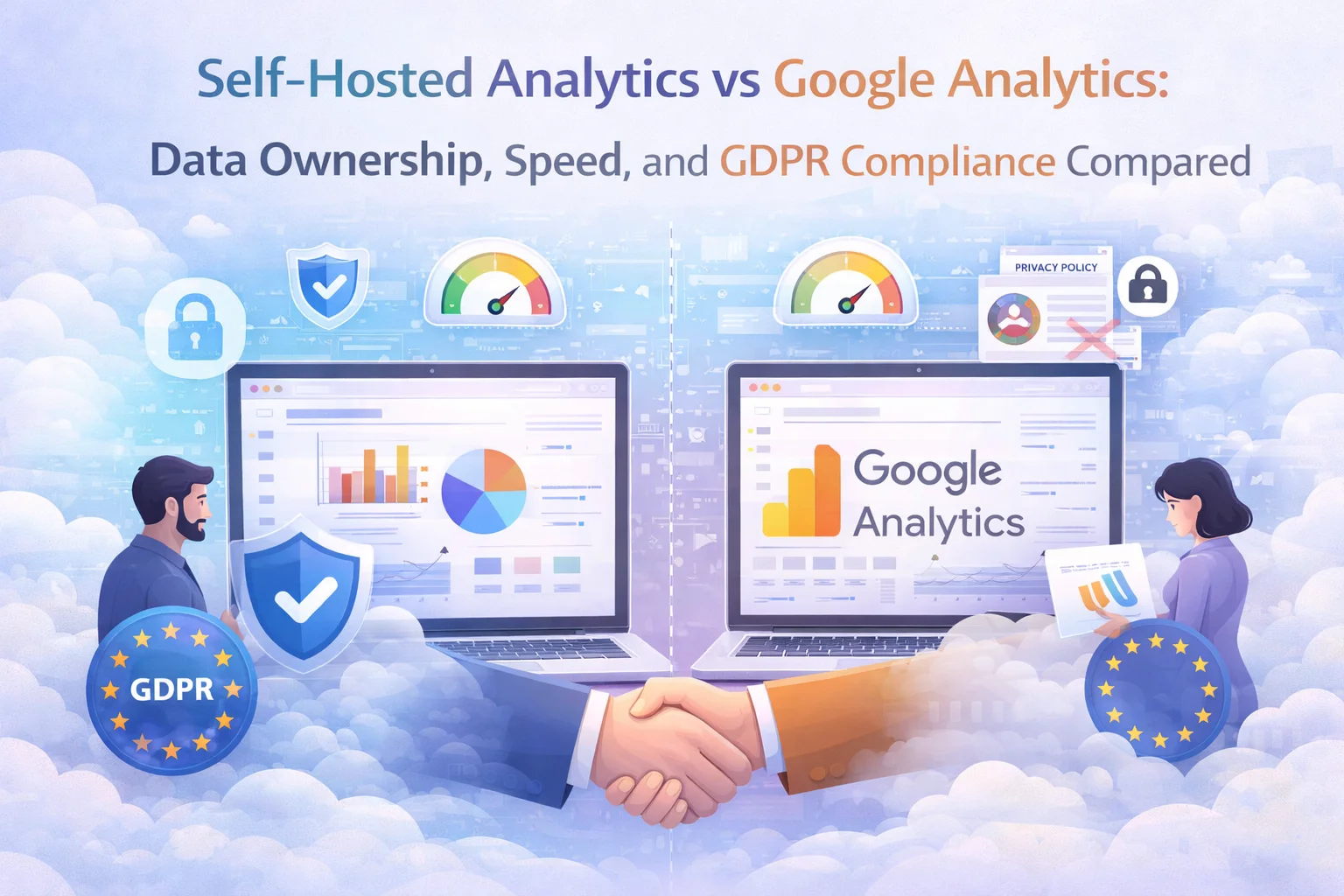
The question of whether to use Google Analytics or a self-hosted alternative is not really about analytics features. GA4 has more features than most WordPress site owners will ever use. The question is about three things that GA4’s feature list cannot address: who owns your data, how your analytics choice affects your site’s performance, and whether it creates legal risk under privacy regulations.
This is a direct, honest comparison. Both approaches have genuine strengths and real limitations. The right choice depends on your specific situation, and this guide gives you the information to make that decision clearly.
With Google Analytics, your data lives on Google’s servers. You can export it, but the primary copy is stored and processed by Google. Google’s privacy policy describes how they may use data across their services. While Google states they do not sell personal information, the data you collect through GA4 is used to improve Google’s advertising products and services. This is the trade-off for using a free product.
With self-hosted analytics, your data lives in your WordPress database. There is no third-party copy. No external company has access to your traffic history, visitor patterns, or content performance data. If you decide to switch hosting providers, you take your analytics data with you. If a third-party service shuts down or changes its terms, your data is unaffected.
This distinction matters most for businesses where traffic data has competitive value. If you run an e-commerce store, your conversion patterns, product interest data, and traffic sources represent strategic intelligence. With GA4, that intelligence resides on someone else’s infrastructure. With self-hosted WordPress analytics that store data entirely on your own server, that intelligence stays within your organization.
Google Analytics requires loading an external JavaScript file from Google’s servers. This involves a DNS lookup, a connection to Google’s CDN, downloading the script, parsing it, and executing it. Each of these steps takes time and affects your page load speed. The GA4 script (gtag.js) is approximately 80-90KB, and it makes additional network requests after loading. On a well-optimized site, this can add 100 to 300 milliseconds to your page load time.
Self-hosted analytics plugins serve their tracking script from your own server. There is no external DNS lookup, no connection to a third-party CDN, no dependency on someone else’s server uptime. The script is loaded from the same domain as your site, which means it benefits from existing connections. Well-optimized self-hosted analytics plugins use lightweight scripts (often under 5KB) that have negligible impact on page load speed.
The performance difference is measurable in Core Web Vitals, which Google itself uses as a ranking factor. Removing the GA4 script and replacing it with a lightweight self-hosted alternative can improve your Largest Contentful Paint score, reduce Total Blocking Time, and eliminate a render-blocking resource from your page load waterfall.
GDPR compliance is where the differences between self-hosted and Google Analytics become most consequential. Multiple European data protection authorities have ruled that using Google Analytics without additional safeguards violates GDPR, specifically because visitor data is transferred to Google’s US-based servers, which does not provide an adequate level of data protection under EU law.
Self-hosted analytics eliminate the data transfer issue entirely. Your visitor data never leaves your server. If your server is in the EU, the data stays in the EU. There is no cross-border transfer, no reliance on adequacy decisions, no need for Standard Contractual Clauses. The GDPR compliance question for self-hosted analytics is simpler: you are the data controller, the data is in your infrastructure, and you manage it according to your privacy policy.
Additionally, many self-hosted analytics plugins do not use cookies, which means you may not need a cookie consent banner for your analytics at all. GA4 uses cookies extensively and requires explicit consent under GDPR before tracking begins. As noted earlier, consent banners reduce your data completeness by 30 to 50 percent because many visitors decline. Self-hosted cookie-free analytics track all visitors without requiring consent for analytics cookies, giving you complete data.
This comparison would not be honest without acknowledging the scenarios where GA4 is genuinely the better option. If you run Google Ads campaigns and need direct integration between your analytics and advertising data, GA4’s native connection to the Google Ads ecosystem is unmatched. No self-hosted solution provides this level of integration with Google’s advertising platform.
If you have a dedicated analytics team that needs advanced segmentation, cross-domain tracking, and machine learning predictions, GA4’s feature depth is hard to replicate with any single plugin. If your organization has already invested heavily in GA4 training, custom dashboards, and Looker Studio reports, the switching cost may not be justified.
But for the majority of WordPress site owners who need reliable traffic data, geographic insights, content performance metrics, and the ability to make informed decisions about their site, a self-hosted solution like NEXU AI-powered WordPress analytics with complete data ownership and GDPR compliance provides everything they need with better privacy, better performance, and complete data ownership.
Self-hosted data storage. No third-party transfers. 100% data completeness. GDPR-compliant by architecture. Faster pages. AI-powered insights.






Switched to self hosted analytics after a friend in e commerce kept raving about it. The difference in speed is noticeable no more sitting around waiting for Google's scripts to drag their feet. My pages load way faster now, and honestly, it's nice not handing over all my data to another ad company
This comparison really opened my eyes about site speed. we switched to self hosted analytics last quarter and saw a noticeable bump in Core Web Vitals scores especially on mobile
This GDPR feature is cool, but setup takes some work