
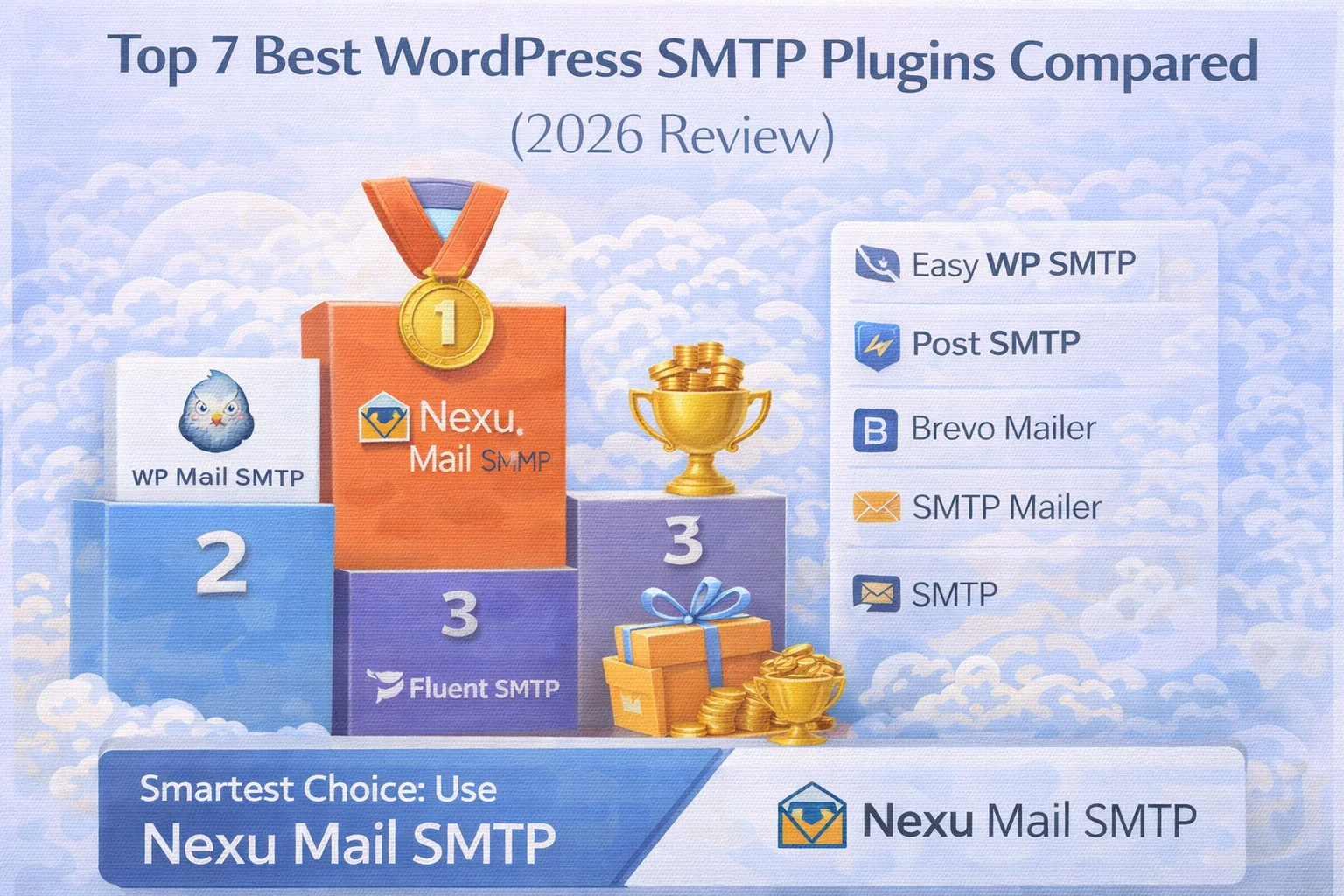
Every week, thousands of WordPress site owners search for an SMTP plugin because their emails are not being delivered reliably. The need is clear and the problem is well understood. What is less clear is the choice. There are dozens of WordPress SMTP plugins available, and on the surface many of them look almost identical. They all promise to fix your email delivery problem, they all support the major email providers, and they all have some version of a settings panel where you enter your credentials and click save.
The differences between them matter enormously in practice, though. Some plugins fix sending but give you no visibility into whether emails are actually reaching their destinations. Some are free but route your mail through the plugin developer’s own servers, creating a privacy and reliability dependency you probably did not sign up for. Some work well for simple sites but struggle when WooCommerce is generating dozens of transactional emails per day. Some are so heavily locked behind a paid tier that the free version barely does anything useful.
This comparison looks at the seven most widely used WordPress SMTP plugins in 2026 with a focus on the factors that actually matter: how well they deliver email, what visibility they give you after sending, how they handle WooCommerce, what you get at each price point, and what the practical experience of using them looks like for a real WordPress site owner rather than a developer with unlimited time for configuration.
A quick note on methodology: this review focuses on features, architecture, and practical use cases rather than on paid partnerships or affiliate relationships. The goal is to give you enough information to make the right choice for your situation, whatever that turns out to be.
What actually matters when choosing a WordPress SMTP plugin
Before comparing specific plugins, it is worth being clear about the criteria that separate a genuinely good SMTP plugin from one that merely sounds good in its marketing. Most site owners focus almost entirely on provider compatibility. Does it support Gmail? Does it support SendGrid? These are real questions, but they represent a relatively low bar that almost every plugin in this category clears. The harder and more important questions are the ones listed below.
Does the plugin record what was sent, to whom, and whether it was delivered? Without a log, you are flying blind after every send. This is one of the most commonly missing features in this category.
Can you resend a specific failed or missing email directly from the log? For WooCommerce stores this is a daily operational requirement, not a luxury feature reserved for advanced users.
Does the plugin route your emails or credentials through the developer’s own servers? Some free plugins work this way, creating a dependency and a privacy exposure that most users are completely unaware of.
Does it handle WooCommerce’s high-volume, multi-type transactional email correctly? Basic compatibility and compatibility under real WooCommerce load are two very different things in practice.
Does the plugin notify you when email sending fails? Finding out about a broken SMTP configuration from a customer complaint is entirely avoidable if the plugin monitors actively and alerts immediately.
Is the free version genuinely usable, or is it a stripped-down lead magnet designed to funnel you toward a paid plan for the features you actually need? The pricing structure tells you a great deal about what a plugin values.
The 7 best WordPress SMTP plugins reviewed
WP Mail SMTP is the most widely installed SMTP plugin in the WordPress ecosystem by a significant margin. According to the official WordPress plugin directory, it has surpassed three million active installs. That count reflects its longevity and its association with the WPForms brand rather than any technical superiority in 2026. It connects WordPress to an SMTP provider reliably enough, and its provider compatibility list is comprehensive.
The significant limitation is the paywall structure. The free version of WP Mail SMTP does not include email logging. That feature is locked behind the Pro plan, which starts at approximately $49 per year. For a feature this fundamental to understanding whether your email is actually working, this is a meaningful limitation. You can configure SMTP delivery for free, but you cannot verify that it is working properly without paying.
Email log: Pro only
Best for: Simple sites that do not need log visibility
Post SMTP is a solid, genuinely free option that includes email logging without requiring an upgrade. This makes it considerably more transparent than WP Mail SMTP’s free tier for users who want delivery visibility without paying. The interface is functional but noticeably less polished than more recent plugins, and the settings panel can feel dense and slightly intimidating for users who are not technically confident.
Post SMTP includes a failure notification feature that alerts you when email sending fails. This is a genuinely useful addition that many plugins in this category lack entirely. Resend capability is included in the free tier as well. The main practical limitation for WooCommerce stores is that the log interface and filtering tools are less refined, which makes investigating specific order emails more time-consuming than it needs to be. The plugin is available on the WordPress plugin directory at no cost.
Email log: Free tier
Best for: Budget-conscious sites wanting basic log access
FluentSMTP has gained considerable attention as a free plugin that genuinely includes email logging without any upsell. It supports multiple simultaneous SMTP connections, which is useful for sites that need to route different types of email through different providers. Sending transactional order emails through SendGrid while routing marketing emails through a separate service is a setup that FluentSMTP handles, and most competitors in this category do not.
The development pace is strong and the plugin is actively maintained by the WPManageNinja team. The main caveats are that the interface has more configuration surface than many users need, and the log offers less refined filtering and resend capability than purpose-built solutions. For advanced users comfortable with a more technical setup experience, FluentSMTP is a genuinely strong free option. It is available free on the WordPress plugin directory.
Email log: Free tier
Best for: Technical users needing multi-provider routing
Easy WP SMTP lives up to its name in terms of simplicity. The settings panel is minimal and the configuration process is about as friction-free as SMTP setup gets. For site owners who want to connect Gmail or Outlook to WordPress in the shortest possible time with the fewest decisions to make, it delivers that experience reliably.
The tradeoff for that simplicity is features. Easy WP SMTP in its free version has no email logging, no resend capability, and no failure alerts. You configure it, it works or does not work, and you have essentially no visibility into what is happening afterward. For simple sites where email is infrequent and not business-critical, this can be acceptable. For WooCommerce stores or any site where knowing whether emails were delivered matters to your operation, this limitation creates real operational problems over time.
Email log: Pro only
Best for: Simple sites, quick setup, minimal features needed
SendLayer takes a different approach entirely. Rather than connecting you to an existing email provider, it operates as its own dedicated transactional email service with a WordPress plugin for integration. This means you are subscribing to a sending service rather than just installing a configuration plugin.
The advantage of this approach is that SendLayer’s infrastructure is specifically optimized for deliverability, and the service dashboard provides useful analytics on delivery status. The disadvantage is the external dependency. You are relying on SendLayer’s infrastructure for every email your site sends, and if the service experiences an outage or changes its pricing, your email pipeline is directly affected. For high-volume WooCommerce stores that have outgrown Gmail SMTP limits, this kind of managed infrastructure can make sense. Current pricing details are available on the SendLayer pricing page.
Analytics: Built into service dashboard
Best for: High-volume stores wanting managed infrastructure
Brevo’s WordPress plugin connects your site to the Brevo email infrastructure, which is designed primarily for marketing email campaigns with transactional email as a secondary use case. For sites that want to manage their marketing list, design newsletters, and handle transactional email through the same platform, Brevo offers a unified approach that reduces the number of services in your stack.
For pure transactional use cases, the platform is optimized for the marketing scenario first, which means sites that only need reliable order confirmations and password resets are paying for infrastructure they will not use. The free tier allows up to 300 emails per day. You can review the full details on the Brevo pricing page. The dashboard complexity is higher than it needs to be for a site that simply wants to send order confirmations reliably.
Analytics: Brevo platform dashboard
Best for: Sites combining email marketing with transactional sending
Side-by-side feature comparison
| Plugin | Email Log | Resend | Failure Alerts | Local Data | WooCommerce |
|---|---|---|---|---|---|
| Nexu Mail SMTP | |||||
| WP Mail SMTP | Pro only | Pro only | Pro only | ||
| Post SMTP | |||||
| FluentSMTP | |||||
| Easy WP SMTP | Pro only | ||||
| SendLayer | Via service | ||||
| Brevo SMTP | Via service |
The feature most SMTP plugins are still missing in 2026
Look at the comparison table above and one pattern becomes obvious immediately. Email logging is either absent from free tiers, paywalled behind premium plans, or offloaded to an external service dashboard that requires leaving WordPress to check. This is the gap that the WordPress SMTP plugin ecosystem has consistently failed to close for years, despite it being one of the most basic operational requirements for any site that depends on email.
The gap matters because without knowing what your site has sent, to whom, and whether it arrived, you are operating completely blind. Every complaint from a customer about a missing email becomes an investigation that starts from zero with no records to consult. This is a preventable problem with a straightforward solution, which makes it particularly frustrating that so many popular plugins in this space treat logging as an upsell rather than a baseline feature. According to W3Techs usage statistics, WordPress powers over 43% of all websites on the internet, which means the scale of sites affected by this visibility gap is substantial.
After you install and configure this plugin, if a customer emails you tomorrow saying they did not receive their order confirmation, will you be able to look up whether the email was sent, when it was sent, and to which address in under sixty seconds? If the answer is no, the plugin leaves an operational gap that will create real work for you every time something goes wrong.

Which plugin is right for your specific situation?
The combination of reliable delivery, an integrated email log, and one-click resend makes Nexu Mail SMTP the best WordPress SMTP plugin for WooCommerce stores in this comparison. The email log is not a separate purchase, and the resend capability is not buried behind a pro upgrade. These are the two features WooCommerce store owners need most, and both are included from the start.
Nexu Mail SMTP’s clean interface, minimal configuration complexity, and local data storage make it the most practical choice for agencies deploying SMTP across multiple client sites. The absence of external service dependencies simplifies deployment and removes potential failure points that come with relying on third-party sending infrastructure you do not control.
For sites where email is genuinely infrequent, the simplicity of Easy WP SMTP or the free tier of WP Mail SMTP may be sufficient. The lack of logging is a real limitation but can be acceptable if the consequences of a missed email are low. You can browse and compare all available options directly on the WordPress plugin directory’s SMTP search results.
If your site sends both transactional WordPress emails and marketing newsletters and you want to manage both through a single platform, Brevo offers the most integrated approach. Be aware that you are trading the simplicity and privacy of local data storage for the additional features that marketing email requires.
The WordPress SMTP plugin category is more mature in 2026 than it has ever been. The baseline quality across the field has improved significantly. The decision is less about finding something that works and more about understanding which tradeoffs matter for your situation. Email log access, resend capability, data sovereignty, pricing transparency, and WooCommerce suitability are the dimensions where the plugins in this comparison diverge most sharply.
For the majority of WordPress sites, particularly those running WooCommerce or any configuration where email delivery is genuinely business-critical, the right answer is a plugin that handles both the delivery problem and the visibility problem together, without requiring you to choose between features or pay separately for each capability you actually need.
Reliable delivery. Full email log. One-click resend. No paywalls on the features that matter.
Nexu Mail SMTP is the only plugin in this comparison that includes a complete email log and resend capability without requiring a paid upgrade. Built for WordPress and WooCommerce sites that cannot afford to fly blind on email delivery.






Thanks this review just saved me so much time!
Got this during the holiday sale and it handles SendGrid well
Quick question about the email logs. the review mentioned some plugins leave you "flying blind" after sending, with no way to track failures. does this one let you resend a specific failed email directly from the log if, say, a WooCommerce receipt gets lost? That'd save a ton of time versus manually re triggering it. thanks!
Hey! Finally a review that just gives the facts no hype, no fluff. made choosing one super easy
Just wanted to say I've tried a few SMTP plugins over the years, and most either overpromise or leave you guessing if emails even went through. this one actually shows you delivery status right in the logs no more crossing fingers after hitting send. That alone saves me hours of digging through WooCommerce order emails when a customer claims they never got their receipt. worth the switch if you're tired of flying blind