Next-Level Code. Nexuvibe Style ...
Hrs
Min
Sec

There is a version of your WooCommerce category pages in Google Search that takes up twice the space of a standard listing. It shows the category title and meta description in the normal position, and then below it — still attached to the same result — it shows two or three expandable questions with answers that the shopper can read without ever clicking through. That expanded result occupies more vertical real estate than your standard listing and your two closest competitors combined. It answers pre-purchase questions before the click, which means the visitors who do click arrive with stronger intent. And it does not cost anything per click.
This is what FAQ schema markup does for category pages in Google Search, and the majority of WooCommerce stores are not using it. Not because it does not work, but because implementing it manually is genuinely tedious: you need to write the FAQ content, structure it in valid JSON-LD markup, embed it in the correct location in the page template, validate it in Google’s Rich Results Test, and then maintain it as the FAQ content changes. For a store with thirty category pages, that is a significant technical and editorial project.
This guide covers all of it: what FAQ schema is, how it works in practice, why it matters specifically for WooCommerce category pages, and how to implement it automatically across your entire catalog without writing a line of code, touching a page builder, or maintaining markup files manually. The tool we cover for the automatic implementation is the WooCommerce FAQ schema generator with automatic structured data output by Nexu.
One practical note at the start: FAQ rich results in Google are not guaranteed. Google decides whether to display the expanded FAQ blocks based on its own quality assessment of the page and the schema markup. What the plugin does is give every eligible category page a properly formatted, valid schema implementation — which is the prerequisite for Google to display the rich results. Whether and how often Google shows them depends on the query and the quality of the underlying page content, which is why the FAQ content itself matters as much as the markup.
Structured data is a standardized way of communicating information about a page’s content directly to search engines, using a format that machines can parse reliably rather than inferring meaning from prose. FAQ schema — specifically the FAQPage schema type from schema.org — tells Google that a page contains a list of questions with corresponding answers, and requests that Google consider displaying those questions and answers as expandable blocks in the search result.
When Google honors this request, the result is what is called a rich result or rich snippet. The standard search listing for your WooCommerce category page shows the meta title and meta description in the SERP. With FAQ rich results enabled, that same listing can expand to show the first two or three FAQ question-answer pairs as collapsible sections directly below the standard snippet. The shopper can read the answers without clicking through, or — more commonly — use those answers to confirm that the page is relevant to what they are researching and then click with stronger intent.
FAQ rich results can more than double the vertical space your result occupies in the SERP, making it harder for competitors to push your listing below the fold visually.
Pages with FAQ rich results consistently show improved click-through rates compared to the same position without rich results. Pre-answered questions reduce doubt and increase confidence in the click.
A shopper who reads a FAQ answer before clicking has already received information and decided it was relevant. They arrive on the category page with more context and measurably better purchase intent.
FAQ schema can technically be applied to any page on a WooCommerce store, but category archive pages are where it delivers the most SEO value for the least implementation effort. The reason is the nature of the queries that category pages target. When someone searches for “best waterproof hiking jackets” or “men’s running shoes under $100,” they are at the research stage of the buying journey — not ready to buy a specific item, but actively building the context they need to make a decision.
At this research stage, the questions buyers have are category-level questions: What is the difference between a waterproof jacket and a water-resistant one? What features matter most for trail running shoes on technical terrain? What should I look for in terms of fit and sizing for this category? These are exactly the questions a well-written FAQ section on a category page can answer — and exactly the questions that, when answered in the SERP via rich results, position your store as the authoritative source for this category rather than just another option in the list.
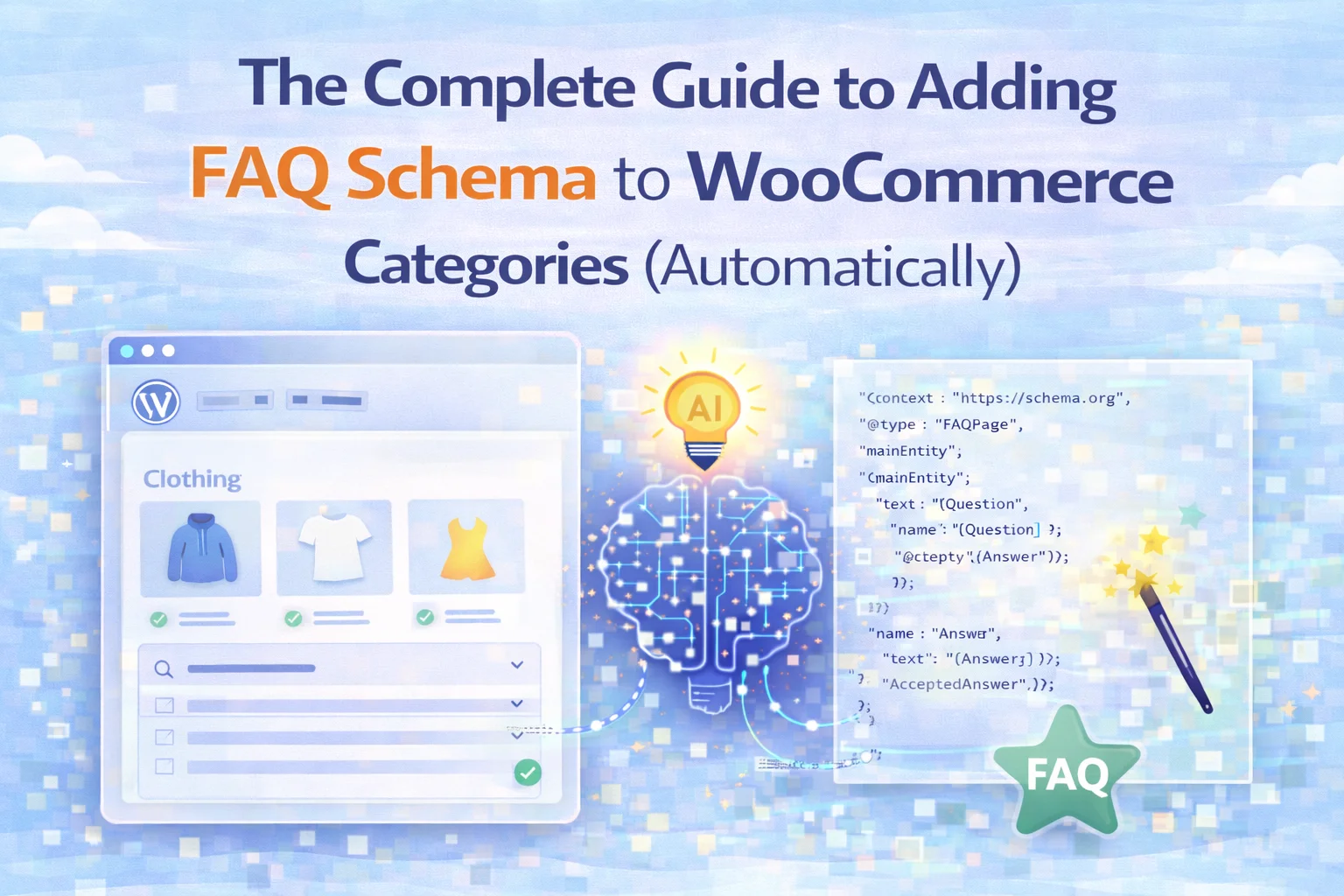
FAQPage schema markup is written in JSON-LD format and embedded in the HTML of the page, typically in a <script type="application/ld+json"> tag in the page head or body. Here is what a minimal valid implementation for a single FAQ entry looks like:
{
  "@context": "https://schema.org",
  "@type": "FAQPage",
  "mainEntity": [
    {
      "@type": "Question",
      "name": "What is the difference between trail running and hiking shoes?",
      "acceptedAnswer": {
        "@type": "Answer",
        "text": "Trail running shoes are lighter and more flexible than hiking boots,
designed for forward momentum and quick foot turnover on technical terrain.
They have aggressive lug patterns for grip but less ankle support than hiking
boots, making them best suited for runners who prioritize speed over stability."
      }
    },
    {
      "@type": "Question",
      "name": "Do trail running shoes work on pavement?",
      "acceptedAnswer": {
        "@type": "Answer",
        "text": "Trail running shoes can be used on pavement but the aggressive lug
soles wear faster on hard surfaces and provide less cushioning than road
running shoes. For mixed terrain that includes significant pavement sections,
a trail-road hybrid shoe is a more practical choice."
      }
    }
  ]
}
This looks manageable for one category with two questions. For a store with thirty categories, each with four to six FAQ entries, you are maintaining thirty separate JSON-LD blocks that need to stay synchronized with the visible FAQ content on each page. The specific failure modes of manual management are worth understanding because they are the reason automation matters here:
The most common problem. You update the FAQ text visible on the page but forget to update the JSON-LD block. Google’s Rich Results Test then shows a discrepancy between the structured data and the visible page content, which can invalidate the rich result eligibility. With a manual setup across many pages, this is almost inevitable over time.
A single missing comma, an unescaped apostrophe in a FAQ answer, or an improperly nested object breaks the entire JSON block. The page renders normally to users, but the structured data is invalid and Google ignores it entirely. These errors are easy to introduce when editing JSON by hand and require the Rich Results Test to catch.
If you implement FAQ schema by directly editing a WooCommerce category template file, a theme update will overwrite those changes. Child themes mitigate this, but not all stores use them consistently. The result is schema that was working, then silently stops working after a routine WordPress update, with no error visible in the front end.
Stores built with Elementor, Divi, or similar page builders often have category templates that override standard WooCommerce template hooks. Adding FAQ schema through standard WordPress filters may not inject correctly when a page builder controls the archive template. The schema may be present in the HTML source but not in the rendered page output that Google crawls.
The schema markup is the delivery mechanism. The FAQ content is what Google evaluates when deciding whether to display the rich results. Not all FAQ entries are created equal, and understanding what makes a FAQ question and answer genuinely useful — rather than just technically present in the markup — determines whether the rich results appear and whether they drive clicks.
The best category FAQ questions are the ones shoppers actually ask before deciding what to buy. “What is the difference between X and Y?” “Which option is better for [specific use case]?” “What size should I order?” “Is this category suitable for [audience type]?” These are questions that arise naturally from the buying decision, not questions that exist to repeat keywords. Google surfaces the FAQ entries that answer genuine intent, not keyword-stuffed questions that no one would realistically type.
A FAQ answer that says “Yes” or “It depends” fails the usefulness test. An answer that writes five hundred words of exhaustive detail misses the format’s purpose — FAQ rich results show a truncated preview in the SERP, so the answer needs to deliver its core value in the first two to three sentences. The ideal FAQ answer for rich results is between sixty and one hundred fifty words: complete enough to be genuinely informative, concise enough that the opening sentences carry the substance.
Google’s guidelines for FAQ schema explicitly discourage using the format for promotional content. Answers that say “our products are the best choice because” or “currently on sale at a special price” are likely to be deprioritized or excluded from rich results. FAQ answers should be informational and useful for the shopper’s decision-making process, not advertising copy. This is also why the content guardrails in an automated generation system matter: they prevent this pattern at the generation stage rather than requiring post-hoc editing.
Google requires that the questions and answers in the FAQ schema markup must be visible on the page itself. You cannot use schema for FAQ content that is hidden behind a collapsed accordion that requires JavaScript to open, or for content that exists only in the schema markup and not on the rendered page. The content in the markup and the content visible to a user looking at the page must match — which is exactly why a system that generates both the visible content and the schema together, staying synchronized automatically, is preferable to managing them separately.
The automatic approach in the WooCommerce category FAQ schema plugin with AI-generated content by Nexu solves all of the manual implementation failure modes described earlier. The mechanism is straightforward and worth understanding in detail.
When you generate FAQ content using the plugin, the system produces two things at the same time: the visible FAQ text that appears on the category page in the user-facing section, and the JSON-LD schema markup that represents that same content in structured data format. Because both are generated from the same source — the same question and answer pairs — they are always identical. The synchronization problem that breaks manually maintained schema simply cannot occur.
When you edit a FAQ entry in the WordPress category editor, the plugin regenerates the schema markup automatically to reflect the change. You do not need to find the JSON-LD block, locate the specific entry, update the text string, escape any special characters, and re-validate. The system handles that chain of tasks in the background as a consequence of editing the visible content.
The display side handles the visible FAQ section on the category page. Auto-inject places it automatically using standard WooCommerce hooks, which works with most themes without any template modifications. Shortcode placement is available for themes and page builders that override the standard hook positions. In both cases, the FAQ schema output is injected independently of the display method — it goes into the page head regardless of how or where the visible FAQ section is rendered, which resolves the page builder incompatibility problem described earlier.
After implementing FAQ schema across your WooCommerce categories, two tools give you the most useful validation and monitoring data: Google’s Rich Results Test for immediate technical validation, and Google Search Console for ongoing performance tracking.
Visit search.google.com/test/rich-results and enter a category URL. The tool renders the page as Google sees it and reports any detected structured data, including FAQPage schema if present and valid. A successful result shows the FAQ entries listed as “FAQ” in the structured data section with a green validation status. Any errors or warnings appear here and indicate what needs to be fixed.
Test at least three to five of your category URLs after initial implementation to confirm consistent schema output across different category types. Pay attention to warnings, not just errors — a warning about answer length or promotional content in FAQ answers indicates Google may deprioritize those entries even if the markup is technically valid.
In Search Console, the Enhancements section includes an FAQ report once Google has detected FAQ schema on your site. This report shows how many pages have valid FAQ schema, how many have errors, and the specific issues affecting any broken implementations. This is the authoritative source for whether Google has accepted the schema — the Rich Results Test is a snapshot, but the Enhancements report reflects what Google has actually processed during crawling.
Monitor the Performance report in Search Console and compare click-through rates for category pages before and after FAQ schema implementation. Filter by page type to isolate the category URLs and compare the average CTR and click volume across comparable periods. This is the most direct measure of the commercial impact of the schema implementation.
FAQ schema for WooCommerce categories is one of the clearest examples in practical SEO where a well-understood opportunity is widely missed because the implementation barrier is higher than the benefit is obvious. The rich result advantage is real and documented. The CTR uplift is consistent. The competitive gap — between the stores that have implemented it and the majority that have not — is exploitable right now, in most product verticals, for stores of any size.
The implementation barrier is the only thing standing between your category pages and richer SERP presence. The WooCommerce FAQ schema auto-generator with AI-powered category content and structured data output removes that barrier completely — generating the FAQ content, keeping the markup synchronized, and handling the injection without template changes, page builder complications, or manual JSON-LD. The result is every category page eligible for FAQ rich results, with none of the maintenance overhead that manual implementation creates.
Nexu AI Category SEO generates FAQ content and injects valid FAQPage schema markup automatically — across every category in your catalog, staying perfectly synchronized with visible content, with zero manual JSON-LD maintenance.








Finally got FAQ rich snippets working without touching code! cTR jumped 22% in a week. worth every penny
Got this guide to set up FAQ schema on our nonprofit's WooCommerce store after seeing those expanded search results for bigger brands. The step by step for automatic implementation was clear enough, even for someone who's not a developer. Took about an hour to get it running across all categories, and the validation tool confirmed it was working. No rich snippets yet, but Google's documentation says it can take time. fingers crossed it sticks. worth the effort if it cuts down on pre purchase questions clogging our inbox.
Oh man this FAQ markup is a lifesaver!
Hey, a friend sent me this guide after I complained about my WooCommerce categories not showing up well in search. the FAQ schema part actually makes sense double the space in Google without ads or coding? Sign me up. took me a bit to wrap my head around the JSON stuff, but the examples helped. still not sure if I'll do it manually for all my pages, though. Might be worth it if it really filters out tire kickers like they say.