
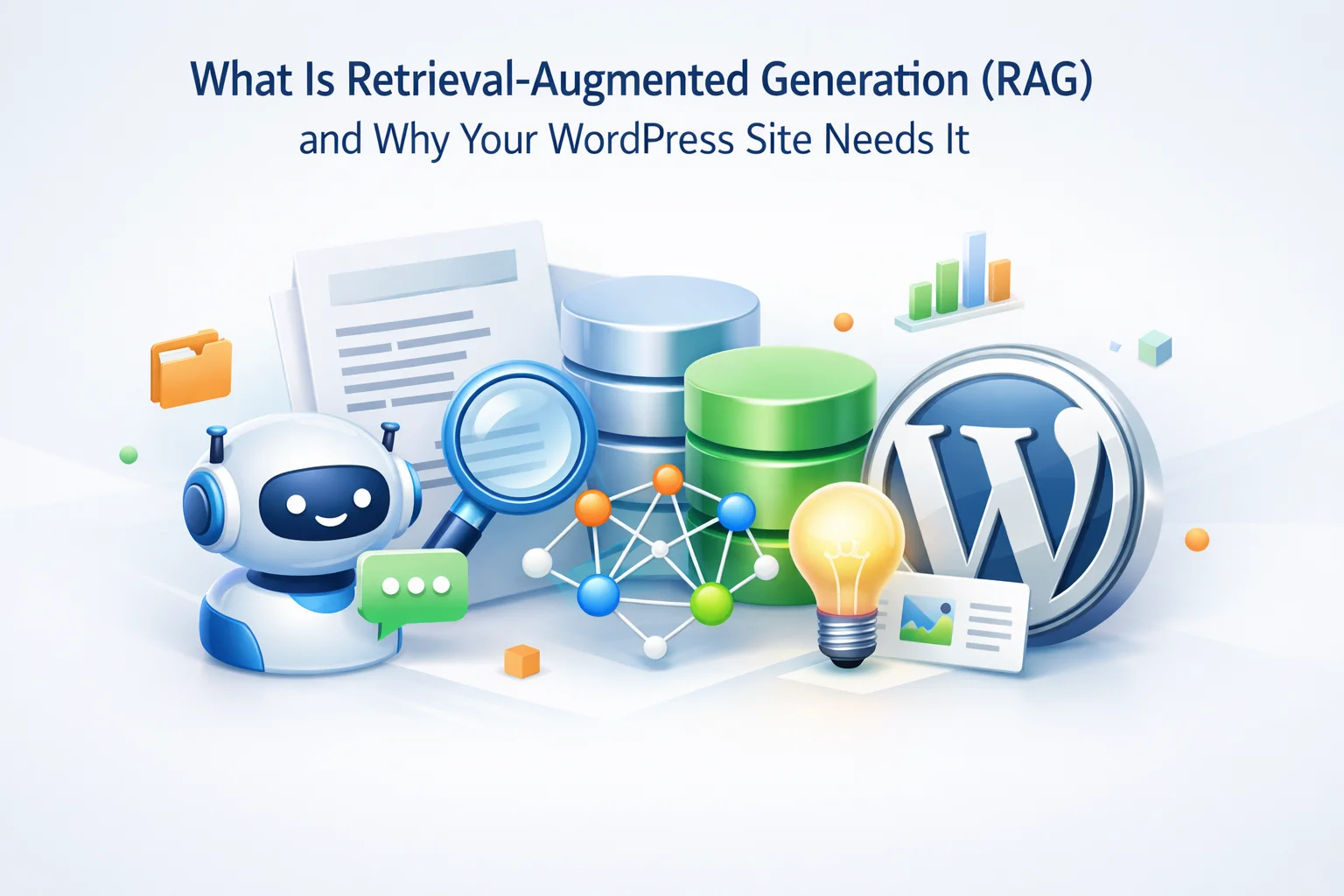
Picture this scenario. A visitor lands on your WordPress site and asks your AI chatbot a simple question: “What is your return policy?” The chatbot responds with a generic answer about typical e-commerce return windows, completely ignoring the fact that your actual return policy, clearly stated on your policies page, offers sixty days instead of the standard thirty. The visitor leaves confused, possibly annoyed, and definitely not converted.
This is what happens when an AI chatbot has no access to your actual content. It generates responses based solely on its training data, which knows nothing about your specific business, your products, your policies, or your unique value proposition. The chatbot sounds confident while being completely wrong about everything that matters.
Retrieval-Augmented Generation, or RAG, solves this problem. It is the technology that bridges the gap between a generic AI model and your specific business knowledge. When implemented properly, RAG transforms an AI chatbot from a somewhat helpful general assistant into a knowledgeable representative of your business that can answer questions accurately using your actual content.
This guide explains what RAG is, how it works in practical terms, and why it is essential for any WordPress site that wants an AI chatbot that actually represents the business accurately. We will look at how WordPress AI chatbots with automatic content indexing implement RAG to deliver accurate, context-aware responses.
The problem: AI models know nothing about your business
Large language models like GPT-4, Claude, and others are trained on massive datasets of text from the internet. They know a lot about a lot of things. They can discuss philosophy, explain scientific concepts, write code, and generate creative content. What they cannot do, by design, is know anything specific about your business.
Your product catalog, your service descriptions, your pricing, your team bios, your company history, your unique approach to customer service, your location-specific policies, your frequently asked questions with your specific answers: none of this exists in any AI model’s training data unless your content happened to be crawled and included, which you cannot control or verify.
When AI models do not have information, they do not say “I do not know.” They generate plausible-sounding responses based on patterns in their training data. This is called hallucination, and it is particularly dangerous for business chatbots. A chatbot that confidently states incorrect information about your products, prices, or policies can damage customer trust and create real business problems. RAG prevents hallucination by grounding responses in actual retrieved content.
This creates a fundamental mismatch between what businesses need from an AI chatbot and what a standalone AI model can provide. You want a chatbot that represents your business accurately. The AI model wants to be helpful but has no idea what your business actually does or says. Without some mechanism to bridge this gap, the chatbot is worse than useless. It actively misleads visitors while appearing authoritative.
How RAG works: retrieval meets generation
RAG is a two-step process that happens every time a user asks a question. First, the system retrieves relevant information from your content. Second, it generates a response using both the AI model’s capabilities and the retrieved content. The name describes exactly what happens: retrieval augments generation.
When a user asks a question, the system first searches through your indexed content to find passages that are relevant to the query. This is not simple keyword matching. Modern retrieval systems use semantic search, which understands meaning rather than just matching words. A question about “shipping time” will retrieve content about “delivery windows” and “order fulfillment” even if those exact words were not used in the question.
The retrieved content is then provided to the AI model along with the user’s question. The model generates a response that incorporates the retrieved information. Instead of making up an answer based on general knowledge, it synthesizes a response from your actual content. The AI’s language capabilities are still used, but they are grounded in your specific business information rather than generic training data.
The response is not a raw copy of your content. The AI model reformulates and adapts the retrieved information to directly address what the user asked. It might combine information from multiple retrieved passages, rephrase technical content in simpler terms, or structure the response in a conversational way. The intelligence of the AI is applied to your content, giving you the best of both worlds.

Why WordPress sites specifically benefit from RAG
WordPress sites are particularly well-suited for RAG implementation because of how WordPress structures content. Pages, posts, products, and custom post types create a natural organization of information that RAG systems can index and retrieve from effectively.
WordPress content is already organized into discrete units: pages, posts, products, categories. Each has a title, content body, metadata, and URL. This structure maps directly onto what RAG systems need: chunks of content that can be indexed, retrieved, and cited. Unlike scraping arbitrary websites, indexing WordPress content is straightforward because the structure is consistent and well-defined.
WordPress sites are not static. Products get added, blog posts get published, pages get updated. RAG handles this dynamically because retrieval happens at query time from the current index, not from a fixed training dataset. When your content changes, the responses change too, as long as your indexing system keeps the knowledge base current. This is fundamentally different from training an AI model on your content, which would freeze knowledge at the training date.
Beyond basic pages and posts, WordPress sites often have rich data in plugins. WooCommerce product details, event calendars, booking systems, membership content, knowledge bases: all of this can potentially be indexed for retrieval. A chatbot that can answer questions about product specifications, event dates, or membership benefits is dramatically more useful than one limited to basic page content.
Because RAG retrieves specific content from your site, the chatbot can potentially cite its sources. “According to our Returns Policy page…” or “As described in the Product X specifications…” This attribution builds trust because users can verify information themselves. It also provides a natural path from chatbot interaction to deeper site engagement when users want more detail than the chatbot provides.
RAG versus fine-tuning: why retrieval wins for business knowledge
Some people ask why you cannot just train an AI model on your business content instead of using retrieval. This approach, called fine-tuning, does exist but has significant drawbacks for the use case of business chatbots on WordPress sites.
The most critical difference is content freshness. Fine-tuning bakes knowledge into a model at training time. If you update your pricing page tomorrow, a fine-tuned model still has yesterday’s prices. You would need to retrain the model, which costs money and takes time, every time your content changes. For a typical WordPress site that updates content regularly, this is impractical.
RAG solves this by separating knowledge from the model. The AI model provides language capabilities. Your indexed content provides knowledge. When content changes, you update the index, and the next query retrieves the new information. No retraining required.
Automatic indexing: keeping RAG current without manual effort
RAG is only as good as the content it can retrieve from. If your index is outdated, your chatbot gives outdated answers. This is why automatic indexing is such an important feature for WordPress AI chatbots.

Manual indexing means someone has to remember to re-index content every time something changes. In practice, this does not happen. People forget. Content gets updated but the index stays stale. The chatbot gives wrong answers until someone notices and manually triggers a re-index.
Automatic indexing solves this by detecting content changes and updating the index without human intervention. When you publish a new post, update a product description, or revise a policy page, the indexing system detects the change and processes it. The next visitor who asks about that content gets the current information, not whatever was indexed last month.
Some systems index immediately when content changes. Others batch updates and process them on a schedule. Real-time indexing means zero delay between content update and chatbot knowledge. Scheduled indexing might have a lag of minutes to hours but uses fewer resources. For most WordPress sites, scheduled indexing every few hours is sufficient. Sites with rapidly changing inventory or time-sensitive content may need real-time indexing.
Not all content should be indexed. You probably do not want your chatbot answering questions based on draft posts, internal documentation, or administrative pages. Good RAG implementations let you control what gets indexed: specific post types, categories, or individual pages. This keeps the knowledge base focused on content that should actually inform chatbot responses.
How do you know your index is current and complete? Dashboard visibility into indexing status, last index time, number of indexed pages, and any indexing errors helps you maintain confidence that your RAG system is working correctly. If indexing fails silently, you would not know until users start getting wrong answers. Visibility into index health prevents this.
The technical components of a WordPress RAG system
Understanding the components helps you evaluate different solutions and troubleshoot issues. Here is what happens under the hood when a WordPress chatbot with RAG capabilities processes a question.

An embedding model converts text into numerical vectors that capture semantic meaning. Similar content produces similar vectors. When content is indexed, it gets converted to embeddings. When a query comes in, it also gets converted to an embedding. The system then finds content embeddings that are closest to the query embedding. This is how semantic search understands that “delivery time” and “shipping duration” are related even though they share no words.
The embeddings need to be stored somewhere and searched quickly. Vector databases are optimized for this specific task: storing millions of vectors and finding the most similar ones to a query vector in milliseconds. Some WordPress RAG solutions use external vector database services. Others store embeddings locally. The trade-offs involve speed, cost, and data privacy considerations.
A long page of content cannot be retrieved as a single unit. It needs to be divided into chunks that are small enough to be relevant but large enough to contain complete thoughts. Chunking strategy affects retrieval quality significantly. Chunks that are too small lose context. Chunks that are too large return irrelevant content alongside relevant content. Good RAG implementations use intelligent chunking that respects content structure like paragraphs and sections.
The final component is the language model that generates responses. This receives the user’s question along with the retrieved content chunks and produces a conversational response. The prompt engineering here matters: the model needs clear instructions to base its response on the retrieved content rather than making things up. Different language models have different capabilities and costs. The choice affects response quality, speed, and operating costs.
What to look for in a WordPress RAG implementation
Not all WordPress AI chatbots implement RAG, and those that do implement it with varying degrees of sophistication. Here are the features that separate effective RAG implementations from basic ones.

Real-world impact: chatbots with and without RAG
The difference between a RAG-powered chatbot and one without RAG is not subtle. It is the difference between useful and useless for business purposes.
The first response is not wrong, but it is useless. It tells the visitor to go look somewhere else for the information they asked for. The second response actually answers the question with specific details from the actual pricing page content. One builds confidence and moves the visitor toward conversion. The other creates friction and might lose the visitor entirely.

Getting started with RAG on your WordPress site
Implementing RAG used to require significant technical infrastructure: setting up vector databases, writing embedding pipelines, managing content synchronization. For WordPress sites, this complexity is now handled by plugins that abstract the technical details while providing the RAG capabilities you need.
Look for WordPress AI chatbot plugins that explicitly mention content indexing, knowledge base building, or retrieval-augmented generation. These handle the technical infrastructure so you can focus on configuration rather than development. Verify that the plugin indexes your specific content types and supports automatic re-indexing.
Select the content types and specific pages that should inform your chatbot. Include product pages, service descriptions, FAQs, policy pages, and any other content visitors might ask about. Exclude internal pages, draft content, and anything that should not be part of chatbot responses. Quality of indexed content directly affects response quality.
Trigger the initial content indexing and verify it completes successfully. Then test the chatbot with questions that should be answerable from your content. Ask about specific products, policies, and details that only exist on your site. Verify the responses are accurate and drawing from the correct content. This testing phase catches configuration issues before visitors encounter them.
After launch, periodically check that indexing is staying current, review conversation logs for questions the chatbot struggles with, and update your content when you notice gaps. RAG makes your chatbot as good as your content. If visitors frequently ask about something that is not well-documented on your site, creating that content improves both your website and your chatbot simultaneously.
RAG is not a nice-to-have feature. It is the foundation that makes AI chatbots actually useful for business purposes. Without it, you have a generic assistant that knows nothing about your business. With it, you have a knowledgeable representative that can accurately answer questions about your products, services, and policies using your actual content.
SmartChat Assistant implements RAG with automatic content indexing, making it straightforward to deploy a chatbot that actually knows your WordPress site’s content. The technology that used to require custom development is now available as a plugin configuration. The barrier is no longer technical. It is simply deciding to implement it.
A chatbot that actually knows your WordPress content
SmartChat Assistant uses RAG with automatic content indexing to ensure your AI chatbot responds accurately using your actual pages, posts, and product information.





Hey, quick question does RAG pull answers straight from my site?
I've been reading up on RAG for WordPress and it sounds promising, but I'm still unclear on the practical side. how much manual setup is actually required to connect it to my existing site content? Do I need to manually tag or format pages for the retrieval system, or does it pull from everything automatically?
Hey everyone, just wanted to share my experience with this RAG setup for WordPress. as a management consultant, I've seen way too many businesses throw money at chatbots that sound impressive but don't actually get the business. This one finally nails it my site's chatbot now pulls straight from our policies, product specs, and even industry jargon, so no more vague, robotic answers that leave customers annoyed. really helpful. Now when visitors ask about our 60 day return policy, they get the real answer not some AI's best guess.
Okay, so I'm building a site for my college's philosophy club and needed a chatbot that could actually explain Nietzsche without sounding like it was written by a robot. This RAG thing is wild it pulls answers straight from our uploaded essays and discussion notes instead of just guessing. Asked it to compare existentialism and absurdism, and it nailed the nuances like a TA who'd actually read Camus. No more generic "life has no meaning" cop outs. Finally, AI that does its homework.