
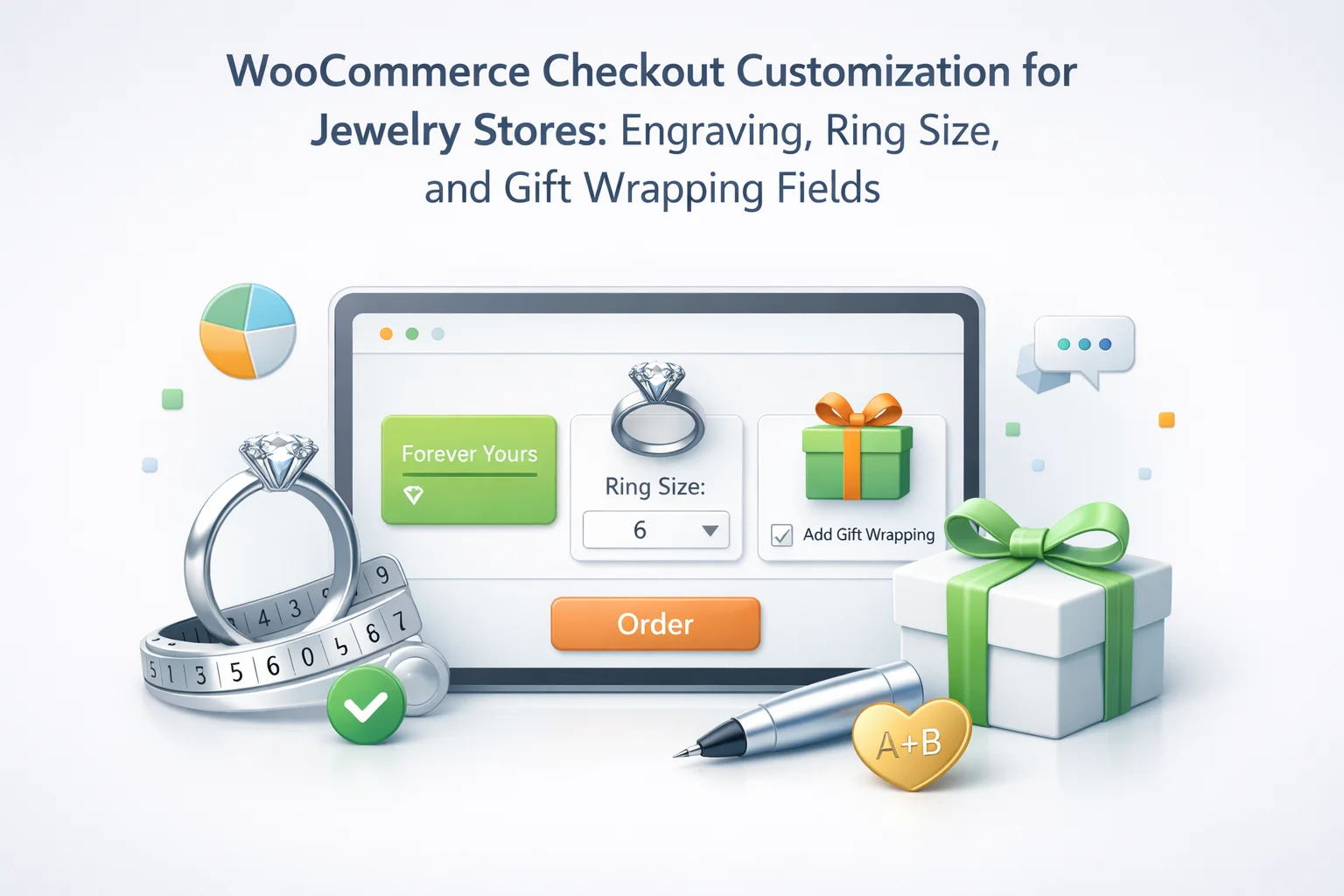
Jewellery e-commerce is one of the product categories most poorly served by the default WooCommerce checkout. Not because WooCommerce is a bad platform for selling jewellery — it is an excellent one — but because the standard checkout form was designed for a generic product transaction and jewellery is anything but generic. A customer buying a personalised ring for their partner’s birthday needs to specify the engraving text, the ring size, the metal finish, whether it should be gift-wrapped, and possibly the name of the recipient for the gift card. None of these inputs exist in the default form. All of them are operationally critical.
The gap between what the checkout collects and what the jeweller needs creates a familiar pattern: the order comes in with no specifications, a follow-up email goes out asking for ring size and engraving text, the customer responds two days later with the wrong format, there is another exchange, and by the time production can start the promised delivery window has been missed. For a sector where purchases are frequently occasion-driven — engagements, anniversaries, birthdays, Valentine’s Day — missed delivery windows are not just disappointing, they can be irreversible.
This guide builds a complete WooCommerce checkout for a jewellery store from the ground up — covering every field type a jewellery business needs, how to configure them per-product so the right fields appear for the right items, how to handle the gift purchase scenario with its own set of fields, and how to structure the engraving field specifically to collect production-ready text. All configuration is done using the NEXU Advanced Checkout Field Editor for WooCommerce jewellery stores without writing any code.
The result is a checkout that collects everything your workshop needs the moment an order is placed, reduces post-order communication to exception-handling rather than routine, and presents to your customers as a form designed specifically for the piece they are buying — not a generic address-and-payment form that happens to be on a jewellery website.
Why jewellery e-commerce has the most demanding checkout field requirements
Jewellery purchases differ from most e-commerce transactions in several ways that collectively make the checkout form more consequential. Understanding these differences helps justify the investment in a well-designed checkout field setup and shapes the decisions about which fields are genuinely necessary.
A significant proportion of jewellery purchases are occasion-driven — an engagement ring that must be delivered before a proposal trip, a birthday pendant arriving on the day, an anniversary bracelet timed to the date. These purchases have hard delivery constraints that make production lead time genuinely critical. Every hour lost to post-order specification chasing is an hour stolen from production. A checkout that captures all specifications at purchase eliminates that lost time entirely.
Engraving a wrong name or a misspelled date on a precious metal item is not a minor inconvenience — it typically means a replacement item, which means material cost, labour cost, and shipping cost absorbed by the business. Structured checkout fields that enforce character limits, provide format guidance, and collect text in a standardised way dramatically reduce the transcription and misinterpretation errors that result in costly remakes.
Jewellery is one of the most popular gift categories in e-commerce. Gift purchases require additional information — recipient name for the gift card, card message, gift wrapping style preference, request to omit the receipt — that adds no friction for self-purchasers if handled through a conditional gift section, but dramatically improves the experience and reduces support queries for gift buyers if implemented correctly.
Ring sizing alone involves multiple competing standards (UK alphabetical, US numerical, EU/continental numerical, Japanese numerical) and buyers who frequently do not know which system you use or their own size in it. A ring size field configured thoughtfully — with the sizing system specified, links to sizing guides, and guidance for customers purchasing as gifts — reduces sizing errors and the expensive return-and-resize workflow that follows them.
The complete jewellery checkout field set: every field and its purpose
Here is a complete reference of every checkout field type relevant to a WooCommerce jewellery store, with detailed guidance on configuration and the product types each applies to.
The most important and consequential field in jewellery checkout. The character limit you set must match the physical engraving area of your specific product — a ring interior has different capacity than a pendant back, which differs again from a bangle. Each product that accepts engraving should have its own engraving field with its own character limit appropriate to that item. Never use a generic unlimited-text field for engraving — the error rate from unrestrained input is significantly higher. Always specify in the label what characters are supported. Most engraving machines support A–Z letters and numbers reliably. Special characters, diacritics (é, ü, ñ), symbols, and non-Latin scripts vary widely by machine capability and should be listed explicitly as supported or unsupported.
If your engraving service offers multiple font styles — which most do — a dropdown or radio button field for font selection prevents customers from requesting fonts you do not offer or assuming a default that differs from their expectation. Common options: Classic Script (flowing handwritten style), Block Capitals (clean, formal), Italic (elegant slanted), Serif (traditional). If your product page has images showing each font style, link to them in the helper text. If one font is your standard default, list it first and note it as “default” so customers who have no strong preference can simply leave the default.
Ring size is one of the most error-prone fields in jewellery e-commerce and deserves careful configuration. A dropdown field listing your available sizes in your primary sizing system is considerably better than a free-text field, which produces inputs like “medium,” “7 and a half,” “L,” or “the same as my last order” — none of which are actionable. The dropdown should use the sizing system appropriate to your primary market (UK alphabetical letters A–Z+, US numeric half-sizes, EU numeric). Include a “I don’t know my size” option — explained below — for gift purchases. Always link to a ring sizing guide in the helper text. For bespoke rings offered in a continuous size range, a combination approach (dropdown for standard sizes plus an optional text field for non-standard measurements) works well.
For jewellery pieces offered in multiple metals, a structured metal choice field is significantly better than a note in the order comments. Metal choice determines the material cost, the production method, and for some designs the available sizing options — it is fundamental to the order. List your available metals precisely using their proper descriptions (Sterling Silver 925 rather than “silver,” 9ct Yellow Gold rather than “gold”) to avoid any ambiguity between gold-plated silver and solid gold. If products come in multiple finishes (polished, brushed, hammered), add a separate finish dropdown or combine metal and finish into a single field (e.g. “Sterling Silver — Polished / Sterling Silver — Brushed / 9ct Yellow Gold — Polished”).
For jewellery pieces that offer a choice of stone or birthstone — a popular category for personalised rings, pendants, and stackable pieces — a dropdown listing available stones eliminates the common confusion where customers attempt to specify stones by birth month or colour name in a notes field, creating ambiguity about which stone you should use. List stones by their gem name (Garnet, Amethyst, Aquamarine, Diamond, Emerald, etc.) with the associated birth month in brackets if the product is marketed as a birthstone piece. This structured format feeds directly to your workshop without any interpretation required.
Chain and bracelet length is one of the most commonly overlooked fields in jewellery checkout configuration. Standard necklace lengths (14″, 16″, 18″, 20″, 24″, 30″) correspond to specific aesthetic positions on the neck — choker, collarbone, near the heart, chest, etc. A dropdown listing your available lengths with a description of where each falls allows customers to make an informed choice based on the look they want rather than guessing from a measurement. For bracelets, your available sizes might be Small (15cm), Medium (17cm), and Large (19cm) with a note about which is the most common. Include links to a chain length guide showing the different positions on the body.
The jewellery gift experience: building a complete gift section
Jewellery is the most gifted product category in UK and US e-commerce. A gift section that activates when a customer signals a gift purchase is not optional for a serious jewellery business — it is a core part of the product and the brand experience. The conditional gift section works the same way as described in the gift fields guide: a “This is a gift” checkbox triggers a group of gift-specific fields that would otherwise remain hidden.

For a jewellery store, the gift section should include several fields that go beyond the generic gift message and delivery date. Jewellery gift purchases have specific presentation expectations — the packaging is part of the product experience — and occasion-specific notes help your team prepare appropriately.
A textarea for the personal message that will be handwritten or printed on the gift card. Label: “Message for the gift card (optional — our team writes this by hand for a personal touch).” The note about handwriting is a small brand differentiator worth including if you do actually handwrite gift cards. Character limit around 150–200 characters. Placeholder: “e.g. Happy Birthday Sarah — wear this with all the love it was chosen with. Love, James.”
Jewellery packaging is part of the product experience — the box, the ribbon, the presentation all contribute to the moment of giving. A dropdown for gift presentation choice can range from your standard jewellery box presentation (always included) to premium gift wrapping with ribbon and a branded bag. If you charge for upgraded presentation, note this in the field. Options might include: “Standard — jewellery box (included) / Premium gift wrap with ribbon and branded bag (+£5) / Luxury presentation — velvet pouch, embossed box, and branded bag (+£12).”
Particularly important for occasion-driven jewellery gifts where the delivery date is tied to a specific event. Set a minimum date of your production lead time plus delivery time. Label: “Requested gift delivery date.” Helper text: “We will do our best to meet your requested date. For personalised items, please allow at least [X] working days.”
An occasion dropdown helps your team select appropriate card designs, seasonal packaging, and communications. It also gives you marketing insight into when your gift purchases spike by occasion. Options: Birthday / Anniversary / Engagement / Wedding / Mother’s Day / Valentine’s Day / Christmas / Just Because / Other. Mark as optional — not every gift has a named occasion.
A checkbox pre-ticked or easy to tick when the gift section is expanded: “Please do not include price information or a receipt in the package.” This small detail makes a significant difference to the gift-giving experience and reduces the occasionally awkward moment when a recipient finds a price tag. Make it automatically visible whenever the gift section is open, and default it to unchecked so buyers can consciously choose to include or omit it.
Handling “I don’t know my ring size”: the gift buyer problem
One of the most common and genuinely difficult scenarios in jewellery e-commerce is the gift buyer who does not know the recipient’s ring size. If you make the ring size field required, gift purchases for rings are blocked or the buyer enters a guess. If you make it optional, production receives orders with no size and cannot proceed. The right solution is a structured approach that acknowledges the reality of the situation.
The dropdown approach solves this by including “I don’t know the ring size — please contact me” as one of the dropdown options. When this option is selected, the order is flagged for follow-up by your team. This is preferable to an empty required field (which blocks the order) or an empty optional field (which looks indistinguishable from a deliberate omission). The “I don’t know” option is an explicit statement from the buyer that their production requirement needs to be clarified — it goes into the order record as a clear action flag rather than an ambiguous gap in the data.
Every customer who reaches the ring size dropdown and does not know their size is a potential conversion at risk. The helper text link to a sizing guide is not just a service convenience — it is a retention mechanism. A customer who can find their size through your sizing guide completes the purchase. A customer who cannot find a link to help and feels uncertain may abandon. Consider linking to a downloadable PDF ring sizer, an online interactive tool, or an invitation to visit in store for a free sizing appointment. Any friction you remove from the sizing process is friction removed from the path to purchase.
For engraved rings purchased as gifts where the buyer does not know the size, consider offering a “surprise proposal / gift box” option — a presentation box that holds the ring for inspection before sizing, with a subsequent exchange or sizing appointment. If you offer this service, the ring size dropdown options can include “This is a surprise gift — propose/give first, size later (see our [exchange policy]).” This turns a common obstacle into a premium service offering.
Per-product field configurations for six jewellery product types
Different jewellery products have different field requirements. Here are detailed per-product field group configurations for the most common jewellery product types sold through WooCommerce.
How personalisation data flows from checkout to workshop
Every per-product and conditional field value collected at checkout is stored as order metadata in WooCommerce — permanently linked to the order, visible in the order details panel, and included in the new order notification email sent to your team. Your goldsmith, engraver, or jewellery maker opens the order and sees: the exact engraving text (not a scan of a handwritten note, not a transcription from an email — the exact characters the customer typed), the confirmed ring size, the metal choice, the font style. Everything needed to start work without any additional contact with the customer.

For jewellery businesses using a job management or production tracking system alongside WooCommerce, the order export functionality includes all custom field metadata — allowing you to pull order data into your production workflow with all specifications intact. A ring order exported from WooCommerce carries the engraving text, size, and metal choice in structured columns that can feed directly into production job sheets without manual re-entry.
The checkout form a customer interacts with to order a personalised piece is the first moment of their relationship with what you make. A form that asks them exactly the right questions — clear, specific, appropriate to the item they are buying — communicates the same care and intentionality as the piece itself. Customers who experience a thoughtfully designed jewellery checkout are more confident in their purchase, more likely to provide complete and accurate specifications, and more likely to return. The NEXU Advanced Checkout Field Editor for WooCommerce jewellery stores builds that form — per-product fields for each piece, a conditional gift section, character-limited engraving fields, and full WooCommerce order integration — without requiring any code changes to your store.
A jewellery checkout that collects every specification your workshop needs — from the moment the order is placed
NEXU Advanced Checkout Field Editor gives you per-product field configuration with character-limited engraving fields, ring size dropdowns, metal choice selectors, birthstone pickers, and a conditional gift section — all linked directly to WooCommerce orders for immediate production without follow-up communication.





Finally found a checkout system that actually gets jewelry businesses. Their field editor lets you customize engraving limits per product super helpful when some pieces only fit 12 characters but others can handle 50. And it forces customers to pick ring sizes before checkout, so no more chasing down missing details after the fact.
Finally, a ring that actually fits!
Quick question about how the engraving fields work. does each product like rings versus bracelets get its own separate input with its own character limit? i run a shop where, say, a necklace could handle 50 characters, but a ring might only fit 12, and I'd hate for customers to type something that won't actually fit on what they're ordering. The setup guide talks about building the fields the right way, but I just want to double check: does that mean I can customize limits per product, or is it one blanket field for everything?