WooCommerce Strategy Guide
WooCommerce Upsell vs. Cross-Sell:
What’s the Difference?
They both increase revenue. They both feel helpful when done right. But they work completely differently — and confusing one for the other costs you real money.
10 min read
Updated 2026
WooCommerce Store Owners
Every seasoned WooCommerce store owner has heard both terms dozens of times. Upsell. Cross-sell. They get used in the same breath, dropped into the same conversations, and — more often than most people realise — used to describe the wrong thing entirely.
That might sound like a small semantic problem. It is not. If you set up your WooCommerce recommendations without understanding which is which, you will show the wrong product at the wrong moment — and both your revenue and your customer experience will reflect that mistake.
This guide draws a clear line between the two. Not just in definition, but in placement, psychology, real-world examples, and the practical WooCommerce mechanics that bring each one to life.
The one-line distinction
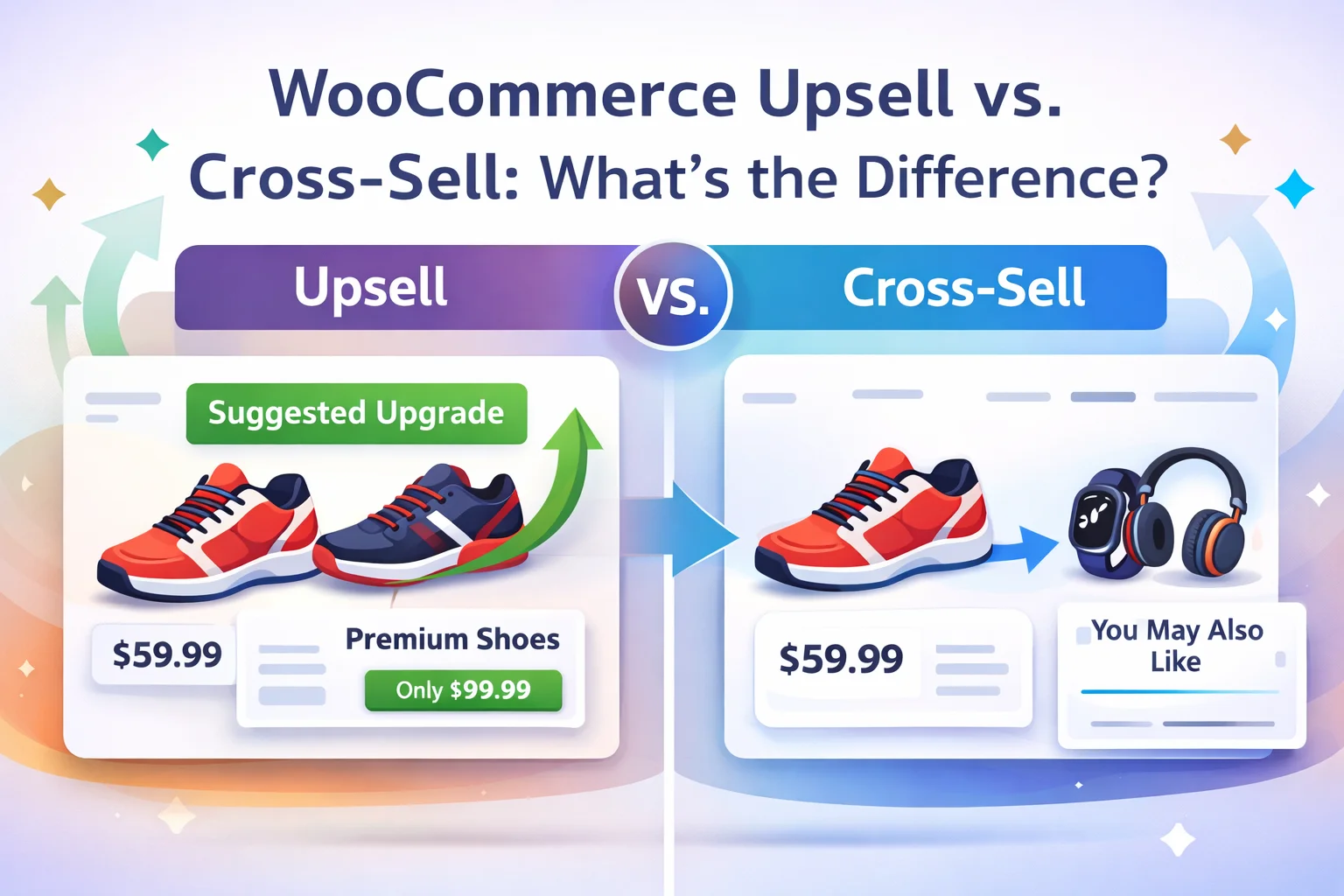
Upsell
A better, upgraded, or more expensive version of what they are already considering
Cross-sell
A different, complementary product that works alongside what they are already buying
What is a WooCommerce upsell?
An upsell is a recommendation for a higher-value alternative to the product the customer is currently viewing. The key word is alternative. You are not suggesting something extra — you are suggesting something better. A bigger size. A premium tier. A more capable model. A version with more features, better materials, or longer coverage.
The customer does not have to add both. An upsell is a fork in the road, not an extra lane. You are saying: “Before you commit to this one, have you considered this?” That distinction — replacement rather than addition — is what separates an upsell from everything else.
Where WooCommerce places upsells by default
On the single product page, below the main product description, under the heading “You may also like…” The customer sees the upsell while they are still evaluating the original product — exactly the right moment to offer an upgrade.
In WooCommerce’s admin, upsells are configured in the Linked Products tab inside the Product Data panel. You search for and select the products you want to appear as upgrade suggestions. Save, and they render automatically on the product page.
This native functionality is intentionally simple. It does not support cart-based triggers, targeting conditions, or checkout placement. For those capabilities — showing the upsell only to customers who added a specific product, or displaying it at checkout rather than on the product page — you need a dedicated plugin.
Upsell examples across different store types
Electronics
Customer views a laptop with 8GB RAM → upsell shows the 16GB model. Same brand, same design, meaningfully better performance. The price gap is visible; the value gap feels larger.
Software / Digital
Customer views a plugin’s single-site licence → upsell shows the 3-site licence. Same product, broader coverage, and a per-site cost that is lower than buying separately later.
Nutrition / Wellness
Customer views a 500g protein powder → upsell shows the 1kg bag. Same product, double the quantity, visibly better value per gram. Customers rarely regret buying more of something they already wanted.
Apparel
Customer views a standard cotton t-shirt → upsell shows a premium organic pima cotton version. Same silhouette, better material, slightly higher price. The upsell answers “what if I want the good one?”
What is a WooCommerce cross-sell?
A cross-sell is a suggestion for a different product that complements what the customer is already planning to buy. Unlike an upsell, it does not replace the original item — it adds to it. The customer keeps the main product in their cart and, if the suggestion is right, adds a second item alongside it.
Think of the fast food analogy that gets used constantly in marketing writing, because it happens to be perfect: “Would you like fries with that?” The burger is not being replaced. The fries are a cross-sell — a separate, complementary item that the customer probably wanted anyway and simply forgot to order.
Where WooCommerce places cross-sells by default
On the cart page, beneath the cart table, usually titled “You may be interested in…” The customer has already made their choice and is reviewing their order. At this point, a small relevant addition is not a distraction — it is a last-minute reminder of something they genuinely might want.
Cross-sells are configured the same way as upsells in WooCommerce: in the Linked Products tab on the product edit screen. The field is labelled “Cross-sells.” Assign the complementary products there, and WooCommerce will render them automatically on the cart page whenever that product is in the cart.
Again, this native functionality is limited to the cart page and has no targeting, no discount logic, and no analytics. For cross-sells at checkout, on product pages as a “frequently bought together” section, or in a post-purchase modal, a plugin is required.
Cross-sell examples across different store types
Electronics
Customer buys a smartphone → cross-sell suggests a protective case and a screen protector. These are not the phone. They are the things the customer almost certainly needs and will definitely buy somewhere — better to buy them here, now, without a second trip.
Fitness / Nutrition
Customer buys protein powder → cross-sell suggests a shaker bottle and a measuring scoop. Neither replaces the powder. Both are things the buyer needs to actually use it. The pairing feels obvious in hindsight, which is the hallmark of a good cross-sell.
Photography
Customer buys a camera lens → cross-sell suggests a UV filter, a lens cap, and a microfibre cleaning cloth. All consumables that lens owners go through regularly. A gentle nudge turns a one-product order into a four-product order.
Food & Beverage
Customer buys a bag of specialty coffee → cross-sell suggests a coffee grinder and a paper filter pack. The pairing is immediately logical. The customer who just bought premium beans is exactly the customer who cares about how the coffee is prepared.
Side-by-side: the key differences
| Dimension |
Upsell |
Cross-sell |
| Core intent |
Buy better — replace the original item with a higher-value alternative |
Buy more — add a complementary item to the original purchase |
| Product relationship |
Same product category — different tier, size, or specification |
Different product category — pairs with or enables the main item |
| Default placement in WooCommerce |
Product page (“You may also like…”) |
Cart page (“You may be interested in…”) |
| Typical price vs. main item |
Higher — the point is a more valuable version |
Often lower — an accessory or add-on, not a replacement |
| Customer action |
Swap the original product for the suggested one |
Keep the original and add the suggestion on top |
| Ideal timing |
Before the purchase decision is fully made |
After the decision — during cart review or checkout |
Why timing and placement change everything
The placement logic in WooCommerce’s defaults is not arbitrary. It reflects something real about customer psychology: the moment you are at in the buying journey determines what kind of suggestion feels helpful versus intrusive.
When a customer is on a product page, they are still evaluating. They have not committed to anything. Showing them a better version of the product they are looking at — an upsell — is useful here, because the decision is still open. Showing them a camera case at this stage does not make sense, because they have not confirmed they are buying a camera yet.
By the time they reach the cart, the primary decision is made. The camera is going into the bag. Now is exactly the right time to mention the case and the cleaning cloth — they have mentally committed to the purchase and are in a “yes” mindset. A cross-sell here does not interrupt anything; it slots into the natural momentum of the transaction.
Product page
Still evaluating
→ Show upsells
Cart page
Decision made, reviewing
→ Show cross-sells
Checkout page
About to pay — highest intent
→ Order bump
Thank-you page
Just completed purchase
→ Post-purchase upsell
The third type most store owners miss: the order bump
There is a third offer type that sits between upsell and cross-sell, and it is the highest-converting of the three: the order bump. It deserves its own category because its timing and mechanics are fundamentally different from both.
An order bump appears directly on the checkout page — not the product page, not the cart — as a small highlighted offer with a checkbox. The customer is about to pay. Their card details are already in. The purchase decision has already been made. Adding a relevant item here requires a single tick, not a separate transaction.
Why acceptance rates are so high
The order bump converts at 15–30% in most stores because three conditions align simultaneously: the customer’s intent is at its peak, the effort to add the item is minimal (one checkbox), and the item is relevant enough to feel like a reminder rather than a pitch. These conditions never coincide on a product page or cart page. That is what makes the checkout moment uniquely powerful.
WooCommerce does not include order bump functionality natively. A plugin is required. Smart Funnel is built specifically for this use case — checkout bumps, related products, and post-purchase upsells from a single clean admin, without replacing the WooCommerce checkout.
🔗If you want to go deeper on increase revenue, this step-by-step guide is a useful next read. →

Smart Funnel — order bump و related products در همان صفحه checkout، بدون جایگزینی WooCommerce.
How WooCommerce handles upsells and cross-sells natively
Understanding what WooCommerce can and cannot do out of the box is essential before you decide whether you need a plugin. The good news is that native upsell and cross-sell support exists in every WooCommerce installation. The limitation is that it is manual and inflexible.
1
Go to Products → All Products and edit any product
Open any product in the WooCommerce admin that you want to assign recommendations to.
2
Scroll to Product Data → Linked Products tab
You will find two separate fields: Upsells and Cross-sells. Both accept any product in your catalogue.
3
Search and select products for each field
For upsells: select premium alternatives or larger sizes. For cross-sells: select complementary items that pair naturally with this product. Keep upsells to 2–3 products and cross-sells to 3–4 to avoid decision fatigue.
4
Save and verify on the frontend
Upsells render on the product page. Cross-sells render on the cart page. Exact positioning depends on your theme. Check both on desktop and mobile before considering the setup complete.
What the native setup cannot do
Show different suggestions based on what else is in the cart
Display offers at checkout or post-purchase
Apply a discount to the suggested product
Track how many customers accept vs. skip each recommendation
Automate suggestions based on purchase history
Should you use upsells, cross-sells, or both?
The honest answer is: most stores benefit from both, applied at the right moment. But if you are starting from zero and need to pick one to implement first, the decision depends on your catalogue and your conversion priority.
Start with upsells if…
You have a clear tiered product structure — basic vs. standard vs. premium — or size/quantity variants that offer better value at higher price points. Upsells work best when the upgrade story is obvious and the price gap feels justified.
Start with cross-sells if…
Your catalogue has natural product pairings — accessories, consumables, or items that are almost always needed alongside a main product. Cross-sells also tend to have less psychological resistance, because you are adding value rather than questioning the customer’s original choice.
For the highest ROI with least setup…
Add a checkout order bump first. It requires one product pairing, one targeted offer, and a 10–15% discount. No page builder. No funnel. The checkout moment is the highest-converting placement available in WooCommerce — most stores that implement a well-matched bump see it pay back the cost of the plugin within the first week.
Common questions
Can the same product be both an upsell and a cross-sell?
Yes — but for different products. A wireless keyboard might be an upsell for a basic keyboard (it is a better version of the same product category) but a cross-sell for a monitor (it is a complement to a different main product). The same item can play both roles depending on what the customer is looking at. This is why linking both fields thoughtfully for every major product in your catalogue pays off over time.
How many upsells or cross-sells should I show?
Research on decision fatigue consistently shows that more options reduce the likelihood of any one being chosen. For upsells: 2–3 is the practical ceiling. For cross-sells: 3–4. Beyond that, the section starts to look like noise and customers stop engaging with it entirely. One well-matched suggestion outperforms five mediocre ones every time.
Do upsells and cross-sells work on mobile?
WooCommerce’s native rendering is responsive, so yes — in theory. In practice, the cart page cross-sell section can look cluttered on small screens depending on your theme, and product page upsells may stack awkwardly. Always test these sections on mobile before treating them as active revenue drivers. Checkout order bumps, which are single-product suggestions above the payment button, tend to render more cleanly on mobile than either native feature.
What is a downsell and where does it fit?
A downsell is the opposite of an upsell: if a customer declines a post-purchase offer, you can present a lower-priced alternative to still capture some incremental revenue. Downsells require post-purchase upsell mechanics and a plugin that supports offer sequences. They are a more advanced strategy and typically only worth setting up once you have a working upsell and cross-sell foundation in place.
Do upsells and cross-sells hurt the customer experience?
Only when they are irrelevant or poorly timed. A suggestion that makes sense — that saves the customer a second order, helps them get more from what they are already buying, or genuinely offers better value — is perceived as helpful. The problem is not the technique; it is execution. Random suggestions, aggressive popups, and offers that feel disconnected from the cart all erode trust. Relevant, well-timed, easy-to-decline suggestions improve the shopping experience. That is why getting the upsell-vs-cross-sell distinction right is not just an academic exercise — it directly determines whether your recommendations feel like service or noise.
The takeaway in two sentences
An upsell says “here is a better version of what you are looking at.” A cross-sell says “here is something else you will probably want alongside what you are buying.” Get the timing right — upsells before commitment, cross-sells and order bumps after — and both feel like genuine service rather than a sales pitch.
WooCommerce gives you the basic wiring for both natively. For checkout bumps, post-purchase upsells, targeting conditions, and the analytics to know what is working, a dedicated plugin takes you the rest of the way. Smart Funnel covers all three checkout-stage offer types from a single, lightweight admin — without rebuilding your store around a funnel framework.

داشبورد Smart Funnel — views، acceptances و revenue هر offer در یک صفحه.
Ready to put this into practice?
Add order bumps, upsells, and cross-sells to WooCommerce
Smart Funnel adds all three offer types — checkout bump, post-purchase upsell, and related product grid — from one admin panel. No checkout replacement. No builder required. Starting at $39/year.
See Smart Funnel






This setup guide is way too overwhelming for something that should be quick. I spent 10 minutes just trying to figure out where to even begin, which doesn't help when you're in a hurry.
Bought this as a gift for a friend starting her online store, but it's way too basic. The guide says it "draws a clear line" between upsells and cross sells, but honestly?
This guide finally made the upsell vs cross sell difference click for me. i've been running my store for years but always treated them like they were the same thing just "more sales tactics
I get the difference between upsells and cross sells but how do you actually set them up in WooCommerce without messing up the customer flow? The guide mentions placement and psychology but where exactly do you configure this?