
A pre-sales agent is not a customer support chatbot. The distinction matters because the configuration is completely different. A support chatbot is reactive — it waits for a problem to surface and then resolves it from your documentation. A pre-sales agent is proactive and directive — it actively works to understand a visitor’s situation, establish whether your product is the right fit, and guide qualified visitors toward a decision. It is doing the job your best salesperson would do if they were available around the clock for every single visitor.
For most WooCommerce stores, the business case for building this is straightforward. Studies on ecommerce behavior consistently show that visitors who engage with a pre-purchase chat interaction convert at significantly higher rates than those who do not. The gap between browsing and buying for high-consideration purchases is almost always an information gap or a trust gap, and a well-configured pre-sales agent addresses both simultaneously.
This guide is a practical build guide. It covers the strategy, the system prompt architecture, the qualification framework, the knowledge base setup, and the handoff configuration. We reference Nexu SmartChat as the WooCommerce AI chatbot platform used in the examples, but the principles apply to any plugin that supports custom system prompts and targeted page deployment.
By the end of this guide you will have a complete blueprint for a pre-sales agent that works while you sleep.
What a pre-sales agent actually does differently
The functional difference between a support chatbot and a pre-sales agent comes down to direction. A support chatbot is passive: it answers what is asked. A pre-sales agent is active: it asks questions, gathers information, uses that information to shape its recommendations, and actively moves the conversation toward a useful outcome for the visitor and a commercial outcome for the store.
The behavioral shift requires a fundamentally different system prompt. A support chatbot’s system prompt is primarily about scope and accuracy: what to answer, what not to answer, how to escalate. A pre-sales agent’s system prompt is about goal-orientation and conversation structure: how to open, what information to gather, how to use that information, and how to guide toward an outcome.
The critical calibration for a pre-sales agent is tone. A chatbot that sounds like it is trying to sell something triggers visitor resistance. Visitors instinctively distrust pushy chat interactions and disengage from them. The tone that actually works is advisory: genuinely curious about the visitor’s situation, helpful in its recommendations, and honest when a product is not the right fit. Counterintuitively, a pre-sales agent that sometimes says “that product might not be what you need” builds more trust and converts more sales than one that pushes everything enthusiastically. Visitors sense the difference between advice and a pitch.
The four-question qualification framework
Lead qualification in a chatbot context is not an interrogation. It is a natural conversation structure that gathers the four pieces of information that distinguish a ready-to-buy visitor from one who is just browsing. Gathering these four signals allows the agent to personalize its recommendations and identify when a visitor is close to a decision versus when they need more time or information.
Understanding what the visitor is trying to do with your product is the most important qualification signal. It tells you which product or tier is actually appropriate for their situation, it reveals whether your product solves their problem at all, and it gives the agent the context to make a specific recommendation rather than a generic one.
For most product categories, scale determines which tier or configuration is appropriate. A solo user needs different things than a team of twenty. A business processing 100 orders per month needs different capacity than one processing 10,000. Scale also signals purchase seriousness: someone asking about volume pricing or team deployment is further along in their consideration than someone asking a single general question.
A visitor who is close to buying but has not yet bought has something stopping them. Identifying that blocker is the most direct path to a conversion. The blocker might be a missing specification, an unanswered compatibility question, a price concern, an uncertainty about fit, or a need for social proof. A pre-sales agent that identifies and addresses the specific blocker converts that visitor far more effectively than one that simply provides more general information.
Timeline is the qualification signal that most clearly separates hot leads from cold ones. A visitor who needs something this week is in a fundamentally different state than one who is “just looking around.” Timeline also informs how the agent should handle the conversation’s end: a visitor with an immediate timeline should receive a clear purchase CTA, while a visitor with a vague future timeline should receive either a useful next step or a way to stay in contact.
A well-configured pre-sales agent does not ask all four qualification questions sequentially in an interview format. It weaves them naturally into the conversation, asking one at a time as the conversation develops and using each answer to shape the next response. The goal is for the visitor to feel like they are having a helpful conversation, not filling out a form.
Writing the system prompt: the complete architecture
The pre-sales agent system prompt is more complex than a support chatbot’s because it needs to define a goal-oriented conversational structure rather than just a set of rules. The following template shows the complete architecture with all sections explained. Adapt the bracketed placeholders to your specific business context.
The knowledge base your pre-sales agent needs
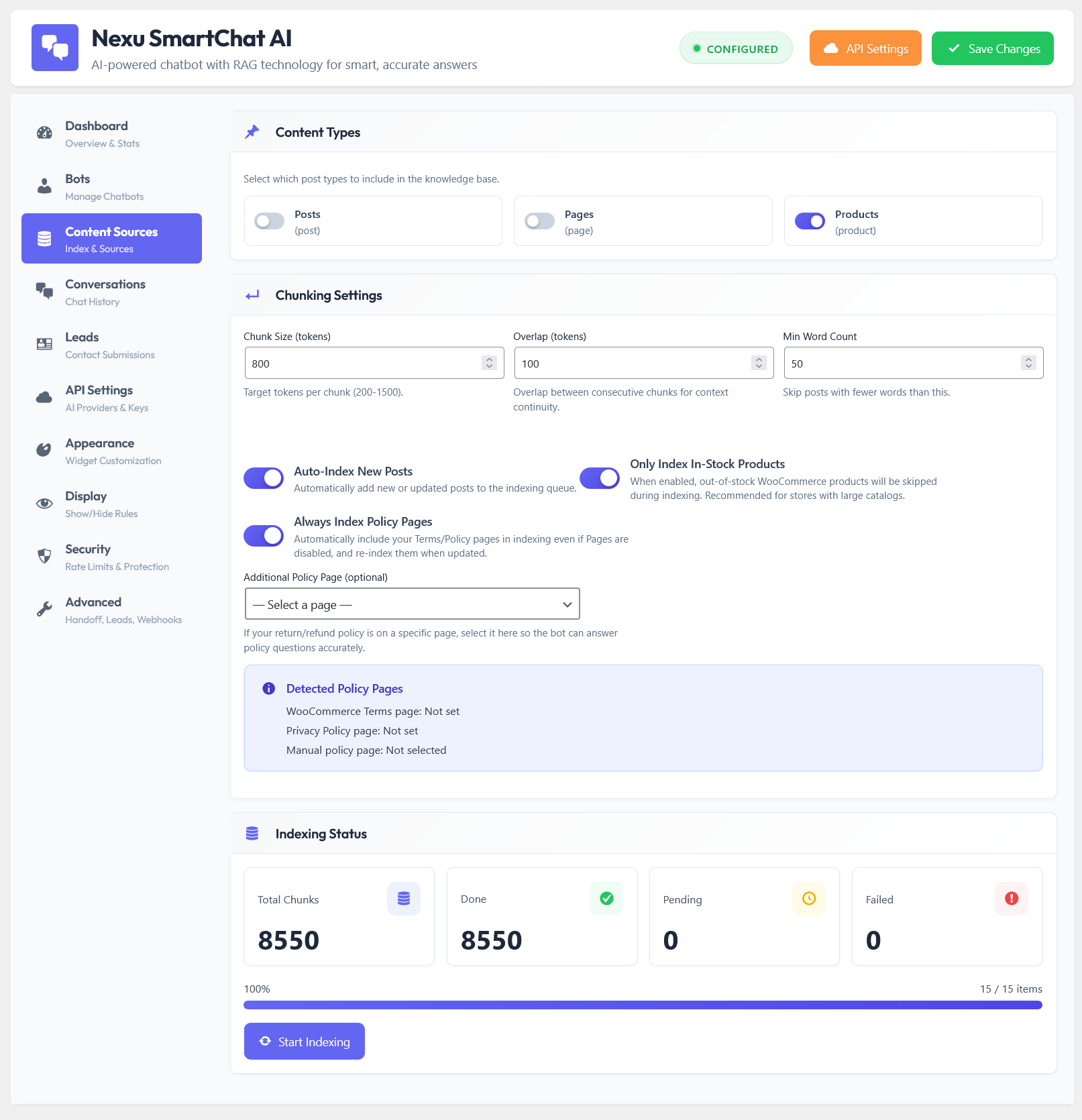
A pre-sales agent needs a different knowledge base composition than a support chatbot. Support bots need deep policy and troubleshooting content. Pre-sales agents need deep product and persuasion content — the material that answers “is this right for me?” rather than “how do I fix this?”
All active product pages with complete descriptions, specifications, compatibility notes, and variations. For WooCommerce stores, this includes WooCommerce product custom fields, attribute tables, and any technical specification content. The agent can only make accurate recommendations if it has the full specification data to draw from. A product page with a thin description produces thin recommendations.
If you have written blog posts, buying guides, or use-case pages that help visitors understand which product is right for their situation, these are your most valuable pre-sales knowledge base content. “Which
is right for you?” articles, “Best for [use case]” guides, and product comparison pages give the agent the vocabulary and reasoning to answer situational questions with specificity.Pre-purchase hesitation is often driven by risk aversion. Visitors want to know what happens if they are not satisfied, how long the warranty lasts, and whether the company behind the product is legitimate. Indexing your returns policy, warranty documentation, and about page gives the agent the ability to address trust objections directly in the conversation rather than redirecting to a separate page mid-conversation.
If you have a dedicated testimonials page, a case studies page, or review highlights formatted as a page rather than embedded WooCommerce reviews, indexing this content gives the agent the ability to reference third-party validation when a visitor needs reassurance. “We have customers who use this for exactly that — [specific example from testimonials]” is a significantly more persuasive response than a generic product description repeat.
Keep your pre-sales agent’s knowledge base clean of post-purchase support content. If a visitor asks a troubleshooting question, the pre-sales agent should acknowledge it is outside its scope and direct to your support channel. Mixing pre-sales and support content in the same knowledge base dilutes the retrieval quality for both types of questions and can produce confused responses that blend purchase guidance with post-purchase instructions.
Handling the conversation end: turning qualified leads into captured leads
One of the most significant revenue leaks in chatbot pre-sales deployments is the conversation that ends well — the visitor got their questions answered, seemed interested, said “thanks” — but nothing captured the lead. The visitor closes the window and their identity is lost. For a business selling higher-consideration products where the purchase cycle might be a few days, this is a real opportunity cost.
A pre-sales agent needs an explicit lead capture protocol built into its system prompt. This does not mean pestering every visitor for their email address. It means having a clear strategy for the right moment to offer value in exchange for contact details, and a smooth handoff path for visitors who would benefit from follow-up.
When a visitor’s qualification signals suggest genuine interest but a future timeline, the right close is a soft one: offer something of value in exchange for the ability to follow up. This might be a buying guide PDF relevant to their use case, a product comparison summary, or simply “If you leave your email I can send you the product specs so you have them when you are ready.” The offer should be genuinely useful, not just a pretext for collecting data.
A visitor who has asked specific questions, received clear answers, and signaled immediate intent needs a direct path to purchase, not more information. The agent should provide a specific product page link and, where possible, a direct “add to cart” prompt or a link to the exact product they discussed. Friction at this moment loses sales. The close should be direct and clear without being pushy.
Some visitors signal high-value purchase intent but need a conversation with a person before committing — bulk orders, custom requirements, enterprise procurement, or simply a preference for human interaction before a large purchase. The agent should recognize this signal and offer a direct handoff path: a booking link for a call, a dedicated contact email, or a form submission that includes the conversation summary so the human sales person has context before the call.
Where to deploy and where not to
Deployment targeting is as important as the agent’s configuration. A pre-sales agent appearing on every page, including your blog, your about page, and your contact page, creates a “pushy” impression rather than a helpful one. It should appear where visitors are in an active purchase consideration context.
Measuring whether the pre-sales agent is working
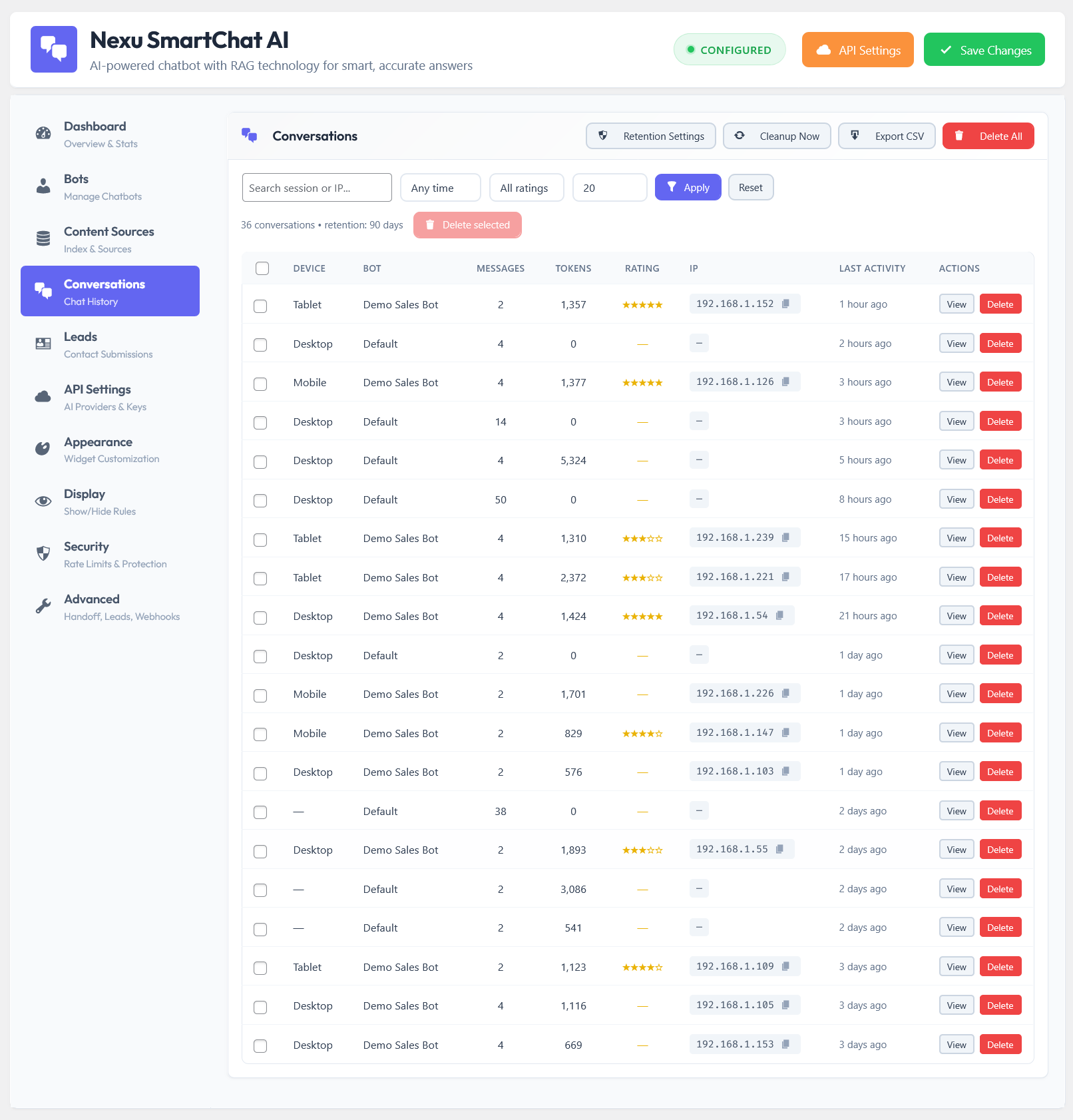
A pre-sales agent that is working well should produce measurable signals within the first 30 to 60 days of deployment. The following metrics are the most reliable indicators.
The most important measurement is the first one: conversion rate comparison between visitors who engaged with the pre-sales agent versus those who did not. If the chatbot-engaging visitors convert at a meaningfully higher rate, the agent is doing its job. If the rates are similar, the agent is answering questions without driving decisions, which usually means the qualification framework and the closing prompts in the system prompt need strengthening.
Building this agent takes a few hours of focused work: writing the system prompt, selecting and indexing the right content, configuring the appearance, and setting the deployment rules. The payoff is a sales function that operates at full capacity every hour of every day, qualifies leads with the precision of a good salesperson, and captures the visitors who otherwise leave your product pages having gotten their questions half answered. For most WooCommerce stores, no other single configuration change to their WooCommerce AI chatbot plugin produces more measurable revenue impact than getting this right.
Your best salesperson, working every hour your store is open
Nexu SmartChat gives you the custom system prompt control, per-page deployment, and full conversation logging you need to build and refine a pre-sales agent that qualifies leads and converts visitors while you sleep.





Set this up last week and honestly, the conversational tone is spot on visitors actually engage like they're chatting with a real person, not some robotic script. No pushy sales vibes, just straight up helpful answers.
Snagged this during the spring sale to help filter out window shoppers on my WooCommerce store. The four question setup for spotting serious buyers is actually pretty clever way better than my old "contact us for pricing" form at weeding out tire kickers. That said, getting it running took way longer than I expected. The instructions assume you already know where everything plugs in, so I had to do some trial and error to figure out the backend. a few more screenshots in the guide would've saved me a solid afternoon of head scratching
This thing actually works like a junior sales rep who never sleeps. i was skeptical at first another chatbot promising to "boost conversions" but the four question framework is surprisingly sharp at spotting real buyers vs window shoppers.
The four question setup is pretty smart, but it gets a little awkward when you're dealing with a ton of traffic. it's great for smaller shops, but bigger stores might need more filtering options to keep things running smooth
Hey! Finally found a guide that explains why my old chatbot was just sitting there