Next-Level Code. Nexuvibe Style ...
Hrs
Min
Sec

If you run a WooCommerce store, you already know that a significant portion of your customer support time is spent answering the same questions over and over. Where is my order? What is your return policy? Does this product come in a size large? Can I use this with my existing equipment? These are not complex support cases that require human judgment — they are information retrieval tasks that any system with access to your store data could handle instantly.
The reason most WooCommerce store owners are still answering them manually in 2026 is not that automation is unavailable — it is that most chatbot solutions available for WordPress either cannot access your actual store data, require expensive third-party subscriptions that eat into margin, or need specialist setup that takes weeks rather than hours. The result is that small and mid-sized WooCommerce stores keep paying for human support time to answer questions that should not reach a human inbox at all.
This guide is about changing that. We will cover exactly which support tickets can be automated, why the 80% figure is realistic rather than aspirational for most WooCommerce stores, and how to set up an AI assistant that reads your store’s actual content and handles the bulk of incoming questions without any human involvement.
The tool we use throughout is Nexu AI Chatbot for WordPress – SmartChat Assistant Plugin with Auto-Indexing & RAG — a native WordPress plugin that indexes your WooCommerce products, pages, and policies automatically and answers customer questions from that live knowledge base.
The 80% figure comes from a straightforward analysis of what WooCommerce support inboxes actually contain. Support tickets fall into two categories: information requests and genuine problem-solving. The first category — a customer asking a question that has a factual answer available somewhere on your site — makes up the vast majority of incoming tickets on almost every WooCommerce store. The second category — a payment that failed for an unusual reason, a dispute about a specific order, a technical issue with a plugin — genuinely requires a human.
An AI assistant trained on your store content handles every ticket in the first category without any involvement from your team. Here is what that looks like in practice.
“How long does delivery take?” “Do you ship to Canada?” “What carrier do you use?” “Is express shipping available?” — every answer exists on your shipping page. An AI with access to that page answers all of these instantly and accurately.
“What is your return window?” “Can I return a sale item?” “How do I start a return?” “How long until I get my refund?” — your returns policy page contains every answer. These questions fill more support inboxes than almost anything else.
“What size is this?” “What material is it made from?” “Is this compatible with X?” “Does it come in other colours?” — every answer is in your product descriptions. The AI reads them and responds accurately.
“Do you have a discount for bulk orders?” “Is there a student discount?” “When is your next sale?” — if the answers exist on your site, the AI finds and delivers them. If they do not, it says so honestly rather than inventing an answer.
“Does this come with a warranty?” “What does the guarantee cover?” “How do I make a warranty claim?” — index your warranty page and the AI handles these at any hour of the day, including weekends and public holidays.
“Do you accept PayPal?” “Can I pay by bank transfer?” “Is buy-now-pay-later available?” — straightforward factual questions that your checkout or FAQ page already answers. The AI surfaces that answer instantly.
The failure mode of most WooCommerce chatbots is well-documented by anyone who has tried them: the bot either gives generic non-answers (“please check our website for more information”), confidently states something wrong (hallucination), or simply fails to recognise that a question is about a product or policy at all. These failures have a common cause — the chatbot has no reliable access to your actual store content.
The solution is not a smarter model — it is a better architecture. A chatbot built on RAG (Retrieval-Augmented Generation) does not guess. Before generating any response, it retrieves the most relevant content from your indexed store data and uses that as the factual basis for its answer. Your shipping page, your returns policy, your product descriptions — all of it becomes queryable in natural language.
The second failure point is maintenance. Even RAG-based chatbots that rely on manual content uploads drift out of date. You update your return policy and the chatbot keeps quoting the old one. You discontinue a product and the chatbot keeps recommending it. You change a price and the chatbot keeps stating the previous figure. A chatbot that auto-indexes your WordPress content on every save event never has this problem — the knowledge base is always current.
Nexu SmartChat Assistant Plugin with Auto-Indexing & RAG is built as a native WordPress plugin — not a script embed from an external service. It reads your WooCommerce products, pages, and policy content directly from your database, indexes everything into a local vector knowledge base, and re-indexes automatically every time you publish or update content. The result is a support assistant that always knows what is currently on your site.
The setup process for an AI support chatbot that auto-indexes your WooCommerce store content is genuinely straightforward. Here is what it looks like end to end.
Install SmartChat from your WordPress dashboard and activate. A guided setup wizard opens on first activation. Go to API Settings, paste in your OpenAI key (or Claude, Gemini, or Mistral if you prefer). Select your model — GPT-4o mini is the recommended choice for support automation: accurate, fast, and cheap per conversation. The wizard walks you through each step with inline documentation.
Go to the Page Indexing tab. Enable WooCommerce Products — this gives the assistant access to all product specifications, variants, prices, and descriptions. Then enable the pages and posts that contain your support content: your returns page, shipping page, FAQ, warranty information, and any knowledge base articles you have published. The more of your actual support content you index, the higher the automation rate.
Create a bot persona in the Bot Creation tab with a system prompt that defines the assistant’s support role. A strong starting point: “You are a customer support assistant for [store name]. Answer questions about our products, shipping, returns, and policies based strictly on the information provided. If a question requires access to a specific order, payment, or account, let the customer know you cannot access individual order data and ask them to contact the support team directly at [email]. Do not invent policies or specifications.” This boundaries the automation clearly — the AI handles information requests, humans handle order-specific problems.
Use the Display Settings tab to decide where the support widget appears. For support automation the most effective placements are product pages (where specification questions arise), the cart and account pages (where shipping and payment questions arise), and any contact or FAQ page (where customers would otherwise send a ticket). You can also set an exit-intent trigger so the assistant appears when a visitor is about to leave — catching the “I couldn’t find the answer” moment before it becomes an email.
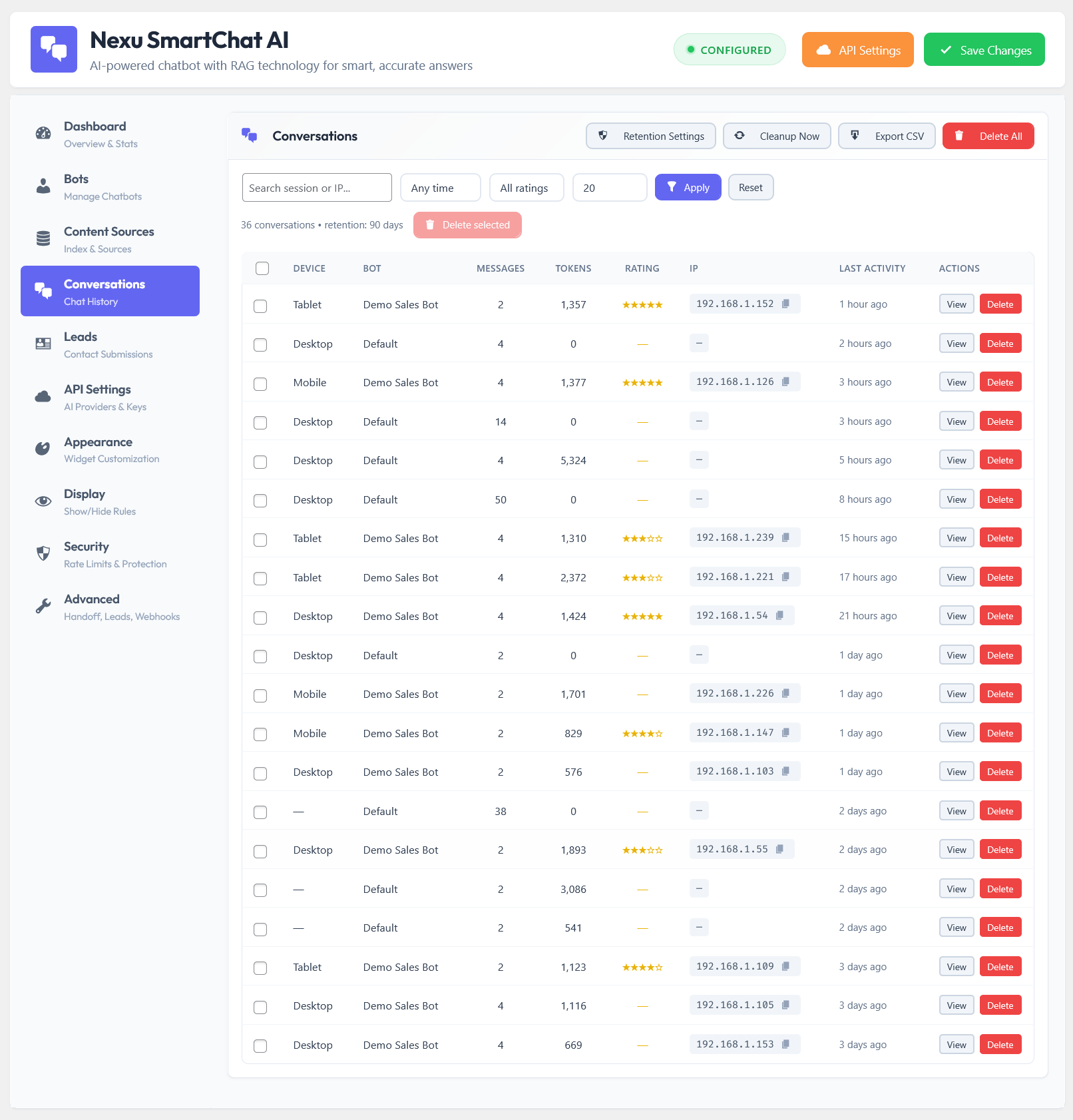
Turn on auto-indexing so every content change on your site immediately updates the knowledge base. Then use the Conversations tab to review transcripts once a week for the first month. You will see which questions the assistant handles well and, more importantly, which ones it says it cannot answer — those are your content gaps. Write a page or expand a product description to cover them, and your automation rate climbs with each iteration.
The automation rate is a direct function of how comprehensively your site content covers the questions your customers actually ask. Most WooCommerce stores are missing some of these — writing them takes an afternoon and permanently reduces your support volume.
A useful exercise before indexing: go through your last 50 support tickets and note how many could have been answered by reading a page on your site. For most WooCommerce stores the answer is 70–85%. That number is your automation ceiling, and it is determined by your content, not your chatbot. Write the content, index it, and the chatbot’s job is simply to make it conversationally accessible.
The economics of AI support automation are straightforward once you run the numbers against the cost of human support time.
| Cost item | Human support only | With SmartChat automation |
|---|---|---|
| Plugin licence | $0 | $89 one-time |
| Monthly subscription | $0 | $0 |
| API cost (500 conversations/mo, GPT-4o mini) | N/A | ~$3–6/month |
| Support staff time (5 hrs/week @ $20/hr) | $400/month | ~$80/month (20% remaining) |
| Monthly total (year 1) | $400/month | ~$90/month |
Figures based on a store handling 500 customer support conversations per month, 80% automated. Human support time reduced from 5 hours/week to 1 hour/week. API costs estimated at GPT-4o mini rates, per-conversation average 800 tokens total.
Eighty percent of your support inbox is information retrieval. Your customers are asking questions your site already answers — they just cannot find those answers fast enough, or at the right moment, or in the right format. An AI assistant that lives inside your WooCommerce store, reads your content automatically, and stays current without any manual maintenance closes that gap completely.
The remaining 20% — the order-specific problems, the edge cases, the genuine human judgment calls — is exactly what your support team should be spending their time on. Nexu SmartChat Assistant Plugin with Auto-Indexing & RAG handles the 80%, so your team can focus on the 20% that actually needs them.
Native RAG pipeline inside WordPress. Indexes WooCommerce products, policies, and pages automatically. Answers product, shipping, and returns questions 24/7. Full conversation history in your admin. No external subscription. No message caps. From $89 one-time.






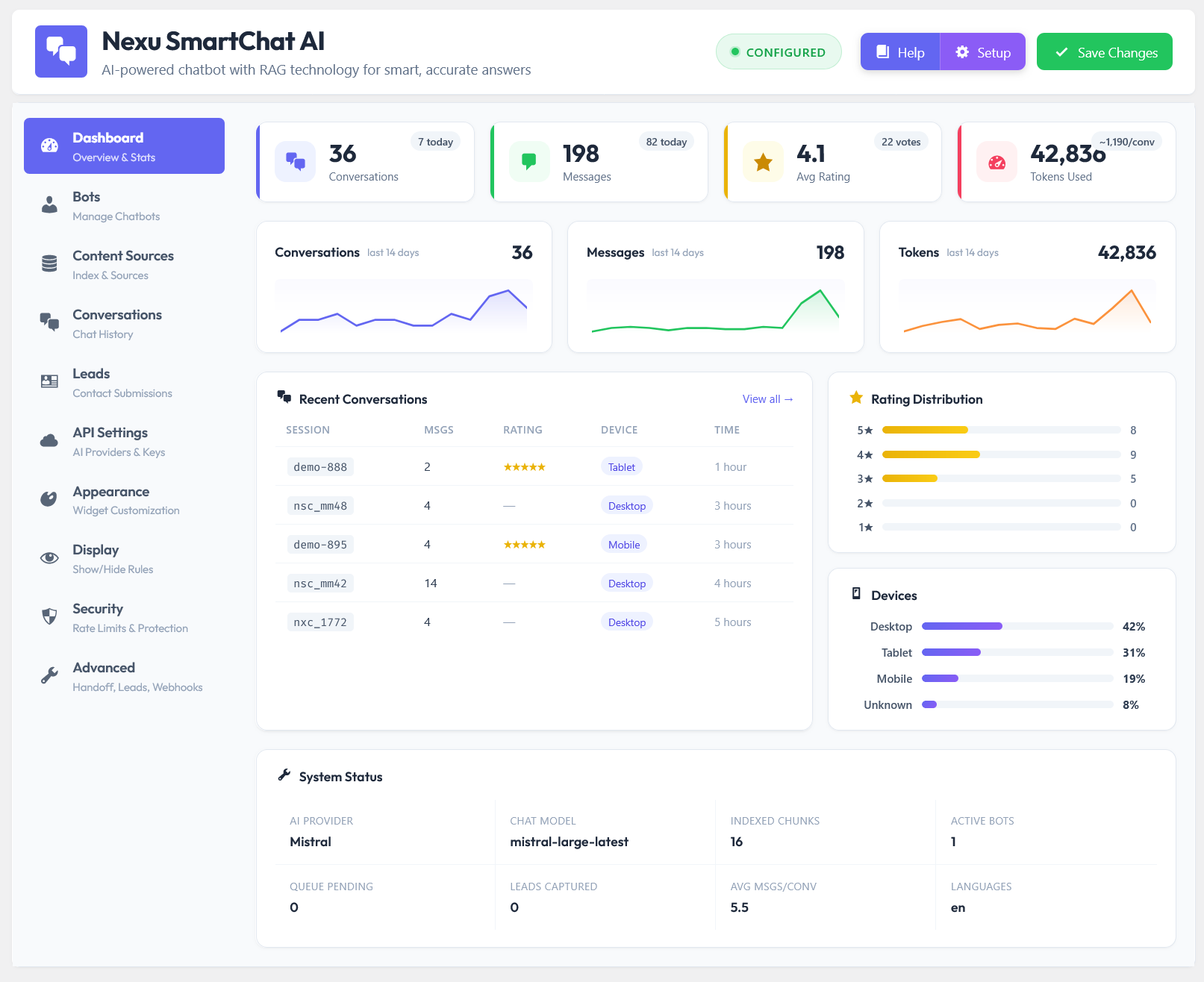
Hey everyone! i had to leave a review for this AI support tool because it's been a total lifesaver for my WooCommerce side hustle. Between working nights as a security guard and trying to keep my store running, I'm not always at my laptop but this thing handles all the basic customer questions like "Do you have this in size large?" or "Where's my order?" without me even checking my phone. No more waking up to 50 emails asking the same stuff over and over
I was totally skeptical at first because every other chatbot I've tried either gets answers wrong or just punts with a "contact support" for the simplest things. but this one actually pulls live data straight from my store? really helpful.
Just wanted to say this chatbot is a total lifesaver. i updated my shipping policy yesterday, and it instantly started giving customers the right info no more confusing old answers. Huge relief!