Next-Level Code. Nexuvibe Style ...
Hrs
Min
Sec

Most conversations about WordPress chatbot plugins start in the wrong place. People open the WordPress plugin repository, filter by “AI chatbot,” look at the star ratings, and then try to figure out if they need to pay for something. That framing almost guarantees a bad decision. The question is not whether free plugins are good or bad. The question is what specific capabilities your use case requires, and whether the free tier of any given plugin actually delivers those capabilities or just simulates them.
This guide takes a different approach. Instead of reviewing specific plugins by star rating, it maps out the functional gaps that separate genuinely capable AI chatbot tools from the ones that look capable on the surface. Some of those gaps are invisible until you are three months in and wondering why your chatbot keeps sending visitors to the wrong product page.
We reference Nexu SmartChat, a RAG-powered WordPress AI chatbot plugin that sits at the premium end of this market, throughout the article. Not because it is the only option, but because its feature set gives concrete shape to what the premium tier actually includes when it is done right.
Let’s go through this systematically. By the end, you will have a clear picture of what you are paying for, what you are giving up, and whether the trade-off makes sense for your situation.
Before getting into feature lists, it helps to understand the foundational difference in how free and premium chatbot plugins handle knowledge. This architectural decision flows through to nearly every other capability on the list.
Free and low-cost WordPress chatbot plugins almost universally use one of two approaches. The first is a scripted or rule-based system where you manually write responses to specific questions. The chatbot matches keywords and serves pre-written answers. This works for a narrow FAQ but fails the moment a visitor asks anything slightly outside the script. The second approach is prompt-stuffing: you paste your website content or product descriptions into the plugin’s system prompt, and the AI model tries to answer questions based on what you pasted. This is cheap to build and easy to demo, but it breaks in the real world for several reasons.
Premium plugins in 2026 use Retrieval-Augmented Generation, or RAG. Instead of stuffing content into a prompt, the plugin indexes your site content into a vector database. When a visitor asks a question, the system performs a semantic search across that vector index to find the most relevant content chunks, then passes only those chunks to the AI model along with the question. The model answers based on your actual, current content rather than a static snapshot or a generic prompt.
The practical difference is significant. A RAG-based chatbot on a 500-product WooCommerce store can answer specific questions about specific products accurately, because the retrieval layer finds the right product data before the AI ever generates a response. A prompt-stuffed chatbot on the same store will hallucinate. It will give you an answer that sounds plausible but is wrong, because the model is working from incomplete or overloaded context.
There is a hierarchy of chatbot requirements, and knowledge accuracy sits at the top. A chatbot that gives wrong answers is worse than no chatbot. It damages trust, creates support work when visitors contact you to correct the misinformation, and in ecommerce contexts, it can directly cause abandoned carts or wrong purchases.
You paste a description of your business, maybe a few product descriptions, into a text field. The chatbot uses that as its knowledge base. This means your knowledge base is manually maintained, quickly goes stale when prices or products change, has a hard size limit, and produces increasingly unreliable answers as the store grows. Many free plugins do not even give you fine-grained control over what content is included. The entire system prompt is shared between branding, instructions, and knowledge, which degrades the quality of all three.
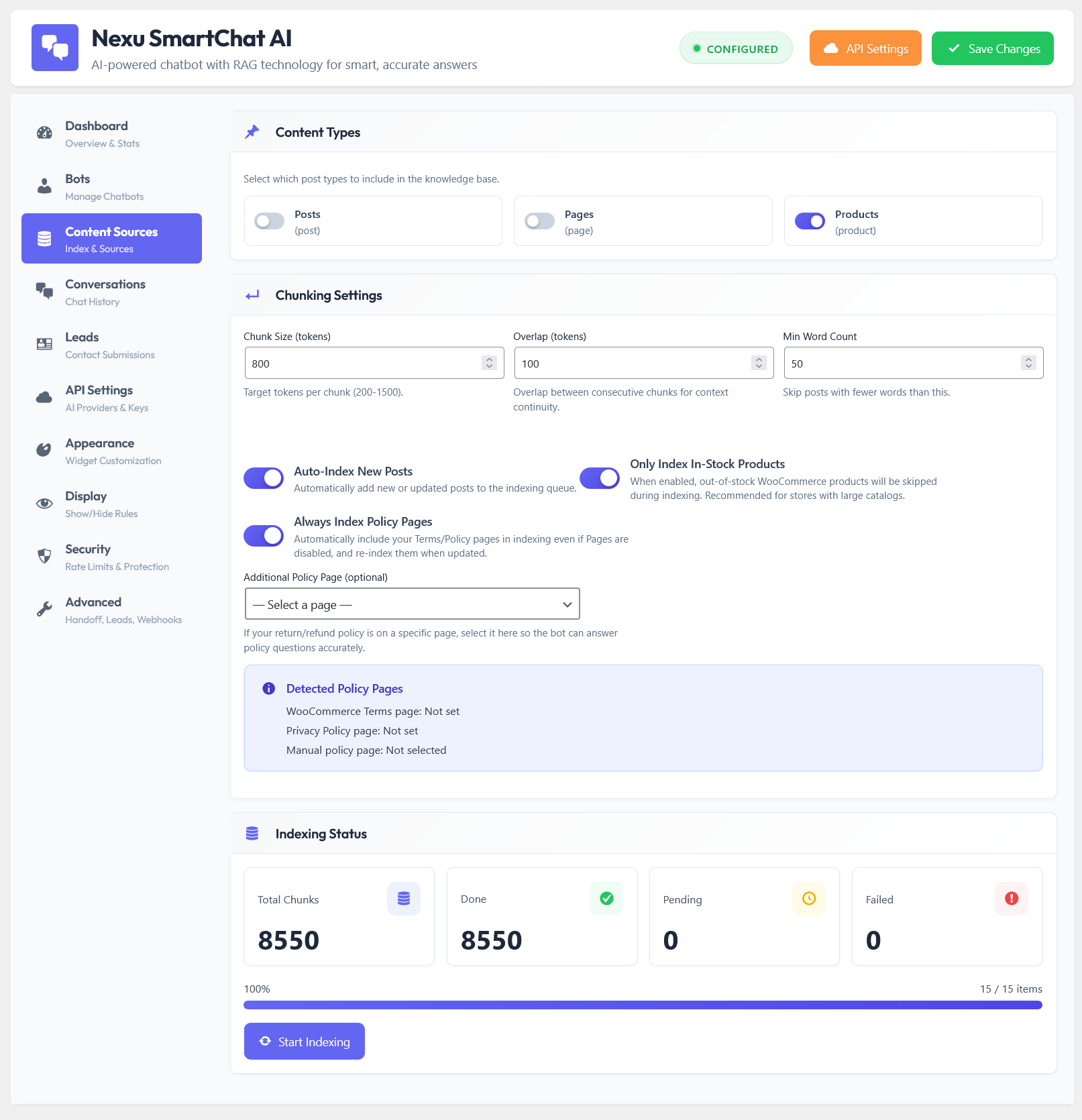
The plugin automatically indexes your pages, posts, and products into a vector database. When content changes, you trigger a re-index and the chatbot’s knowledge updates without any manual editing. You can select exactly which content gets indexed, so products that are out of stock, pages under construction, or internal-only content can be excluded. The retrieval layer finds the right information for each specific question rather than relying on a static text block.
For a blog or a simple brochure site with a handful of services, the manual approach might be acceptable. For any site with dynamic content, product catalogs, or frequently updated information, manual knowledge management becomes a liability almost immediately.
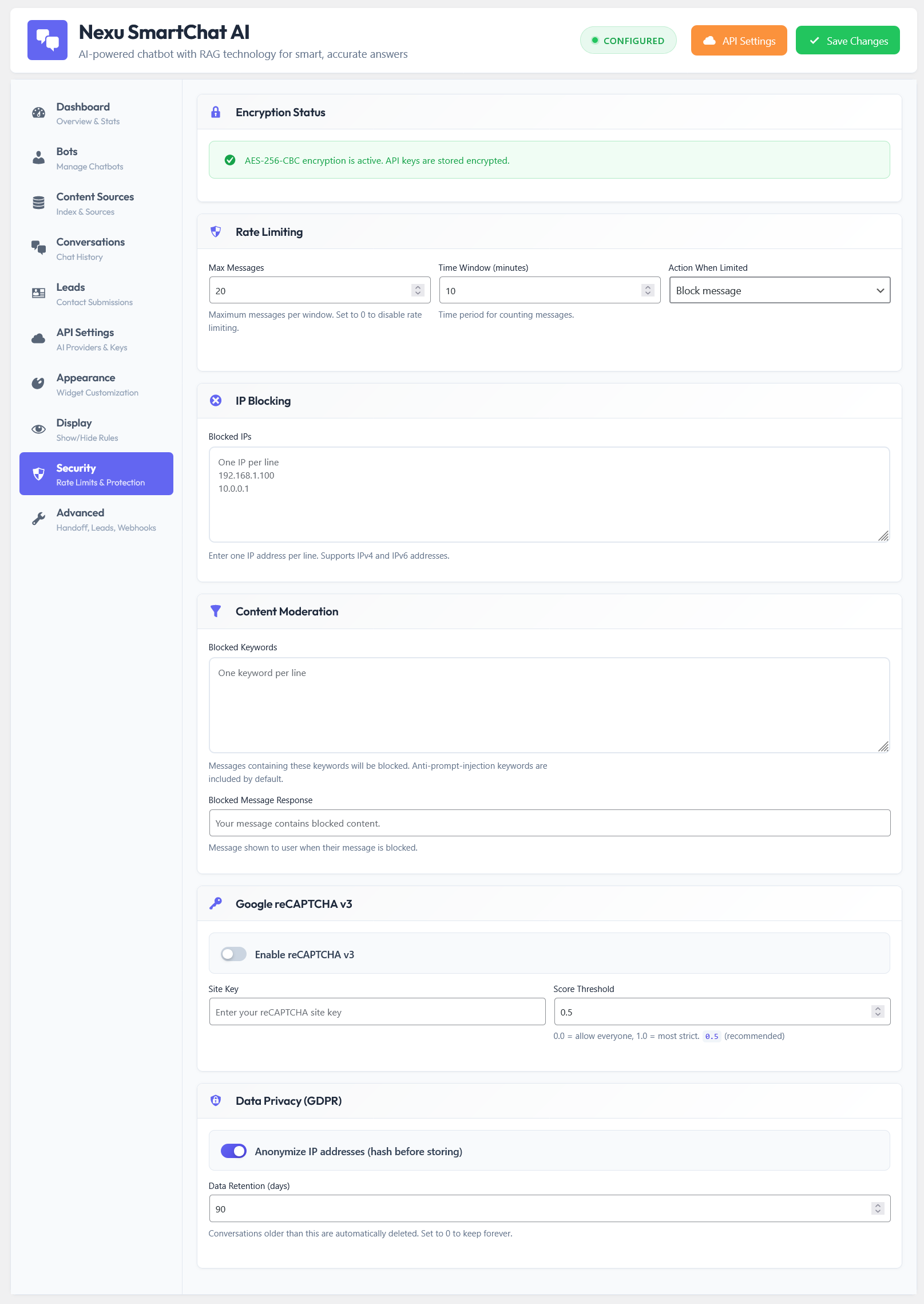
This is where many WordPress site owners get a nasty surprise. A free chatbot plugin might cost nothing to install, but it connects to OpenAI or another API provider using your API key. Every conversation burns tokens. A busy site can run up a significant monthly API bill with zero warning, and a free plugin typically gives you no tools to manage it.
According to OpenAI’s current pricing, even small models cost real money at scale. If your chatbot runs 500 conversations a day on a WooCommerce store, with no token limits, no spam filtering, and no caching of repeated questions, you could easily find yourself paying more per month in API costs than the annual price of a premium plugin. The plugin was free. The operating cost was not.
First impressions matter in chat. A visitor who opens your chatbot and sees a generic blue widget with a default robot icon and an OpenAI logo in the corner is not getting a branded experience. It is a signal that your chatbot is an afterthought, and it subtly undermines the credibility you have built with the rest of your site design.
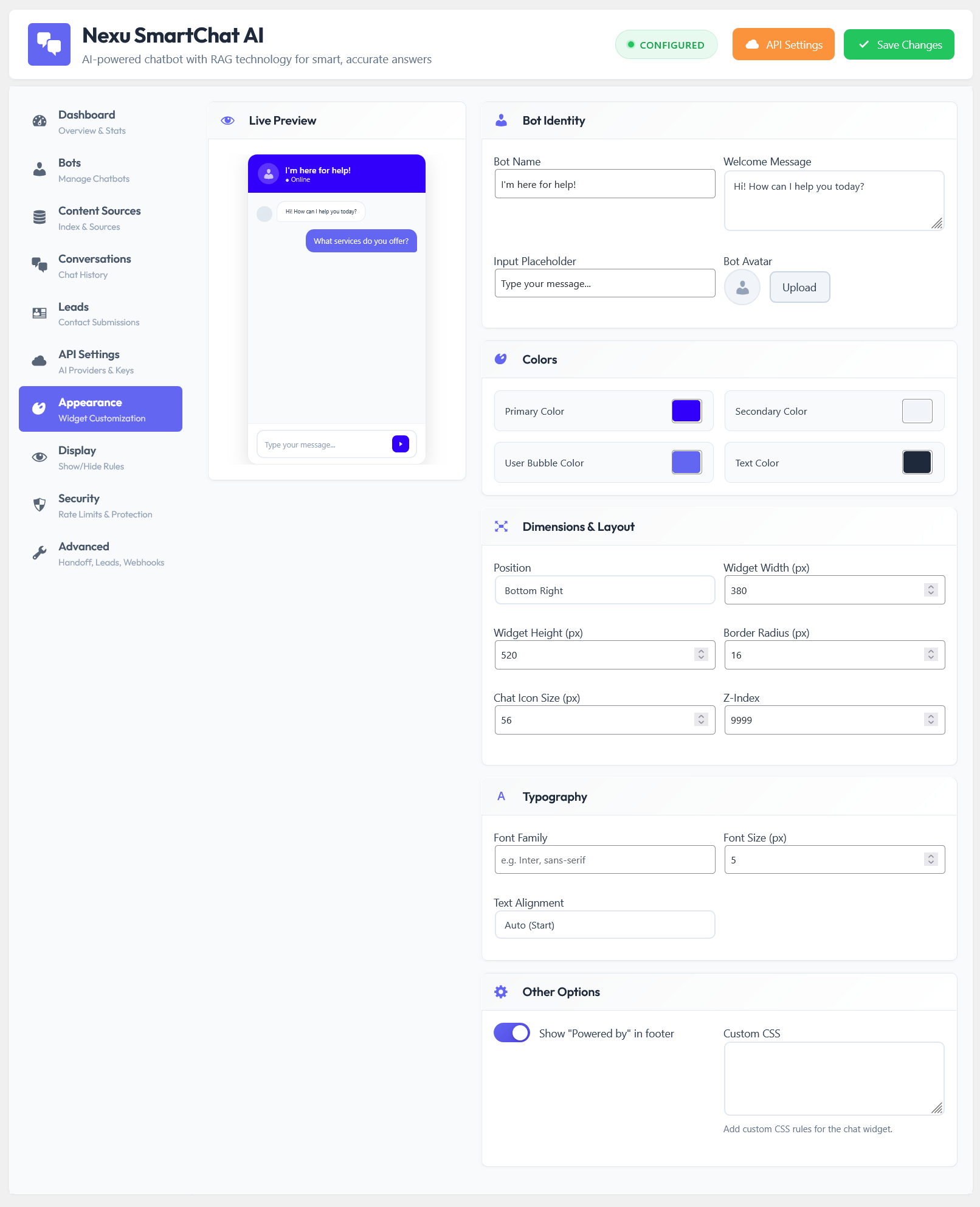
Free plugins typically offer surface-level customization: maybe a color picker for the widget button and a text field for the chatbot name. That is about as deep as it goes. Premium plugins approach appearance as a proper design system with controls for colors, fonts, positioning, chat bubble styles, avatar images, welcome messages, suggested question prompts, and the ability to match the widget exactly to your brand identity.
Beyond aesthetics, there is behavioral customization. Premium tools let you define the chatbot’s persona, set its tone, restrict the topics it will and will not discuss, and configure different behavior on different pages of your site. A product page chatbot that focuses on product questions behaves differently from a support chatbot on your help center. Free plugins treat the chatbot as a single global tool with one behavior across the entire site.
This is a premium capability that almost no free plugin offers, and it is more valuable than it sounds. Different pages on your site serve different purposes and different visitor intents. A visitor on your pricing page has different questions than a visitor reading a blog post, who has different questions than someone who just added a product to their cart.
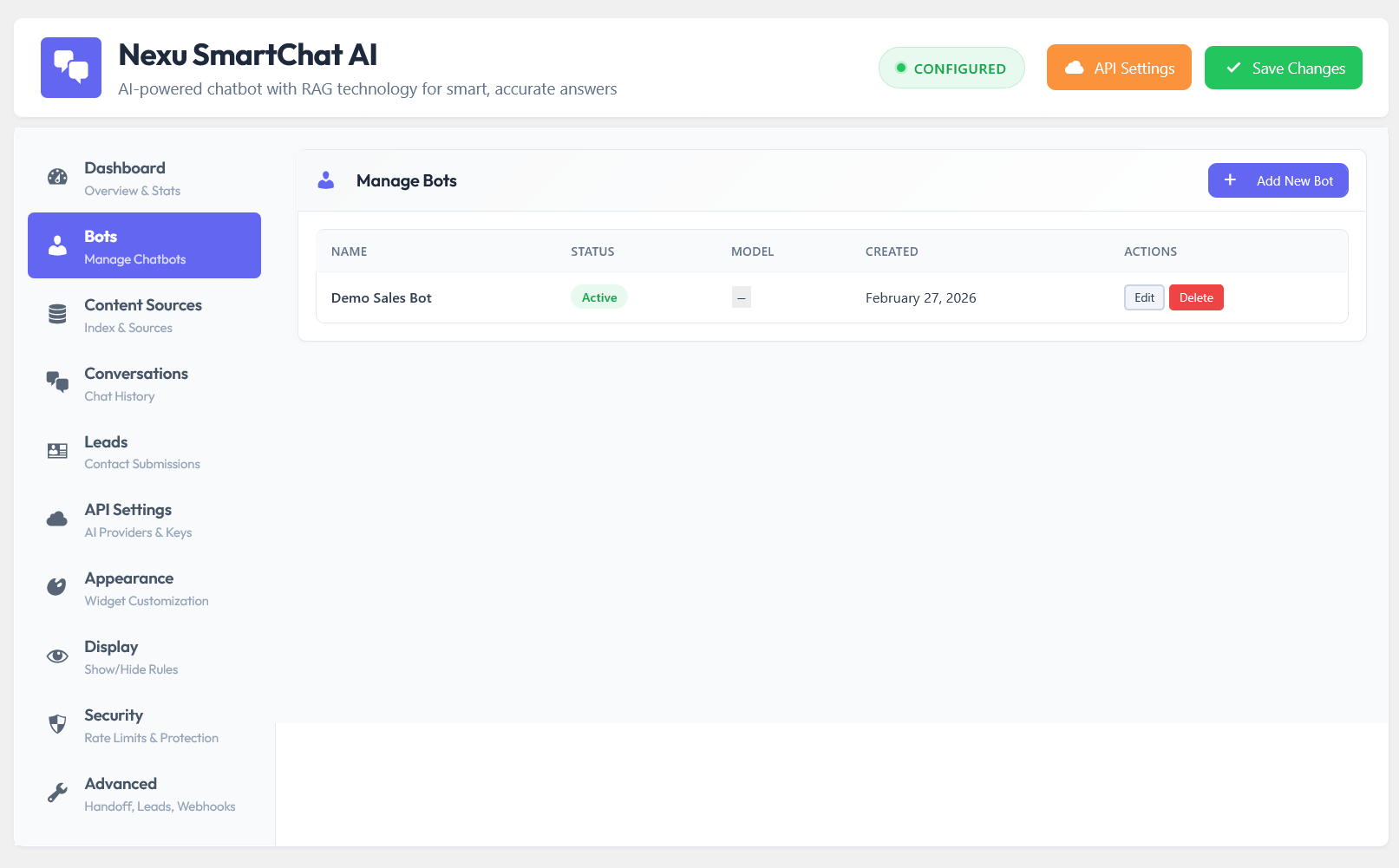
Premium plugins with multiple bot support let you create distinct chatbot instances for different sections of your site. Each bot can have its own persona, its own knowledge base drawn from a specific subset of your indexed content, and its own behavioral rules. Your WooCommerce store bot knows about products and orders. Your documentation bot knows about your help articles. Your lead capture bot on the landing page has a completely different agenda.
Free tools cannot do this. You get one bot, deployed globally, which means it is either too narrow for some contexts or too generic for others. The result is a chatbot that does a mediocre job everywhere instead of an excellent job where it matters most.
A chatbot that does not store conversation logs is a chatbot that cannot improve. You have no way of knowing which questions it is answering well, which it is fumbling, what visitors are actually asking that you have not written content for, or whether the conversations are leading anywhere useful.
Many free plugins do not store conversations at all, either for privacy reasons or simply because building a conversation log interface takes engineering effort that free tiers do not invest in. Some store a limited history but give you no search, filter, or export capability, which makes the stored data practically useless for analysis.
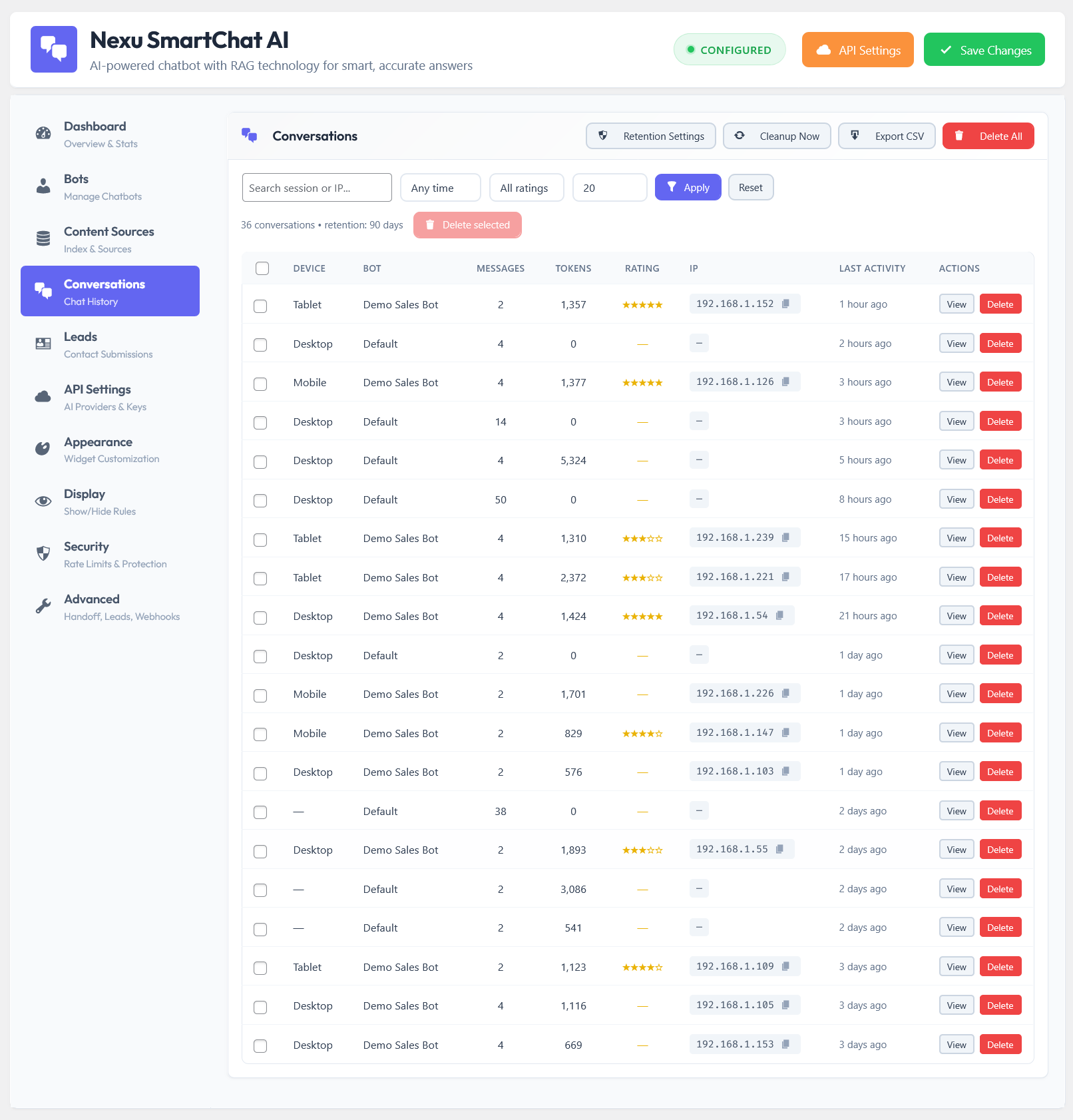
Premium plugins store full conversation logs with search and filter tools. This turns your chatbot from a static deployment into an evolving product. You can read the conversations where visitors seemed frustrated, identify recurring questions that your content does not currently answer, spot misunderstandings the chatbot is generating, and use all of that to improve your indexed content. The chatbot’s performance improves over time because you have the data to improve it.
Most free WordPress chatbot plugins are built around a single AI model, most commonly GPT-3.5 or a fixed version of GPT-4. You use that model, at whatever price OpenAI charges for it, with no options. This creates two problems.
The first is cost. GPT-3.5 is cheap per token but has weaker reasoning. GPT-4o is more capable but costs more per call. The right choice depends on your use case, your traffic volume, and how complex the questions your visitors ask actually are. Locking into a single model removes that optimization entirely.
The second is vendor risk. AI model pricing and availability change. A plugin that is hardcoded to one provider exposes you to price changes, capability regressions, or service interruptions with no alternative. Premium multi-model plugins let you configure which model to use, switch between providers, and adapt as the AI landscape changes. Given how fast that landscape is moving in 2026, model flexibility is a genuine operational advantage, not just a nice-to-have.
The difference between a chatbot that just works and a chatbot that works well for your specific situation is usually found in the settings that do not appear in marketing materials. These are the operational controls that let you tune the system to your actual environment.
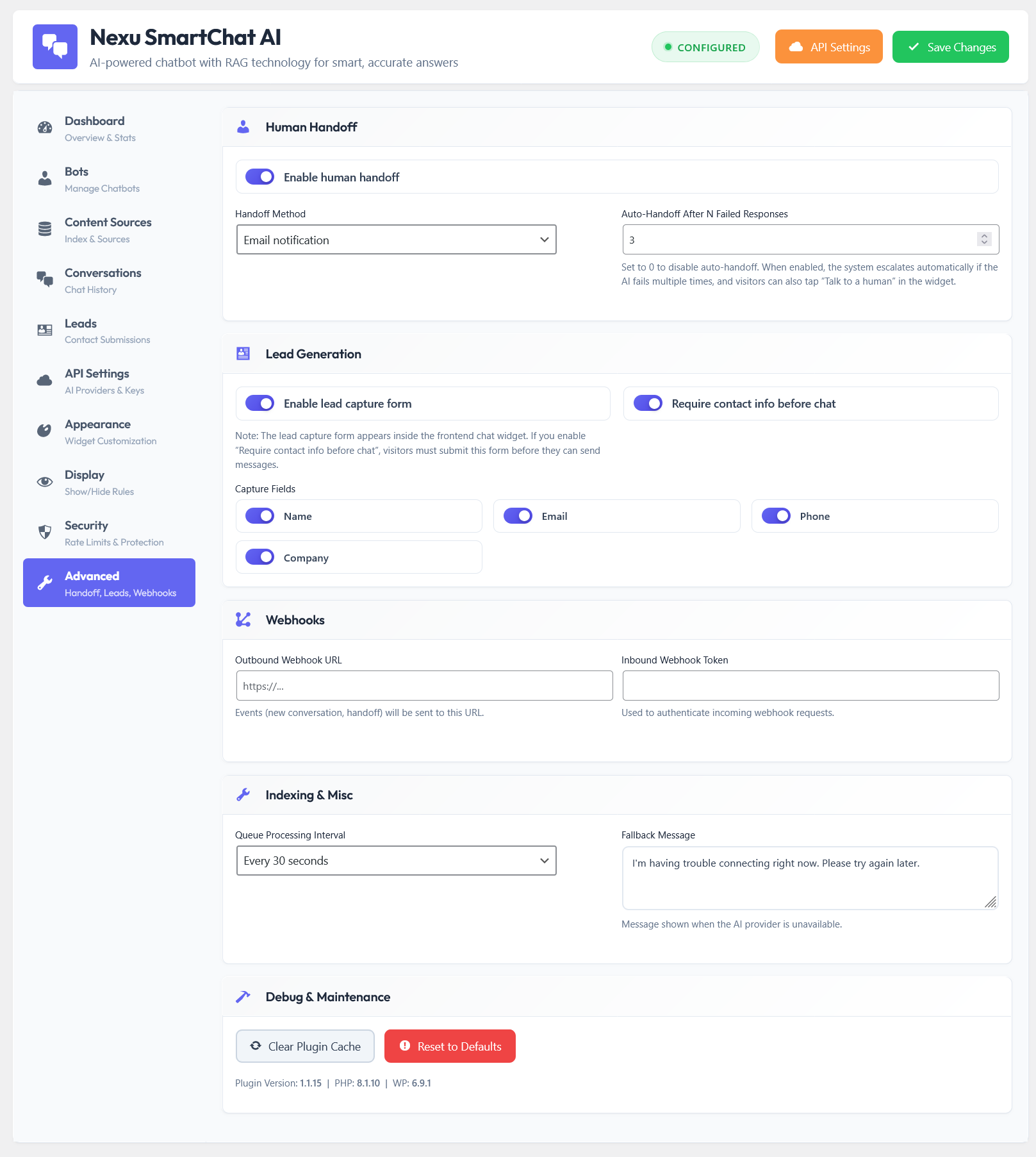
Premium plugins expose controls like the number of content chunks retrieved per query (which directly affects answer quality vs cost), the similarity threshold for retrieval (which controls how strict the match needs to be before content is included), conversation memory settings (how many previous turns the model considers), and fallback behavior when the chatbot cannot find a confident answer. These are not exotic features. They are the difference between a chatbot that handles your traffic patterns well and one that is misconfigured for your environment by default.
Free plugins typically offer none of this. You get a single slider for response length if you are lucky.
Free is genuinely fine in a narrow set of situations. If you are running a personal blog with minimal traffic and you just want something that can answer basic questions about who you are and what you write about, a free plugin with a manually maintained prompt will work. If you are experimenting with chatbot UX before committing to a tool, a free plugin gives you a low-stakes way to learn. If your content is almost entirely static and changes maybe once a year, the manual knowledge maintenance burden is manageable.
Free becomes expensive when your site has more than a few dozen pages of content, when you have a WooCommerce store with products that change regularly, when you have meaningful traffic volume and no rate limiting on API calls, when you care about the chatbot giving accurate answers rather than plausible-sounding ones, or when you need the chatbot to represent your brand professionally. In those situations, the gap between what free tools deliver and what you actually need creates costs: bad user experiences, wrong information causing support tickets, unpredictable API bills, and the time spent manually maintaining knowledge that should update automatically.
The annual cost of a premium plugin like Nexu SmartChat, which brings RAG-powered accurate responses to WordPress and WooCommerce, is a fraction of a single month of uncontrolled API spending on a free plugin deployed on a busy store. That math reverses the conventional wisdom about free vs paid very quickly.
The table above is not meant to disparage free plugins. They serve a purpose for the right use case. But for anyone running a WooCommerce store, a membership site, a SaaS product, or any website where the chatbot is expected to handle real visitor questions accurately and at volume, the capability gap is not a minor inconvenience. It is the difference between a chatbot that helps and one that frustrates.
The smartest approach is to match the tool to the actual requirement, not to default to free because it sounds cheaper. For the situations where a premium RAG-based plugin is the right fit, the economics almost always favor paying for it from the beginning rather than discovering the limitations of free after the chatbot is already live and disappointing your visitors.
Nexu SmartChat indexes your pages, posts, and products automatically, uses RAG to retrieve the right information for each question, and gives you the controls to keep costs predictable and answers accurate.





Finally found a chatbot plugin that actually works when real customers ask weirdly specific questions not just in demos. most free tools start glitching after a month, either making stuff up or missing half the context.
Finally, a chatbot that actually pulls from my site content. No more random or outdated answers
The difference is huge. I tried a free plugin at first, figuring it'd handle the basics, but the responses were all over wrong links, generic answers that didn't fit my site's vibe at all.