Next-Level Code. Nexuvibe Style ...
Hrs
Min
Sec

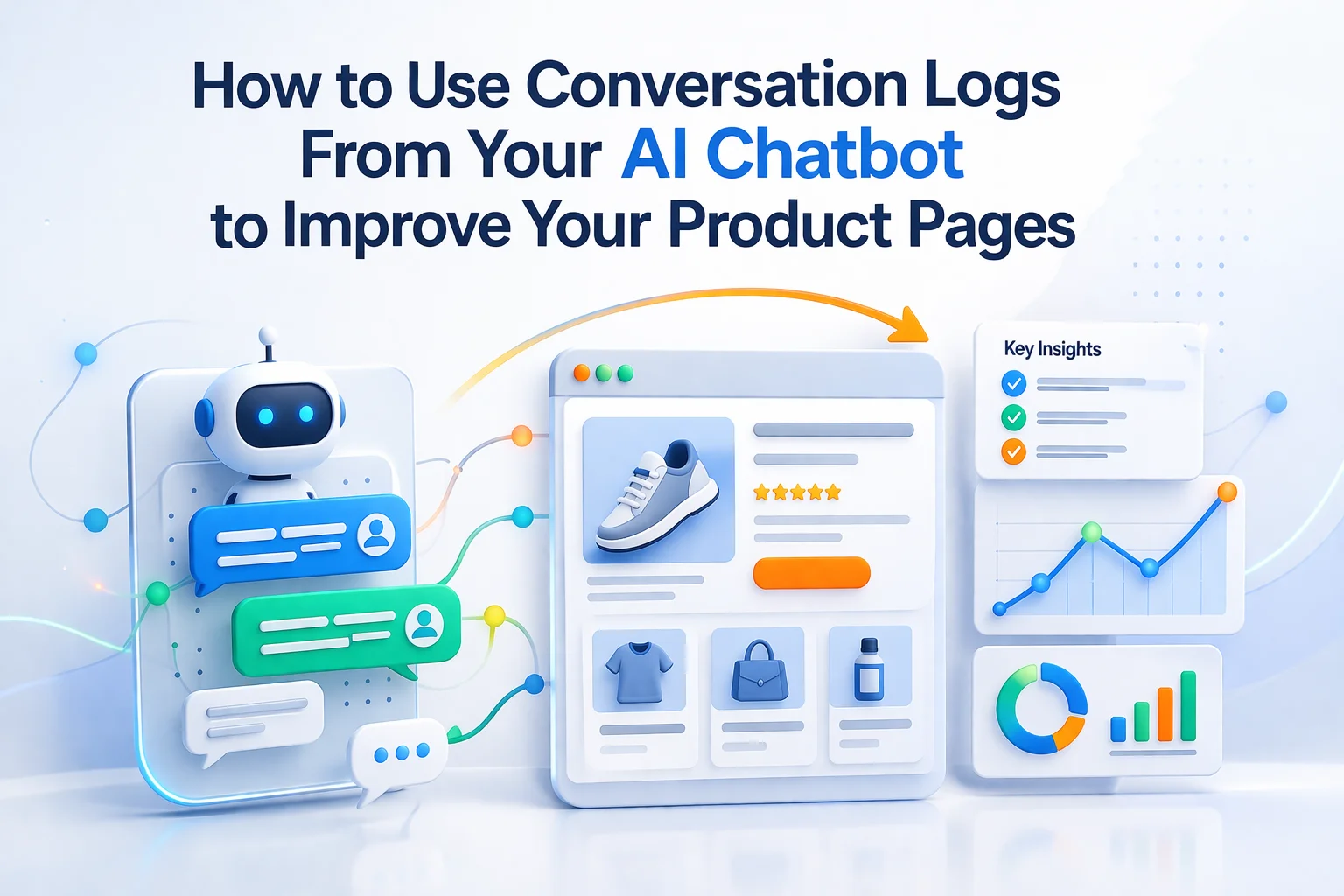
Every time a visitor opens your chatbot and types a question, they are telling you something your product page failed to tell them first. That is the most direct possible research signal about content gaps, unclear copy, and missing information on your store. Most store owners treat their chatbot’s conversation logs as a support diagnostic: they open them when something goes wrong to see what the AI did. This guide is about a completely different use case — treating those logs as a continuous stream of customer research that makes your product pages better and your conversion rate higher.
The logic is simple. If someone asks the chatbot “does this come in a larger size?”, they were on your product page, they could not find size information, and they wanted it badly enough to type a question rather than leave. The right response is not just to make sure the chatbot answers well. It is to add clear size information to the product page so the next visitor with the same question gets their answer without needing the chatbot at all.
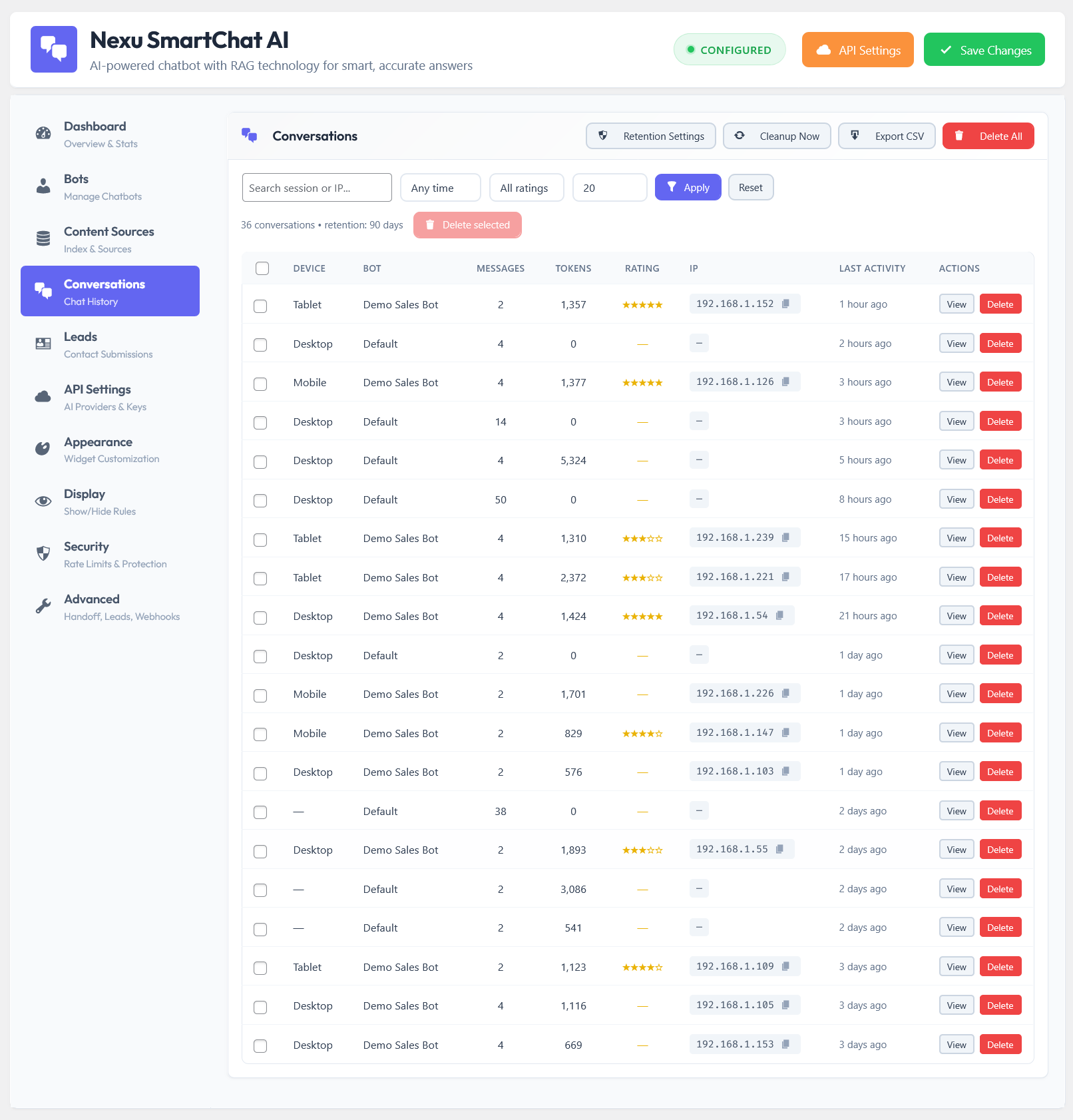
This guide covers how to systematically extract that insight from your chatbot logs. We reference Nexu SmartChat’s conversation log system for WooCommerce throughout, because having searchable, filterable conversation data is a prerequisite for the approach this guide describes. But the analytical framework applies to any chatbot plugin that stores conversation history.
Think of your chatbot logs as a focus group that never stops running, never needs scheduling, and captures the exact words your actual visitors use rather than the sanitized language of a survey response.
Before getting into the methodology, it is worth understanding why chat logs are such an unusually valuable research resource compared to the alternatives most store owners rely on.
Google Analytics tells you what pages visitors visit and how long they stay. It does not tell you what they were looking for that they did not find. Heatmaps show you where people scroll and click. They do not tell you what question was forming in their head while they scanned the page. Customer surveys tell you what customers who already bought thought about their experience. They do not capture the people who left without buying. Search console shows you which keywords brought visitors to your pages. It does not show you what those visitors needed once they arrived.
Chatbot logs show you exactly what visitors typed when they wanted information your page did not deliver clearly enough. This is a different signal from all of those tools. It captures intent at the moment of information-seeking, in the visitor’s own words, for visitors who were engaged enough to ask rather than simply leave. It is the closest thing to standing next to a customer in a physical store and listening to the question they ask the staff member.
Not all chatbot questions are equally useful for product page improvement. Learning to categorize the questions you find in your logs by type tells you immediately what kind of action to take. Here are the five categories that cover the vast majority of product-related chat questions.
Examples: “What are the dimensions?” “Does this fit a standard doorframe?” “How much does it weigh?” “What wattage is the motor?” These questions tell you there is a specification your product page does not include, or includes in a way that is hard to find. A visitor should never need to ask the chatbot for a product specification. If they are asking, the specification either does not exist on the page or is buried where a scanning visitor will miss it.
Examples: “Will this work with my MacBook?” “Is this compatible with WooCommerce?” “Does this fit the 2022 model?” “Can I use this with a standard 240V socket?” These are pre-purchase decision questions. The visitor has a specific context they are trying to match against your product. If they cannot make the match from your page, they are asking the chatbot to do it for them. This is especially common for accessories, add-ons, replacement parts, and technical products.
Examples: “What’s the difference between the Standard and Pro version?” “Is the Premium worth the extra cost over the Basic?” “Which one should I get for a home use versus professional use?” These questions are valuable beyond their product-page implication: they tell you there are two products in your catalog that are close enough to confuse buyers, and that your current presentation does not differentiate them clearly enough at the point of decision.
Examples: “What is your return policy?” “How long is the warranty?” “Is this safe to use around children?” “Do you have any reviews from people who have had this for more than a year?” These are questions being asked by visitors who are close to buying but need risk-reduction before committing. They are asking because either your page does not address the concern, or it does address it but not prominently enough or convincingly enough to satisfy them.
Examples: “Can I use this for a small office with about 15 people?” “Is this suitable for beginners?” “Would this work as a gift for someone who cooks?” “Can I use this outdoors?” These questions reveal that your product page is not addressing the real-world scenarios your visitors are imagining. Your copy may describe what the product is and does, but not who it is for and in what situations it works best. Use case questions are among the most conversion-relevant because they come from visitors who are in active purchase consideration mode.
The analytical approach in this guide only works if you actually do it consistently. The following process is designed to be sustainable at 20 minutes per week, which is enough time to identify the most valuable improvements without creating a new full-time research job.
The key discipline in this process is the one-item limit. You will almost always find more than one thing to fix. Resist acting on all of them in the same week. A queue of five improvements that take weeks to get to produces worse outcomes than one improvement per week that gets done consistently. After twelve weeks of this process, you will have made twelve specific, data-driven improvements to your product pages. That compounds into a meaningfully different store.
There is a significant overlap between the questions your visitors ask your chatbot and the questions they type into Google before finding your store. The difference is that your chatbot captures the questions in your visitors’ actual language, after they have already found you, while keyword tools show you search volumes for standardized terms before the visit.
This gap matters because people search in natural language that keyword tools compress into canonical terms. “What is the difference between the Standard and Pro model?” does not show up as a keyword in Google Search Console. But if twenty visitors per month are asking a variation of this question in your chatbot, there is almost certainly search volume for comparison queries about your products that your current content is not ranking for.
When you find a question that appears frequently in your chat logs, run that question (or a close paraphrase) through Google and see what comes up. If you are not ranking for it, and if search results show that people are searching for exactly this kind of question, you have found a content gap with both SEO value and conversion value. A page that answers it well attracts the right search traffic and converts them with the information they were already looking for.
After a few weeks of the review process, you will have more improvement ideas than you can act on immediately. Managing this backlog well is what keeps the process productive rather than overwhelming.
A simple three-column structure works well for this: the specific question or question type from the log, the product or page it relates to, and the improvement action required. Prioritize the backlog by multiplying two factors: how frequently the question appeared, and the revenue importance of the product it relates to. A question that appeared once on your lowest-traffic product goes to the bottom of the list. A question that appeared four times on a product that generates 20 percent of your revenue goes to the top regardless of how simple the fix is.
Every time you make a product page improvement based on log data, you need to close the loop by re-indexing that page in your chatbot’s vector knowledge base. This is a step many store owners skip, and it means the chatbot continues to answer from the old version of the content long after the page has been updated.
Make re-indexing a standard part of your product page update workflow: update the page, save it, then go to the chatbot’s indexing dashboard and trigger a re-index for that specific page. The whole process takes about 30 seconds. Without it, the chatbot’s knowledge base gradually falls out of sync with the actual content of your site, which undermines the improvement cycle you have built.
After re-indexing, the next time a visitor asks the chatbot the same question that prompted the improvement, the chatbot should answer better because the indexed content is now more specific and complete. Verify this by asking the chatbot the question yourself in a private browser session. If the answer is better, the improvement worked for both the page and the chatbot. If the answer is still incomplete, the content addition may need to be more explicit or placed in a different part of the page for better chunking.
At one improvement per week for six months, you will have made approximately 26 data-driven changes to your product pages. Each change addresses a specific question that real visitors asked when they could not find the answer on the page. The cumulative effect of that process is a store where your best-selling product pages are substantially more complete, more specific, and more persuasive than they were six months ago, because every improvement was driven by what visitors actually needed rather than by your assumptions about what they needed.
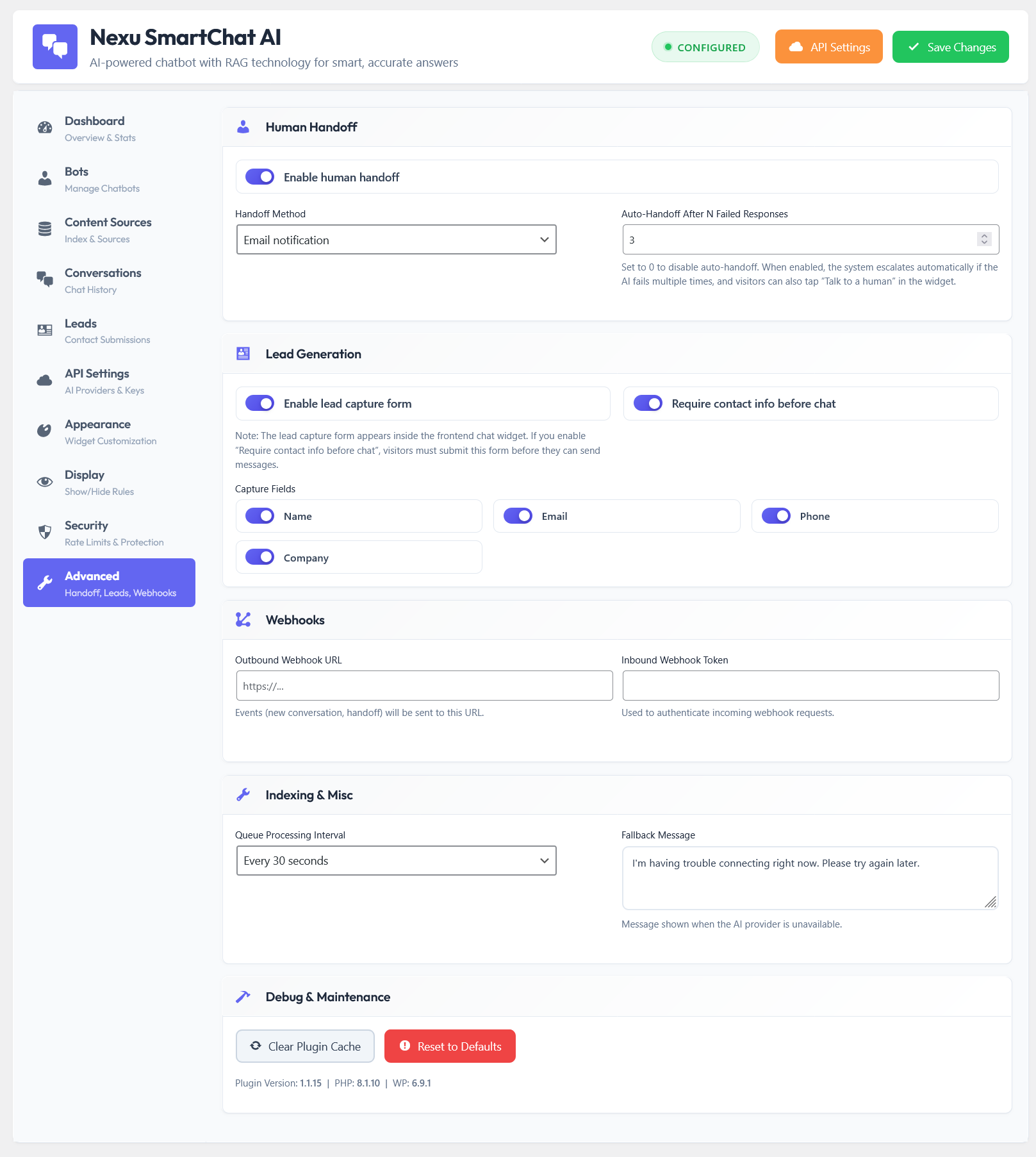
Store owners who have run this process consistently for several months report three measurable changes: a gradual increase in conversion rate on the pages that received the most improvements, a decrease in the number of chatbot conversations that result in escalation to email support, and a reduction in the number of post-purchase support emails about topics that are now clearly addressed on product pages. All three are direct outcomes of the same improvement cycle.
Your chatbot’s conversation logs are not a record of how your chatbot is performing. They are a research document about how your store is performing. The chatbot that generates them is one of the most valuable research tools you have, and the way to get the most from a WordPress AI chatbot plugin with full conversation logging is to treat every question in those logs as a product page improvement opportunity waiting to be acted on.
Nexu SmartChat stores every conversation in your WordPress database with searchable history and product-level filtering. Every week, your logs show you exactly what to improve next. Every improvement makes both your page and your chatbot better.





The heatmap feature is a great start, but this guide misses the most important part it doesn't tell you what visitors were actually looking for when they bounced. sure, logs give some clues, but I'm still left guessing.
Got this guide after our school's PTA store kept getting the same chatbot questions over and over. the part about tracking repeated questions to improve product pages was a really helpful our support tickets dropped by 20% in no time.
Didn't know logs could do this. Smart