Next-Level Code. Nexuvibe Style ...
Hrs
Min
Sec

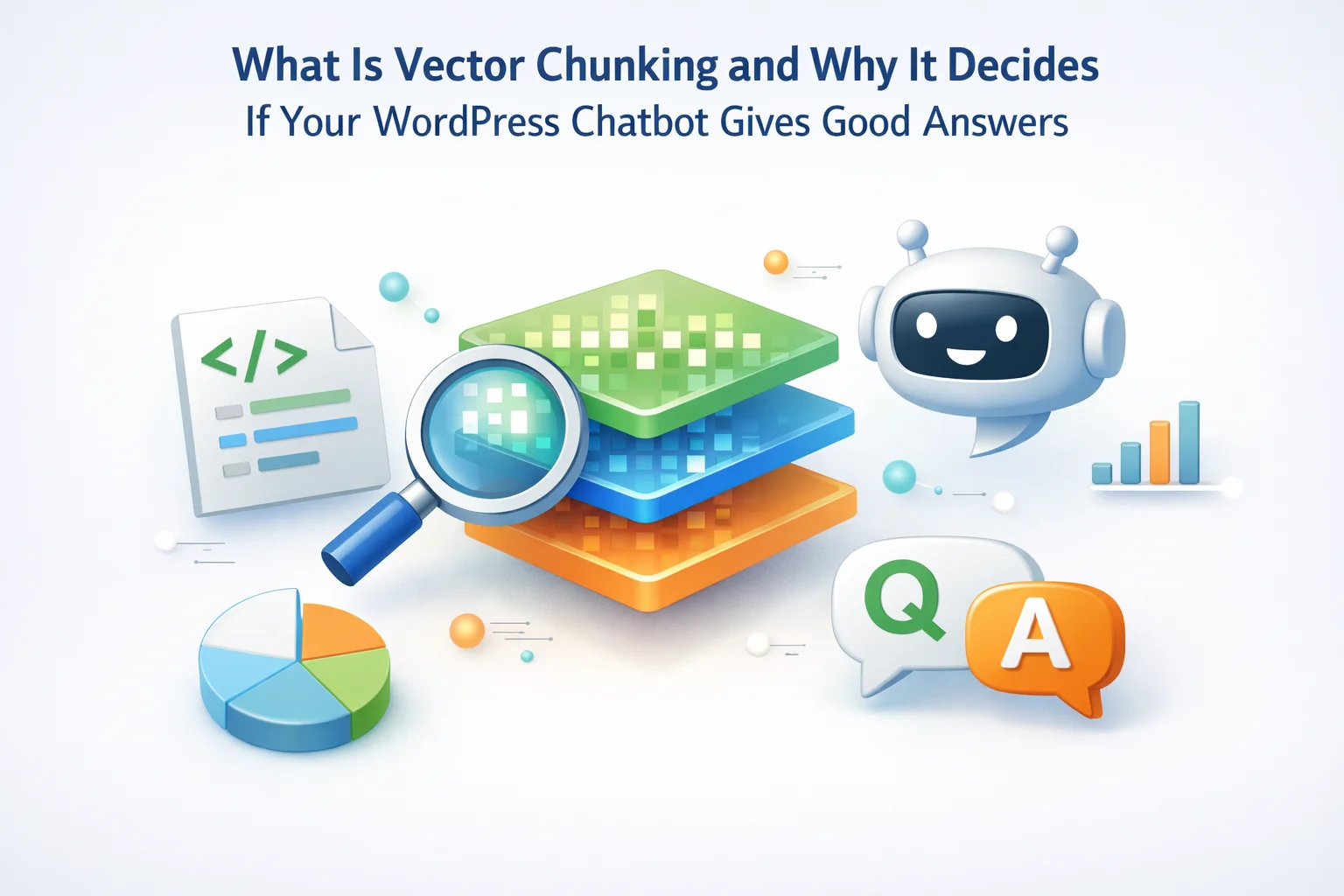
There is a step in how RAG-powered WordPress chatbots work that most plugin documentation barely mentions, and that most site owners never think about. It sits between “your content” and “the AI that answers questions” and it has more influence on answer quality than almost any other variable in the system. That step is chunking: the process of breaking your site content into the pieces that get stored in the vector database and retrieved in response to visitor questions.
Chunking is invisible when it is working well. The chatbot finds the right content, answers accurately, and visitors get what they need. When chunking is working poorly, the symptoms look like AI problems: wrong answers, incomplete responses, context that is clearly off, or a chatbot that seems to find the general topic but misses the specific detail the visitor asked about. The model is not broken. The retrieval is broken. And retrieval breaks at the chunking layer.
This article explains what chunking is, why the decisions around it matter so much, and what good chunking looks like for the specific content types that appear on WordPress and WooCommerce sites. We reference Nexu SmartChat’s RAG indexing and chunking controls where relevant, since having visibility and control over how your content is chunked is a meaningful feature differentiator between plugins.
No AI or machine learning background is assumed. The concepts are genuinely accessible once the right mental model is in place, and that mental model is what this article builds.
A vector, in the context of AI and RAG systems, is a list of numbers that represents meaning. When a chunk of your site content is converted into a vector, the AI embedding model transforms the semantic meaning of that text into a specific pattern of numbers, typically a list of several hundred to several thousand numbers, called a vector embedding. Two pieces of text that are semantically similar, meaning they discuss the same topic or idea, will produce vector embeddings whose number patterns are close to each other in mathematical space, even if the exact words are different.
This is why RAG chatbots answer accurately from your content when they are working well: they are not doing keyword matching. They are finding the semantically closest material to the visitor’s question and feeding it to the AI model. A visitor who types “what’s the turnaround time?” gets the same retrieved content as one who types “how quickly will my order arrive?” because both questions have embeddings that are mathematically close to the content about shipping times.
The quality of this retrieval depends entirely on what went into the vector database in the first place. And that is where chunking enters the picture.
Chunking is the process of splitting your source content into pieces before converting those pieces into vector embeddings. You cannot embed your entire site as a single unit because the vector embedding of a 5,000-word page captures an averaged meaning of the whole page, which is too diffuse to retrieve accurately for specific questions. You need the page’s content broken into meaningful segments so that each segment can be embedded and retrieved independently.
Every chunking implementation involves three core decisions. Understanding these decisions is what lets you evaluate whether a plugin’s indexing approach is likely to serve your content well.
Chunk size is typically measured in tokens (roughly 0.75 words per token) or in characters. A chunk of 200 tokens is roughly 150 words, about the length of two or three short paragraphs. A chunk of 1,000 tokens is closer to 750 words, roughly half a typical blog post section. The size you choose creates a direct trade-off between precision and context. Smaller chunks are more precise: they embed a narrow, specific idea that retrieves well for narrow, specific questions. Larger chunks carry more context: they embed a broader concept that gives the AI model more surrounding information to work with when generating an answer. Neither extreme works well. The right size depends on what your content looks like.
When you split content into chunks, the boundary between one chunk and the next is almost never a natural sentence or idea boundary. Overlap means you intentionally repeat a portion of each chunk’s ending into the beginning of the next chunk. If you have 100-token overlap on 500-token chunks, the last 100 tokens of chunk 3 are also the first 100 tokens of chunk 4. This prevents the problem of a critical sentence being split across a boundary and losing its meaning in both halves. Typical overlap values range from 10% to 20% of chunk size. Too little overlap and you lose coherence at boundaries. Too much and you are duplicating content unnecessarily, increasing storage cost and embedding confusion.
Fixed-size splitting cuts content every N tokens or characters regardless of content structure. It is simple to implement and consistent, but it can cut sentences mid-flow and break ideas across boundaries in ways that harm embedding quality. Sentence-aware splitting respects sentence endings as natural boundaries, which significantly improves coherence. Structural splitting uses the document’s own structure, headings, paragraphs, list items, and sections, as the chunking guide. For WordPress content where you have clear H2 and H3 sections, list items, and distinct paragraphs, structural splitting tends to produce the best results because each chunk encodes a coherent, well-bounded idea.
The chunk size decision is where most RAG implementations succeed or fail, and it is worth spending time on the mechanics of each failure mode because they produce recognizable symptoms in your chatbot’s behavior.
Each chunk captures a fragment of an idea rather than a complete thought. A product spec table gets split into rows, each of which embeds a disconnected fact without the context that makes it meaningful.
Answers that are accurate for one specific fact but miss the surrounding context. “Yes, the product weighs 2.3kg” with no mention of dimensions or compatibility that were two rows away in the original table.
The embedding captures a broad topic area rather than a specific idea. A 2,000-token product page chunk embeds “this whole page about Product X” rather than any specific aspect of it.
Retrieval finds the right page but the answer is vague or covers too much ground. The AI gets a large context window of somewhat relevant text and produces a generic summary rather than a sharp, specific answer to the visitor’s question.
WordPress sites contain several distinct content types, and each one has different structural properties that affect the optimal chunking approach. Treating all content the same way is one of the most common mistakes in WordPress RAG implementations.
Product pages contain several semantically distinct sections: the main description, the specifications or attributes, the shipping information, and the review content. These sections answer completely different types of visitor questions. A visitor asking about compatibility needs the specifications section. A visitor asking about return policy needs the shipping and returns section. A visitor asking about build quality might benefit from aggregated review content.
Best chunking approach: Treat each distinct section of a product page as a separate chunk rather than chunking by token count alone. The product title and short description should be prepended to each chunk as metadata so the AI model knows which product the retrieved content belongs to. Without this title context, the AI may retrieve the right spec data but lose track of which product it came from when constructing the response.
A 3,000-word blog post covers a topic in depth, with distinct sections under H2 headings. Each section answers a different question. If you chunk by fixed token count, you will frequently cut mid-section, producing chunks that begin mid-idea and end before the idea resolves.
Best chunking approach: Use the H2 heading structure as natural chunk boundaries. Each H2 section becomes one chunk, with the post title and H2 heading prepended as context. If a section is very long, split at paragraph boundaries within it rather than at a fixed token count. A chunk that starts at “How to configure…” and ends with the completion of that explanation is semantically complete in a way that a chunk ending mid-explanation is not.
FAQ content is already structured around questions and answers. Each question-answer pair is a self-contained unit of information that answers a specific intent. This is the easiest content type to chunk well because the natural structure is already the right structure.
Best chunking approach: One chunk per question-answer pair. The question text should be included in the chunk, not just the answer, because the question’s wording helps the embedding model understand the intent the chunk is addressing. A chunk that contains both “How long does shipping take?” and “Standard shipping takes 3 to 5 business days” embeds a more complete semantic signal than the answer text alone.
Documentation pages often have a hierarchical structure: a main topic broken into numbered steps, sub-topics, or configuration options. Each level of the hierarchy addresses a different depth of the same general topic. Chunking at the wrong level means retrieving either too high-level (the whole document) or too granular (a single step without its surrounding context).
Best chunking approach: Chunk at the sub-topic level with the parent heading included as context. A chunk about step 4 of a configuration process should include “Configuring the plugin (step 4 of 6):” as a prefix so the retrieval system understands the chunk’s place in the larger process. Without this context, step 4 retrieved in isolation may be correct but confusing without knowing it is one step in a sequence.
There is a retrieval configuration setting that many plugin users overlook but that has significant consequences for answer quality on sites with varied content: the per-source chunk cap, sometimes called the sources limit. This setting controls how many chunks from any single page or document can appear in a single retrieval result.
Without a per-source cap, a very long and detailed page about a popular topic will dominate the retrieval results for any question that is even vaguely related to that topic. If your most detailed product page is 4,000 words long and you ask a question about shipping, the system might return five chunks from that one page while ignoring more relevant content from your dedicated shipping policy page.
You do not need access to your plugin’s internal vector database to diagnose chunking problems. The symptoms show up in how the chatbot answers, and they are recognizable once you know what to look for.
Visitor asks: “Does the Pro plan include API access?” Chatbot answers: “The Pro plan includes advanced features and priority support.” The topic is right but the specific detail is missing. Likely cause: Chunk size is too large, capturing the general plan description but not the specific feature list. Reducing chunk size and aligning chunks to the feature-list structure would fix this.
Visitor asks: “How do I configure the email integration?” Chatbot answers: “To configure email integration, navigate to Settings and select…” then trails off with no further instruction. Likely cause: Fixed-size chunking cut the instructions mid-step. The retrieved chunk starts at the beginning of the instructions but ends before they complete. Adding overlap or switching to paragraph-aware splitting would resolve this.
Visitor asks: “What colors does the Classic model come in?” Chatbot answers: “It comes in black, white, and silver” — which are actually the Pro model’s colors. Likely cause: Chunks are not prefixed with product title context. The embedding retrieved a color specification chunk, but without knowing which product the chunk belongs to, the AI assigned it to the wrong product. Adding product title metadata to each chunk fixes this entirely.
Visitor asks several different specific questions about a product, all get the same generic paragraph back. Likely cause: A single very large chunk is being retrieved for all queries because it is the only chunk for that content. The chunk is so large that its embedding covers the entire product topic, so every product-related query retrieves it. Breaking the product page into smaller, section-aligned chunks would allow the system to retrieve the specific section relevant to each specific question.
Most WordPress chatbot plugins do not expose chunking controls directly to users. They make chunking decisions on your behalf using a default configuration, and that configuration may or may not suit your content. Knowing what questions to ask and what features to look for helps you evaluate whether a plugin is likely to serve your specific site well.
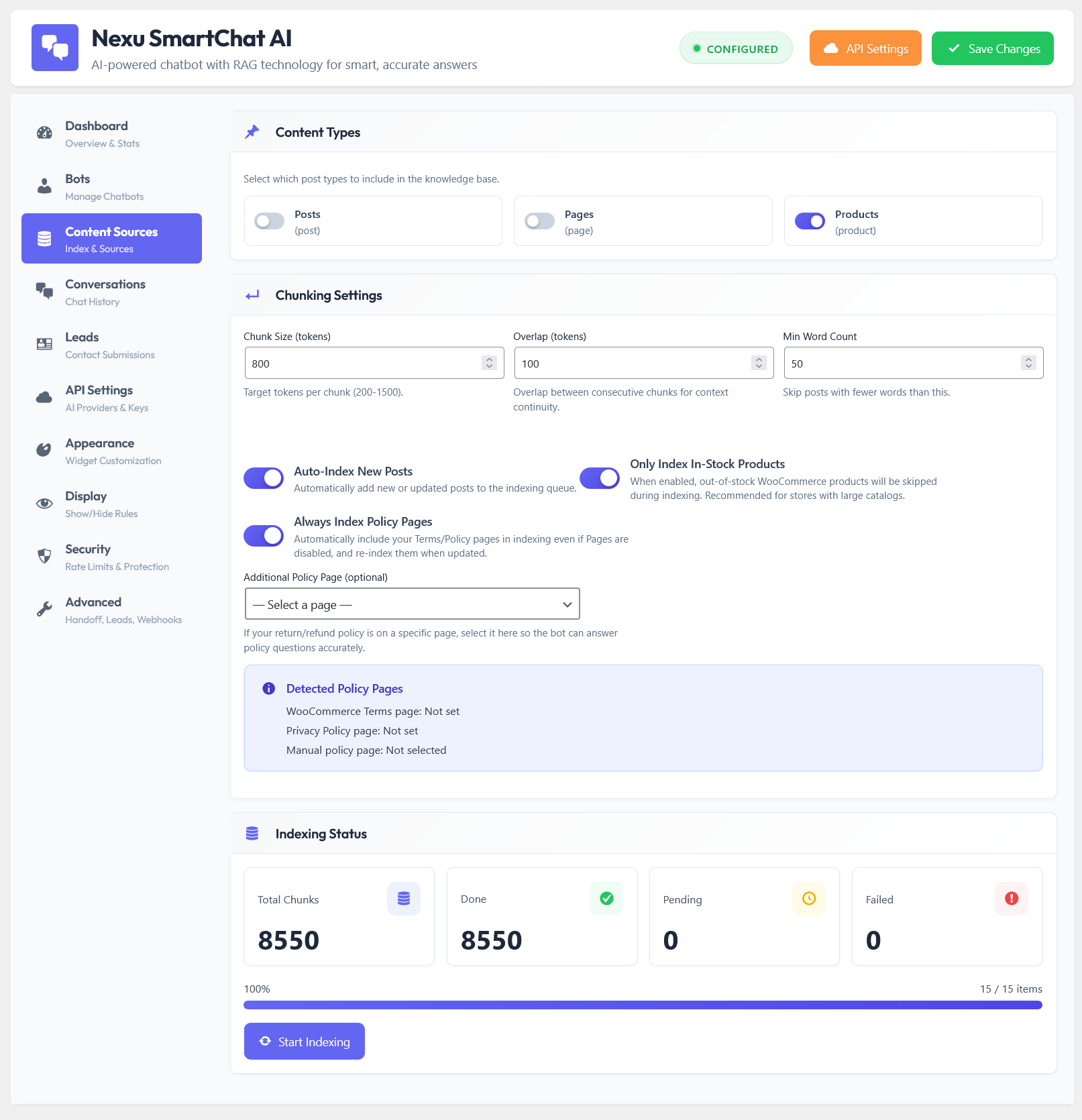
The most useful features to look for in a plugin’s indexing system are: selective content inclusion (the ability to choose which specific pages, posts, and products get indexed), on-demand re-indexing when content changes, visibility into what has been indexed and when, and ideally some control over the number of chunks retrieved per query and the per-source chunk cap. These features collectively let you control the quality and relevance of your chatbot’s knowledge base rather than accepting whatever the default configuration produces.
Selective content inclusion matters because not everything on your WordPress site should be in the chatbot’s knowledge base. Your privacy policy and terms of service contain legal language that the chatbot should not paraphrase. Pages under construction should be excluded until complete. Internal-only content that happens to be accessible should stay out of the index. A plugin that indexes everything automatically by default is convenient, but a plugin that lets you choose what goes in is more precise and produces a better-quality knowledge base.
The single most actionable takeaway from this deep dive is that if your RAG-powered WordPress chatbot is giving imprecise or incomplete answers, the first place to investigate is not the AI model. It is the indexing and retrieval layer, specifically how your content is being chunked and whether the retrieval configuration is returning the right depth and breadth of context for your specific question types.
If you do not have access to chunking configuration details in your current plugin, the practical workaround is content structure: well-structured WordPress content with clear headings, short paragraphs, and self-contained sections is easier for any chunking algorithm to split cleanly. Writing content so that each paragraph or section fully answers one question, rather than spreading an answer across multiple disconnected paragraphs, gives any chunking system a better chance of producing useful embeddings.
For WooCommerce stores, keeping product descriptions structured with clear section headings, separate specification blocks, and concise feature bullets serves both your site visitors and your chatbot’s retrieval quality simultaneously. The content that is easiest for humans to scan is generally also the content that chunks cleanest.
Understanding chunking gives you something most WordPress site owners do not have when they deploy a chatbot: a framework for diagnosing and improving answer quality that goes beyond “the AI is not very good.” The AI is often fine. The pipeline feeding it is where the answer quality actually lives.
Nexu SmartChat gives you selective content indexing, on-demand re-indexing, and configurable retrieval depth settings so the quality of your chatbot’s answers is something you can improve, not just hope for.





I didn't even realize how much chunking mattered until I read this. my chatbot actually works now no weird half answers or missing details. set it up once, followed the guide, and now visitors get the right info every time
Got this during the summer sale and finally had time to dig in. The part about chunking making or breaking the chatbot answers makes sense, but I'm still not sure how to tell if my site's content is actually chunked well. Same content, same AI, but one works and one doesn't?
Man, this finally clicked for me why my chatbot kept missing the mark. I'd dump entire product pages in there and still get half baked answers. chunking isn't just chopping up text it's about grouping ideas so the AI actually follows what you're saying. that FAQ vs. blog post example was a total lightbulb moment. now it makes sense why some plugins just work better right away. Would've saved me hours of messing with prompts if I'd seen this sooner
Finally makes sense!