Next-Level Code. Nexuvibe Style ...
Hrs
Min
Sec

Every visitor who lands on your WordPress or WooCommerce site represents a decision point. They are weighing something. A product question they cannot easily find the answer to. A concern about your return policy. Uncertainty about whether a specific item is right for them. In most cases, the answer to whatever is holding them back exists somewhere on your site — they just cannot find it fast enough, or at the moment they need it, or in the conversational form that feels natural at the moment of decision.
That gap — between the question the visitor has and the answer on your site — is where most conversions are lost. An AI chatbot trained on your actual store content does not close that gap by guessing or by giving generic answers. It closes it by giving the exact answer, drawn from your product descriptions and policies, at the moment the visitor is still engaged and still on the page.
Lead generation, in this context, is not about aggressive pop-ups or forcing visitors to submit their email before they can read a product description. It is about being genuinely useful at the moment that usefulness translates directly into a sale — or into a captured contact that leads to one later.
This guide covers the mechanics of AI chatbot lead generation for WordPress and WooCommerce sites — where the opportunities are, how to set them up, and how a WordPress AI chatbot plugin that auto-indexes your store content and converts visitor questions into sales opportunities turns each of these moments into measurable results.
Lead generation with a chatbot is not a single tactic — it is a set of interventions at specific moments in the visitor journey where the intent to buy exists but something is preventing completion. Understanding these moments precisely is what separates chatbot setups that generate leads from ones that annoy visitors without result.
A visitor spends 90 seconds on a product page and does not add to cart. They have a question — size, compatibility, material, warranty — that is not answered quickly enough in the description. An AI widget that surfaces itself after 60 seconds of inactivity and asks “Any questions about this product?” captures the conversation at exactly the right moment.
Someone has added a product to their cart and spent time on the checkout page without completing. The blocker is almost always a question about shipping cost, delivery time, or return policy. A chatbot on the cart page that proactively offers to answer questions recovers a significant percentage of these visitors before they leave — not after.
A visitor browses multiple product pages, goes back and forth, cannot decide between options. They need a recommendation — a human-style “given what you’ve described, here’s what I’d suggest.” An AI with access to your full product catalogue can ask two qualifying questions and surface the right recommendation. This is not a basic FAQ function — it is the closest thing to a knowledgeable sales assistant available at 2 a.m.
A visitor is about to leave. They have not found what they need or have run out of engagement. An exit-intent trigger — the widget appearing as the cursor moves toward the browser tab — gives one more opportunity to ask the question that was not answered and capture the contact detail before they go. The question “Can I send you the answer by email?” converts a fraction of these visitors into leads worth following up.
A significant percentage of online shopping happens outside business hours — evenings, weekends, holidays. A visitor with a genuine intent to buy but an unanswered question at 11 p.m. either gets answered by your AI instantly or leaves and may not come back. The AI is the only sales function that does not sleep.
The difference between a chatbot that generates leads and one that does not is almost entirely about access to your actual product content. A generic AI assistant connected to a language model can hold a pleasant conversation — but when a visitor asks “does the medium size fit a 34-inch waist?” or “is this compatible with my 2023 MacBook Pro?”, a model with no access to your product data cannot answer accurately. It guesses, hedges, or gives a response so vague that the visitor gets nothing useful.
A chatbot built on RAG — Retrieval-Augmented Generation — retrieves your actual product specifications before generating a response. It answers the size question from your size guide. It answers the compatibility question from your product technical specifications. It answers the returns question from your returns policy. And because it answers accurately, the visitor trusts the answer and makes the purchase.
A visitor who asks a question and gets an accurate, specific answer is far more likely to purchase than one who gets a vague response or no response at all. The chatbot is not making the sale — it is removing the last obstacle between a visitor who wants to buy and the checkout button.
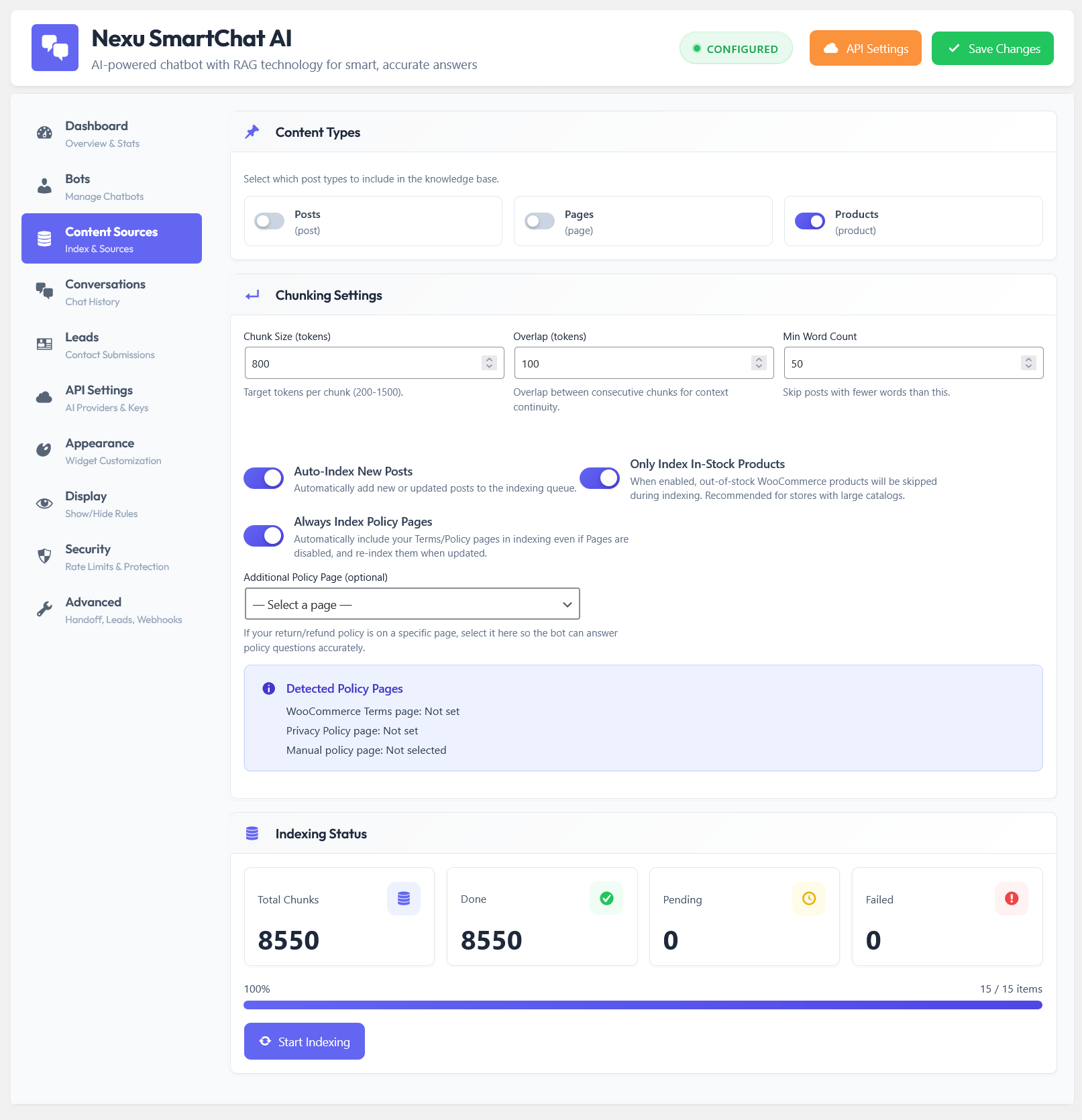
Nexu SmartChat Assistant with Auto-Indexing & RAG gives you several configuration options that directly determine how effectively it generates leads. Here is the setup approach that maximises conversion.
The system prompt shapes everything the chatbot does. For lead generation, the prompt should position the bot as a knowledgeable sales assistant — not a customer service agent. The difference in framing changes the responses meaningfully. A support framing produces careful, hedged answers. A sales framing produces enthusiastic, helpful answers that guide visitors toward a decision.
The chatbot’s sales effectiveness is directly proportional to how complete your product descriptions are in the indexed knowledge base. Every specification that a buyer would want to know — dimensions, materials, compatibility, what is included, size guide — should be in the product description as text. If it is in an image or a PDF, the AI cannot read it. If it is in a separate page that is not indexed, the AI does not know it. Run the indexing, then ask the chatbot your ten hardest product questions. Every time it cannot answer, that is lost revenue — go write the missing content.
In SmartChat’s Display Settings, you control which pages show the widget and when it appears. For lead generation, the highest-value placements are individual product pages (where purchase intent is highest), the cart and checkout pages (where abandonment happens), and category pages (where comparison shopping occurs). Set the widget to appear after 45–60 seconds on product pages — early enough to catch engaged visitors, late enough to avoid interrupting someone who is still reading.
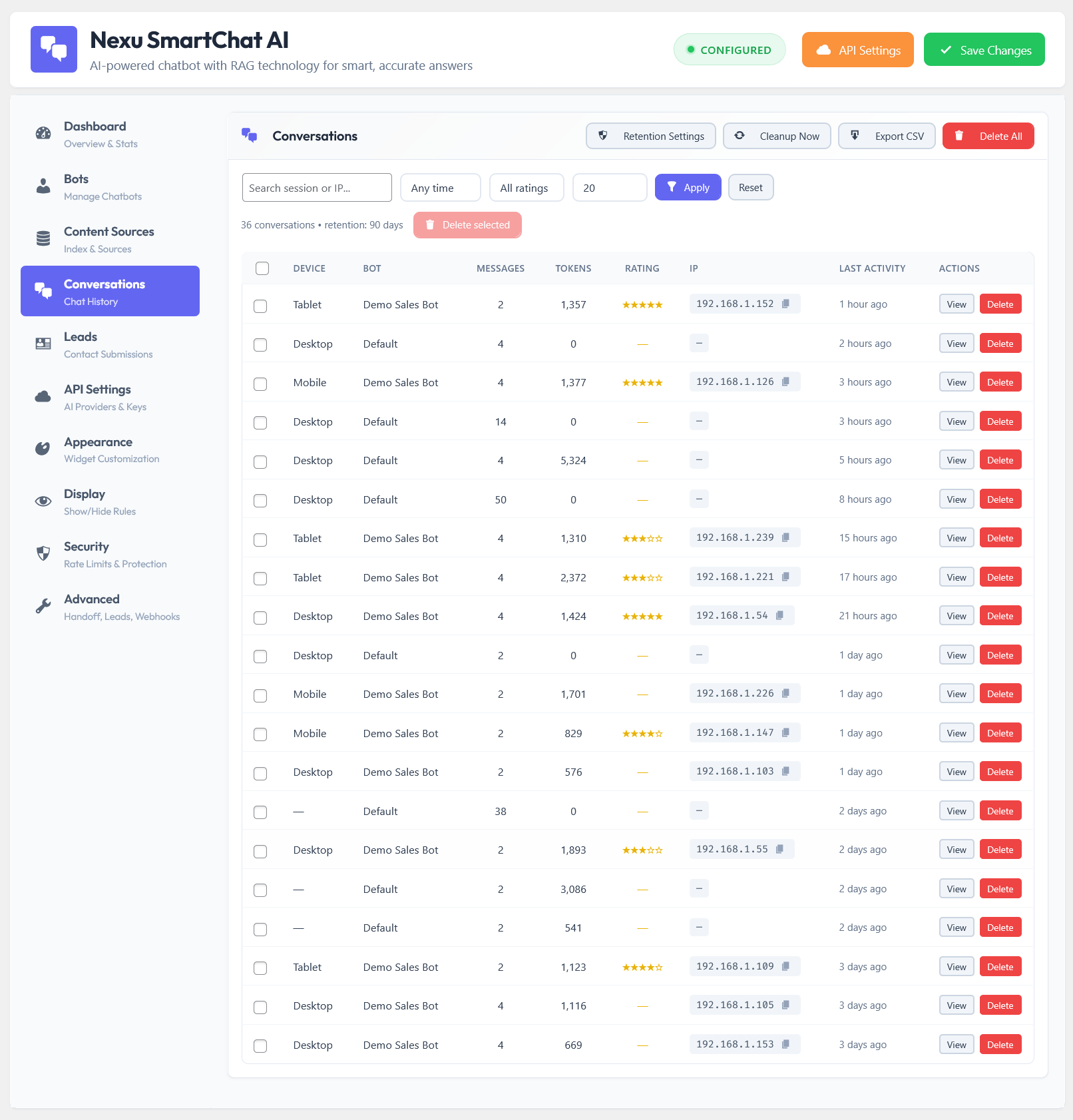
The Conversations tab in SmartChat is your most valuable source of product and marketing intelligence. Read the transcripts. You will see exactly what questions are blocking purchases, which products generate the most pre-sale questions, and what information your site is failing to communicate clearly. This is your conversion research — use it to rewrite product descriptions, expand your FAQ, and prioritise which content gaps to fill first.
The visitor who leaves without buying is not always a lost cause — they are often someone who had a question that was never answered. An AI chatbot trained on your product content is not a gimmick or a trend. It is the most cost-effective sales assistant your store can deploy, available at every hour your visitors shop, in every language they speak, with knowledge of every product you sell.
Nexu SmartChat Assistant with native WooCommerce RAG and auto-indexing is built for exactly this — not as a generic AI wrapper, but as a WordPress-native sales tool that reads your catalogue, learns your content automatically, and engages your visitors at the moments that matter most.






Wow this actually answered my return question right away! no digging through pages
As a paramedic working odd shifts, I don't have time to babysit my WooCommerce store at 3 AM when customers have last minute questions.
Got this for my sister's online boutique after reading about how it handles last minute questions. Setup was pretty easy, but I'm not totally sure it's catching everyone some people still bounce fast. The quick response time is nice, though.
Just installed this and wow caught three hesitant shoppers in 24 hours by answering their sizing questions instantly.