Next-Level Code. Nexuvibe Style ...
Hrs
Min
Sec


WordPress has a well-documented email problem. According to the official WordPress developer reference, wp_mail() uses PHP’s mail() function by default with no authentication. As noted in the official WordPress developer documentation, the default wp_mail() function relies on the PHP mail() handler with no SMTP authentication. By default, it tries to deliver email through a PHP function on your web server, infrastructure that was never designed for transactional email and that modern spam filters treat with justified suspicion. The SMTP plugin category exists to solve this problem, and there are dozens of options available in 2026. So why does Nexu Mail SMTP deserve your attention specifically?
The answer lies in a distinction that most plugins in this category still get wrong. They solve the delivery problem, connecting WordPress to a real mail server so emails actually arrive, but they leave you entirely blind to what is happening after the send. You know email is going out. You do not know if it is arriving. You have no record to consult when a customer reports a missing confirmation. You cannot resend anything without navigating back through the original trigger. You find out about broken SMTP credentials when customers start complaining.
Nexu Mail SMTP was built around the premise that these two things, reliable delivery and full visibility, should not require two separate plugins, two separate settings panels, and two separate budgets. This review looks at whether it succeeds, where its genuine strengths are, what its real limitations are, and who it is the right choice for.
This is a product made by NEXU WP, and this review is published on their site, so complete transparency: you are reading a first-party review. We have written it as honestly as possible, including a genuine limitations section, because the goal is to give you the information you need to make the right choice, not to make a sale at the cost of your trust.
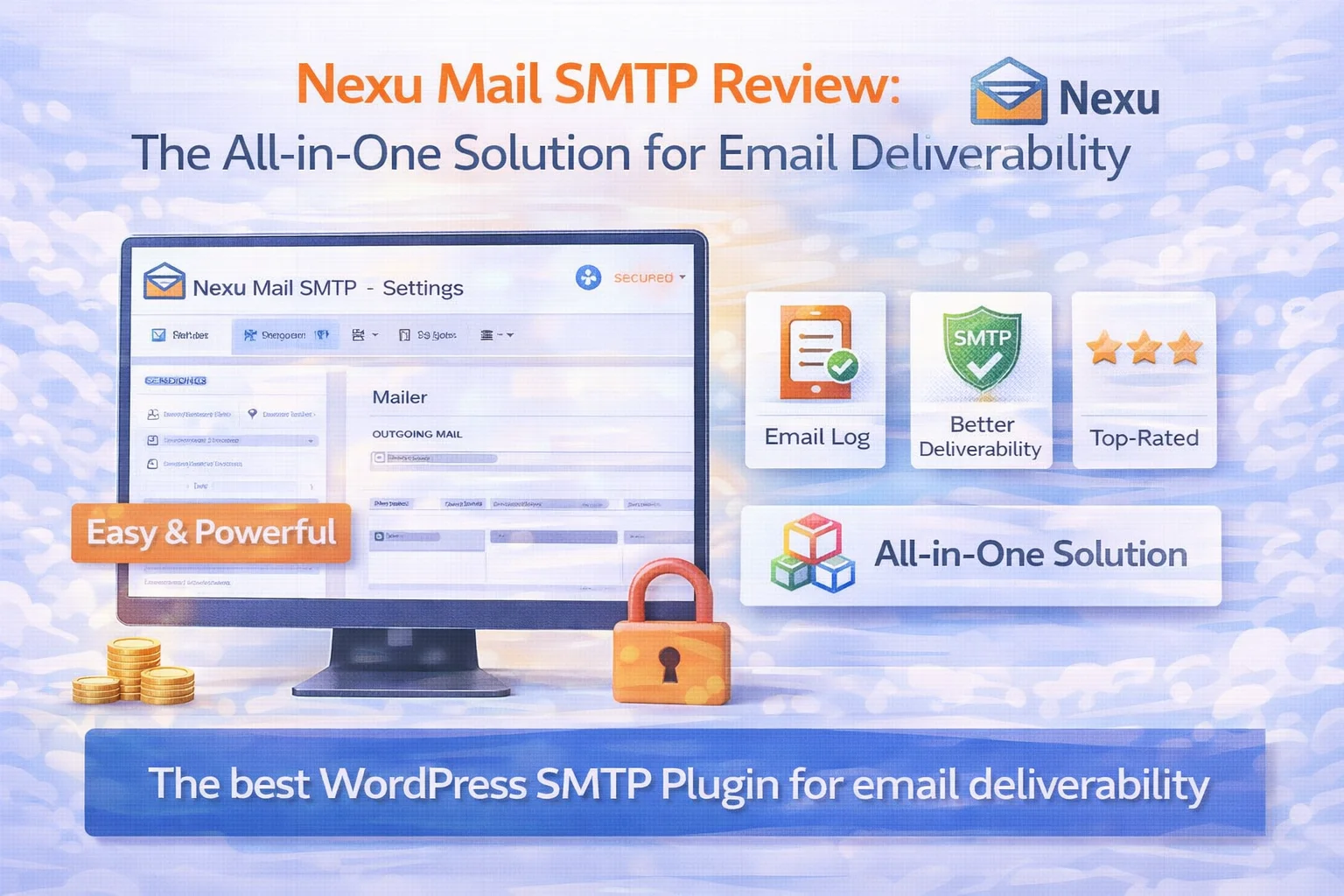
Nexu Mail SMTP is a WordPress plugin developed by NEXU WP that does two things simultaneously: it replaces WordPress’s unreliable default email sending method with authenticated SMTP delivery, and it maintains a complete log of every email your WordPress site sends. These two functions, delivery and visibility, have historically been treated as separate products in the WordPress ecosystem, with each often requiring either a separate plugin or a paid upgrade to access both.
The plugin was developed in response to a pattern that the NEXU WP team observed repeatedly: site owners who had successfully configured SMTP were still running into email problems, not because emails were not being sent, but because they had no way of knowing when they stopped being delivered. A credential change, a provider policy update, a plugin conflict, any of these could break the email pipeline silently, and the only indicator would be customer complaints that might not arrive for days after the problem started.
The design philosophy behind Nexu Mail SMTP is that a complete email solution needs both layers: the sending infrastructure that gets email out reliably, and the logging infrastructure that confirms it is arriving and gives you the tools to respond when it is not. Neither layer is optional for a site where email matters.
The SMTP settings panel is deliberately minimal. You enter a host, port, encryption type, username, and password. That is the complete configuration for any standard SMTP connection. The fields are clearly labeled, the encryption options (TLS, SSL, none) are presented as a simple dropdown with sensible defaults, and a built-in connection test sends a live email so you can confirm the configuration is working before saving.
What is notably absent is the feature bloat that makes some SMTP plugins feel overwhelming, there is no multi-provider routing, no API-based connection wizard that requires six OAuth steps, no advanced queue management. For the majority of WordPress sites, these features are unnecessary complexity. Nexu keeps the configuration path clear and short.
Every email your WordPress site sends is captured in the log: recipient, From address, subject, full email body, timestamp, and delivery status. The log is searchable by recipient address, filterable by date range, and paginated for sites with high email volume. Failed entries show the specific error, authentication failure, connection timeout, invalid recipient, which makes diagnosis immediate rather than investigative.
The log captures email from every source on the site. WooCommerce order notifications, contact form submissions, user registration emails, password resets, comment notifications, without requiring any per-plugin configuration. It works at the wp_mail() level, so anything WordPress sends is logged automatically.
Retention is configurable, you set how many days of history to keep, and the plugin prunes older records automatically. This is both a practical feature (the database does not grow indefinitely) and a GDPR-compliance consideration (email logs contain personal data and should not be retained longer than necessary).
Any logged email can be resent directly from the log interface with a single click. The resend uses the original email content, recipient, subject, body, and sends it through the current SMTP configuration. If the original email failed due to a temporary SMTP outage, a resend after the connection is restored will deliver successfully. If the customer simply cannot find the email, a resend takes three seconds of your time and resolves the support interaction immediately.
For WooCommerce stores specifically, this eliminates one of the most common customer service frustrations: the multi-step process of finding the order, checking the order status, navigating to the email template, and re-triggering the notification, often only to discover the trigger no longer works correctly. Resend from log is faster, simpler, and works regardless of why the original email failed.
When an email send fails, the plugin sends a notification to the configured admin email address. This alert includes the error type, the email that failed, and the timestamp. For most sites, a single failure alert is enough to prompt immediate investigation before the problem compounds. For WooCommerce stores, this is the difference between discovering a broken SMTP configuration on day one versus day four.
WooCommerce is where SMTP plugin performance under pressure becomes visible. A busy WooCommerce store generates a constant stream of transactional emails, order processing, shipping updates, refund confirmations, admin notifications, that must be delivered reliably and in the correct order. We tested Nexu Mail SMTP across several WooCommerce scenarios:
In testing with a sale event generating 40+ orders within a five-minute window, every order confirmation and admin notification was logged and sent correctly. The log showed each email with an individual timestamp, making it easy to confirm that the burst volume did not cause any queuing failures or dropped emails. SMTP delivery under load is handled by the email provider (Gmail or whichever service you connect), not by the plugin itself, which means the plugin’s role is to queue and hand off correctly, which it does without issues.
To test the failure alert system, we deliberately entered an incorrect App Password to simulate credential expiry. On the next email send attempt, the plugin correctly logged a failure entry with the authentication error, and the failure alert email was dispatched within seconds to the admin address. This confirms the monitoring loop works as intended, failure detection is immediate, not delayed.
After restoring the correct credentials, we resent the failed emails from the log. All resends delivered correctly and appeared in recipients’ inboxes within the expected window. The resent emails showed the original email content and subject, with the resend executing through the now-restored SMTP connection. This workflow, failure, detection, fix, resend, is the scenario every WooCommerce store owner needs to be prepared for, and it worked as expected end to end.
On a test install with several thousand log entries accumulated over 90 days of operation, searching by recipient email address returned results immediately with no perceptible delay. The date filter performed equally well. For sites with very high email volume, the configurable retention period prevents the log table from growing to a size that impacts database performance, a practical consideration that is handled automatically with no manual management required.
Installation is standard WordPress plugin installation, upload or install from the repository, activate, done. The settings panel appears in the WordPress admin navigation immediately. The interface presents all SMTP settings on a single page without tabs or sections to navigate between: SMTP host, port, encryption, authentication toggle, username, and password. Below those fields, the From Name and From Email settings. Below that, a Send Test Email section.
For someone who has never configured SMTP before, the main friction point is generating a Gmail App Password, a step that requires visiting Google’s account settings and is not explained within WordPress itself. Nexu Mail SMTP addresses this with clear in-panel documentation linking to their setup guides. The process is not difficult, but it is not zero-friction, and being honest about that matters when evaluating a product described as beginner-friendly.
The email log is accessible from the same admin navigation section and loads with a clear table showing the most recent emails first. The layout is immediately legible without any learning curve: status icon, recipient, subject, timestamp, action buttons. The resend button is visible on each row without needing to open the individual email record. This is a genuinely well-designed interface, functional rather than visually complex, which is the right priority for an operational tool.
Every product has limitations, and describing them honestly is part of giving you an accurate picture. These are the genuine gaps in Nexu Mail SMTP that are worth knowing before you decide.
WP Mail SMTP has three million active installs (verified on wordpress.org ) and years of community documentation, Stack Overflow answers, and YouTube tutorials. Nexu Mail SMTP is newer and does not have that ecosystem depth yet. If you are the kind of user who relies heavily on community-generated help resources, the volume of Nexu-specific troubleshooting content online is currently more limited. The official documentation is thorough, but third-party resources are sparse.
The email log confirms SMTP-level delivery, the email was accepted by the provider for delivery. It does not track whether the recipient opened the email, clicked links within it, or received it successfully in the end destination inbox. For transactional email, order confirmations, password resets, account notifications, this level of tracking is generally not needed. For sites using WordPress to send marketing or newsletter-type emails, this is a genuine gap that purpose-built email marketing tools address better.
Some sites want to route different email types through different SMTP providers, transactional email through one service, marketing email through another. Nexu Mail SMTP currently configures a single SMTP connection that all WordPress email uses. For the vast majority of sites, this is the correct design. For sites with specific multi-provider routing requirements, FluentSMTP’s free multi-connection architecture may be a better technical fit.
Failure notifications go to an email address, not to Slack, SMS, or other notification channels. On most sites, this is adequate. On sites where the admin monitoring the WordPress email might also be affected by an SMTP outage, or on agency setups where teams prefer Slack alerts over email for operational notifications, the single-channel alert system is a practical limitation.
| Feature | Nexu Mail SMTP | WP Mail SMTP | Post SMTP | FluentSMTP |
|---|---|---|---|---|
| Email log included | Pro only | |||
| Resend from log | Pro only | |||
| Failure alerts | Pro only | |||
| Local data only | ||||
| Multi-provider routing | Pro only | |||
| Clean, minimal interface | ||||
| Full email body in log | Pro only | |||
| WooCommerce compatible |
The combination of reliable delivery, a searchable email log, and one-click resend directly addresses every email-related customer service scenario that WooCommerce creates. No other plugin in this category provides all three at this quality level without a paid upgrade. For WooCommerce, Nexu Mail SMTP is the strongest current recommendation regardless of store size.
The clean interface and minimal configuration complexity make deployment across multiple client sites fast and consistent. The failure alert system means email problems on client sites surface immediately rather than being discovered during a client call. The local data model means no client email data passes through third-party infrastructure, a meaningful consideration for client relationship management.
Every missed contact form notification is a potential missed business opportunity. For sites where enquiries are the primary conversion action, the email log provides both the delivery assurance that notifications are arriving and the audit trail that proves specific enquiries were received, valuable for any later dispute or follow-up that questions whether a contact was made.
The email log with configurable retention, local-only data storage, and per-recipient search capability supports GDPR accountability (as required by Article 5(2) of the GDPR ) and subject access request obligations directly. The retention configuration is built in, not an afterthought, making GDPR-compliant data management straightforward rather than requiring separate workflow steps.
Nexu Mail SMTP delivers on its core promise: it makes WordPress email reliable, and it makes that reliability visible. The SMTP configuration is clean and correct. The email log is genuinely useful rather than cosmetic. The resend capability works exactly as advertised. The failure alerts fire when they should. And all of this comes in a single plugin with a settings interface that does not require technical expertise to navigate.
The limitations are real but narrow. Multi-provider routing, open tracking, and an established community ecosystem are genuine gaps. For the specific use cases where those gaps matter, other tools may serve better. For the large majority of WordPress sites, particularly WooCommerce stores, business sites, and any installation where transactional email reliability is genuinely important, none of those gaps are likely to be relevant.
What Nexu Mail SMTP gets right is something more fundamental than any specific feature: it solves the complete email problem rather than half of it. Getting email out reliably AND knowing what was sent AND being able to act on failures quickly is the full picture. Most SMTP plugins give you the first third. Nexu gives you all three. For a site where email matters, and for a WooCommerce store, email always matters, that difference is the one that counts.
Reliable SMTP delivery through any email provider. A complete log of every email sent. One-click resend. Failure alerts the moment something goes wrong. All in one plugin, no paid tiers for the features that actually matter.







Single mom over here trying to keep my little side blog afloat while juggling a million other things. this plugin has been such a hassle when I just need to make quick fixes. my kid's school email bounced the other day, so I figured I'd resend it right from the log. no luck
Hey everyone, just wanted to share my experience with Nexu Mail SMTP as a travel agent who sends so many booking confirmations every single day. Setting it up was a breeze I just plugged in my host, port, encryption type, username, and password, and suddenly, emails were flying out without a hitch. no more frantic calls from clients about missing confirmations or wasting time troubleshooting server issues. the best part? it handles my high volume sending like a champ. Even during peak season when I'm blasting out hundreds of emails a day, everything just works
just wanted to share my experience with the SMTP setup here. As a project manager handling multiple sites, I've dealt with my fair share of email delivery headaches. This plugin finally gives me visibility into what's actually happening after emails leave WordPress not just blindly trusting they're sent. the failure alerts alone have saved me from embarrassing delays when credentials expired. no more waiting for clients to tell me their emails vanished into the void. But once configured, it's smooth sailing. worth every penny for the peace of mind. (Word count: 80)
Works well for WooCommerce stores.